

Instantly and accurately reporting on failure state
Associated issues

- You found a failure location in the field but can’t explain it clearly over the phone.
- You want to correctly report multiple measured values and the locations where they were measured.
Solved by GENNECT Cross!
- Since you can place multiple measured values on a photograph, you can create easy-to-understand materials while making measurements.
- You can also place comments (for example, the text “failure location”) on photographs.
- You can immediately share the photographs you create by email and other means.

Placing measured values on photographs
Using the GENNECT Cross field maintenance function, you can create photographs on which measured values have been placed. By placing measured values close to measurement locations on a photograph, you can indicate which areas were measured.
Since measured values are sent using Bluetooth® communications, there’s no need to enter values manually. You can create a report while making measurements.
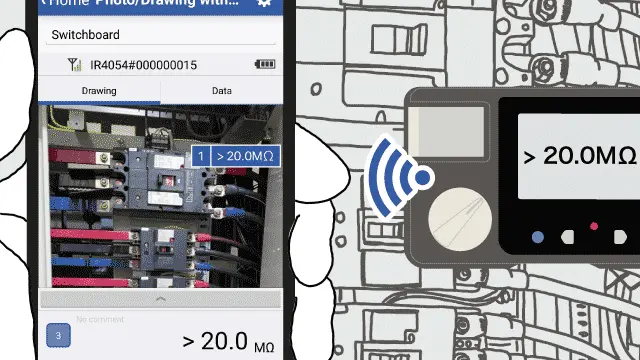
For example, you could create an easy-to-understand document after measuring the insulation resistance of each phase by placing measured values while paying attention to the following:
- Was the measurement made on the primary or secondary side of the circuit breaker?
- R-, S-, and T-phases
Placing comments on photographs
GENNECT Cross lets you add comments to photographs using a pen tool.
For example, you could circle locations where a circuit breaker was discolored or where you heard a buzzing sound, highlight anomalous measured values with color, or add simple explanations.
Sending photographs by email
You can email the photographs you create from GENNECT Cross. You can also group together multiple photographs in a single message.
In addition, you can select multiple photographs and measurement data and use them to create a PDF report.
GENNECT Cross functions used
Supported instruments
View the list of supported instruments →