

File transfer (Auto)
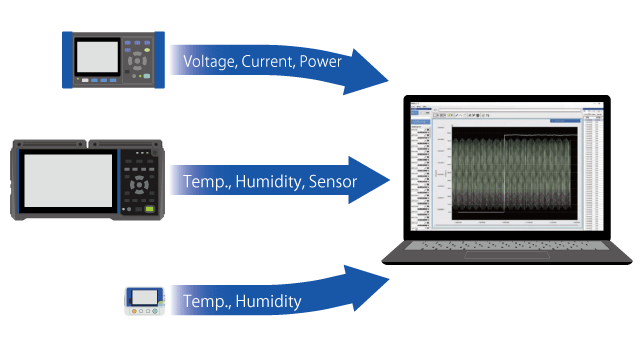
- Automatically collects measurement data so you don’t have to visit measurement sites.
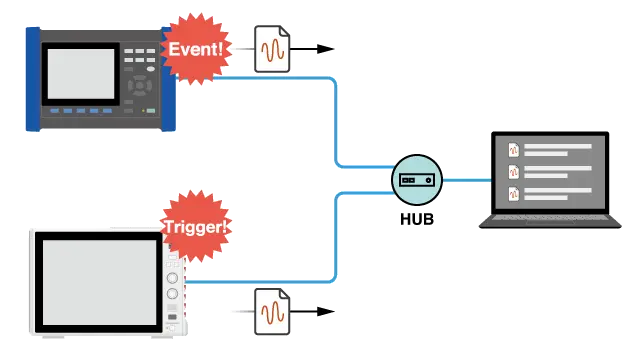
- Collect event files immediately when a power quality analyzer detects an event.
- Collect waveform files immediately when a Memory HiCorder detects a trigger.
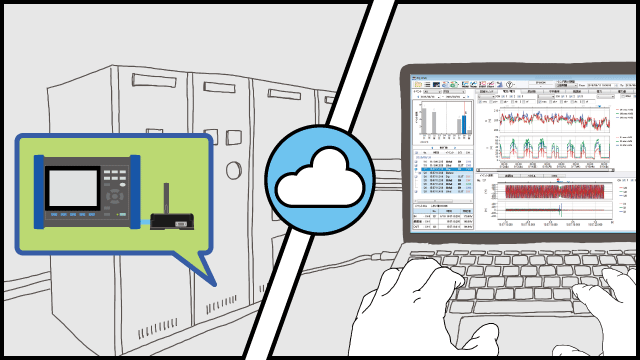
- By using GENNECT Cloud, you can even collect data from a remote location.

Example uses
Features
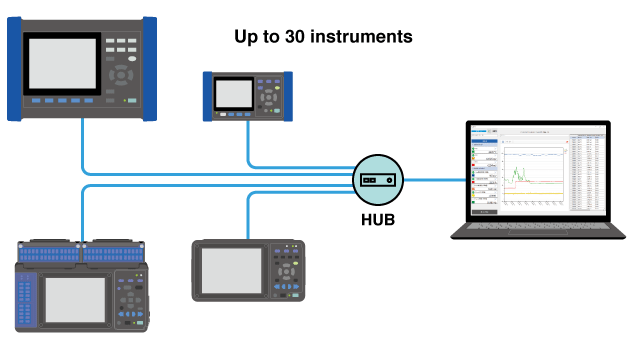
GENNECT One collects instrument data files as they’re saved by instruments (when the instrument closes the file). Collected instrument data files are registered in the data list.
Power quality event files and Memory HiCorder waveform files
Event files are generated when power quality analyzers detect events.
Event files are sent to GENNECT One as they’re created.
In the same way, Memory HiCorders automatically send an waveform file when trigger conditions are satisfied.
Logging files from power meters and loggers
Measurement data is saved to the instrument’s internal storage at a set time interval while logging is ongoing, and each time a file is saved, it’s sent to GENNECT One. That’s because the instrument never finishes saving a logging file (the file is never complete).
Ordinarily, the instrument stops measurement when the set measurement stop time is reached, and the logging file is then complete. Data is then sent to GENNECT One.
Files may also be sent at other times, for example once a day or once a particular file size is reached, depending on instrument. Please see the instrument specifications.
With GENNECT Cloud, you can even collect measurement data from a remote location.
Instrument data files are saved to GENNECT Cloud.
A notification can be generated when a file is saved and sent to the specified recipient (email, Slack, or GENNECT Cross).
You’ll receive a notification whenever a power quality event occurs. Downloading event files
With a power quality analyzer, you can receive a notification when an event occurs as described below, no matter where you are or what time it is, allowing you to analyze the event immediately.
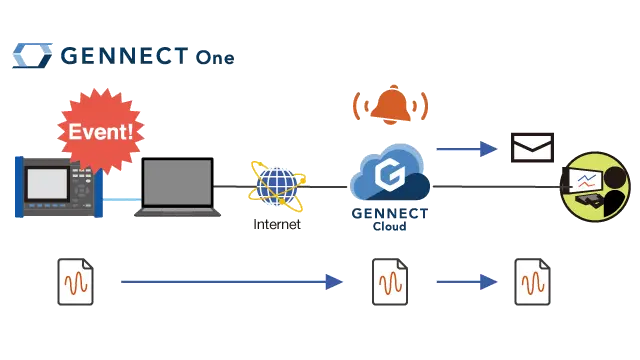
- When the power quality analyzer detects an event, an event file is generated.
- At the same time, the event file is saved to GENNECT Cloud via GENNECT One.
- Notification that the event file was saved to GENENCT Cloud is provided via the specified method, for example email.
- Download the event file from GENNECT Cloud.
- Open and analyze the file wit PQ One.
The process is similar with a Memory HiCorder; waveform files can be downloaded immediately as soon as you receive a notification that a trigger occurred.
GENNECT One Supported instruments
View the list of supported instruments →