

File Acquisition (Manual)
Collecting remote data by choosing only the necessary files
- Select the instrument data file to collect data from the necessary files alone.

Features
Collecting remote data by choosing only the necessary files
Instrument data files are saved on the storage media inserted in the instrument (SD card, USB drive, or CF card). The file acquisition (manual) function allows you to access and download these files directly from GENNECT One.
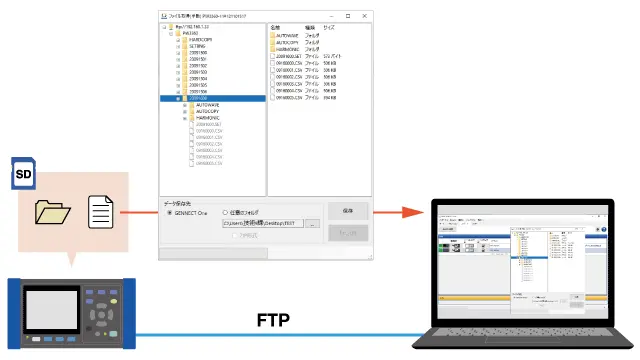
You can access instrument data files saved on an instrument, select files, and download them. You can download files even if you’re located far from the instrument.
Files are managed using GENNECT One’s data list.
By using GENNECT Cloud, you can collect data from an even more remote location.
Using GENNECT Cloud (in a web browser), you can download instrument data files from instruments that are connected to GENNECT One.
You can download uploaded instrument data files and analyze the data they contain on a PC.
Supported instruments and storage media
View the list of supported instruments →
Want help or have questions?