

Remote measurement mode
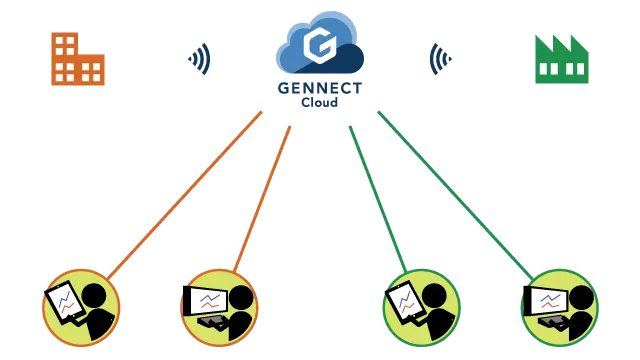
By connecting to GENNECT Cloud, you can access instruments that are connected to GENNECT One from a remote location. Log in to GENNECT Cloud from the web browser on a PC or smartphone to access the service.
Remote measurement mode provides the following functionality:
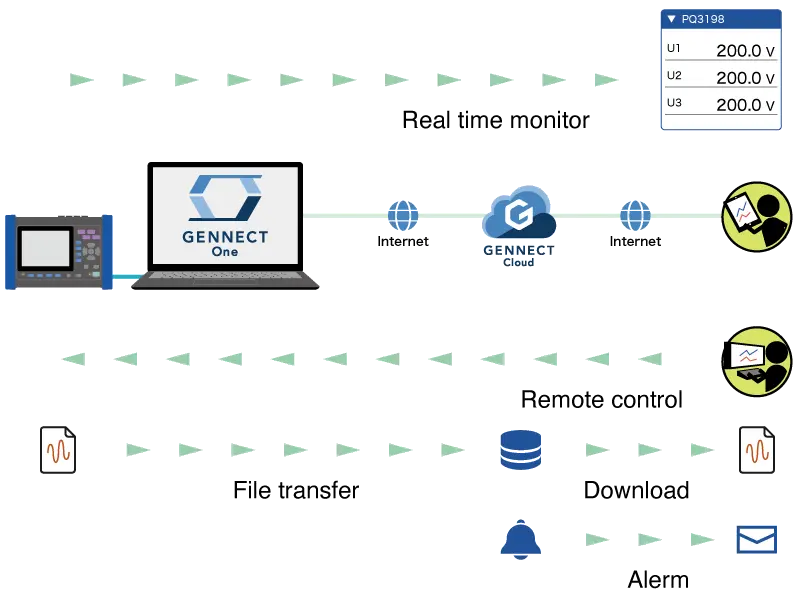
| Real-time monitor | Measured values (GENNECT polled data) are acquired from instruments at a 1-min. interval and recorded on the service’s cloud server. Since the display is automatically updated, you can check measured values in real time from a remote location. |
|---|---|
| Remote control | Control instruments connected to GENNECT One from a remote location. |
| File transfers and downloads | Instrument data files saved on SD cards and other instrument media are collected and saved to the service’s cloud server. By downloading these instrument data files, you can collect data even if you’re in a remote location. |
| Alarms | When an anomalous measured value occurs, you’ll receive notification, for example by email.
|
You must acquire a GENNECT Cloud account and verify your communications environment in advance.
Features
Assessing sites in real time
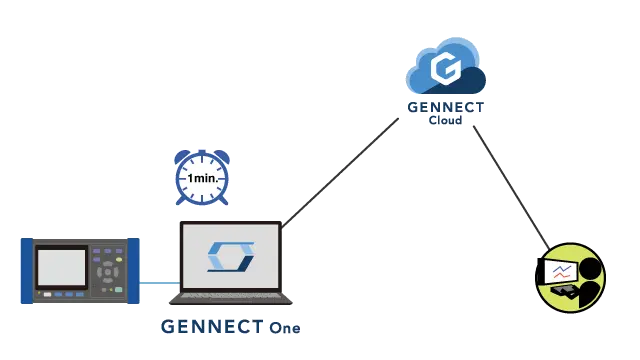
You can have instruments connected to GENNECT One participate in GENNECT Cloud’s monitor function.
Data from instruments is acquired at a 1-min. interval and logged on the service’s cloud server. This data is known as GENNECT polled data.
When you log in to GENNECT Cloud, current values for GENNECT polled data will be displayed. The display is updated at a 1-min. interval so that you can review the latest GENNECT polled data.
Select GENNECT acquisition channel
Select channels to use with the real-time monitor (in other words, GENNECT polled channels) from connected instruments.
The number of channels you can select per instrument depends on your GENNECT Cloud license plan.
| GENNECT Cloud license plans | Number of GENNECT polled channels that can be selected per instrument |
|---|---|
| Free | 30 |
| Standard | 30 |
| Pro | 100 |
Controlling instruments without going to measurement sites
GENNECT Cloud’s console function lets you control instruments remotely.
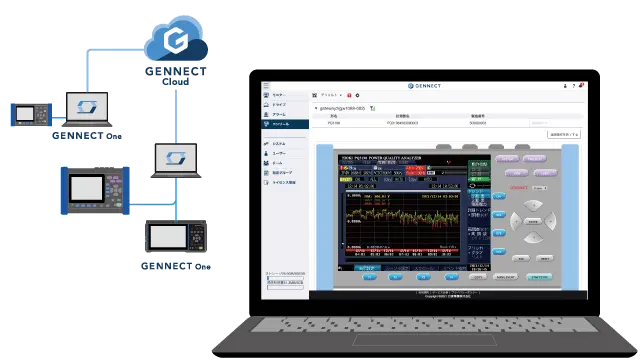
By logging in to GENNECT Cloud from a web browser, you can view a list of instruments that can be remote-controlled. As with GENNECT One’s remote control function (which works within a LAN), you can control instruments.
GENNECT Cloud’s console function differs in that it can control instruments beyond the LAN.
This function requires a Basic or Pro GENNECT Cloud license plan. Both are paid plans.
Collecting data from any location
The file acquisition (manual) and file transfer (automatic) functions saved files on a PC.
When you connect to GENNECT Cloud, files are saved on the service’s cloud server. Those saved files can be downloaded using GENNECT Cloud’s drive function.
In other words, you can collect data from a remote location.
Receiving immediate notifications about what’s happening in the field
Anomalous values in GENNECT polled data
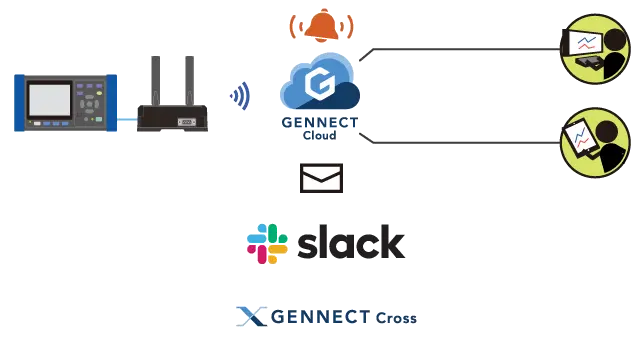
The system compares GENNECT polled data used by the monitor function with previously configured threshold values and issues alarms if the conditions are satisfied.
Notifications are sent by email or Slack, or as GENNECT Cross push notifications.
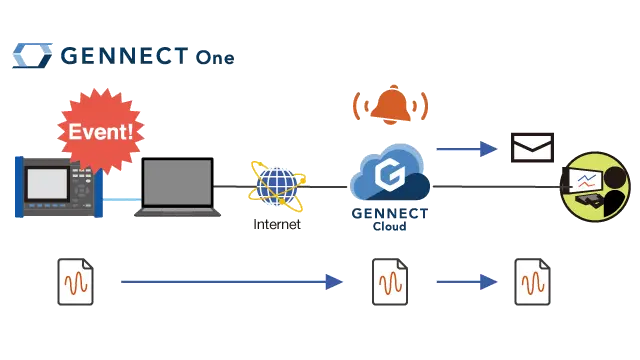
When an instrument data file has been saved
An alarm is issued when a new instrument data file is uploaded and saved to the cloud server.
Power quality analyzers and waveform recorders generate a new file and upload it to the cloud server each time a trigger occurs. Since you can receive a notification when that happens, for example by email, you’ll be aware that a trigger has occurred without needing to visit the site. In addition, you can download the file immediately.
Supported instruments
View the list of supported instruments →