

Auswählen von Kanälen
- Es wird eine Liste der aktivierten Messkanäle für die im Fenster Auswahl der Instrumente ausgewählten Instrumente angezeigt.
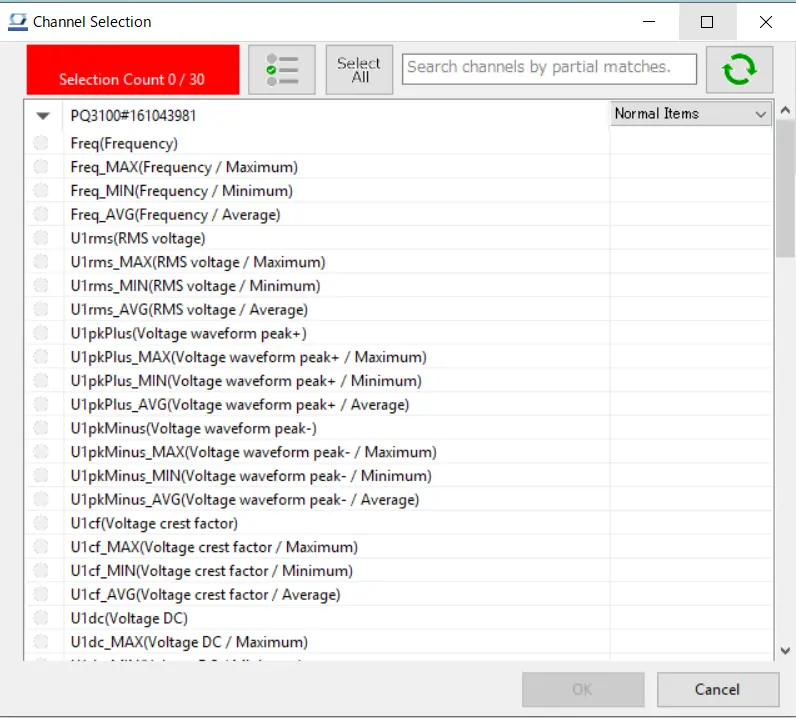
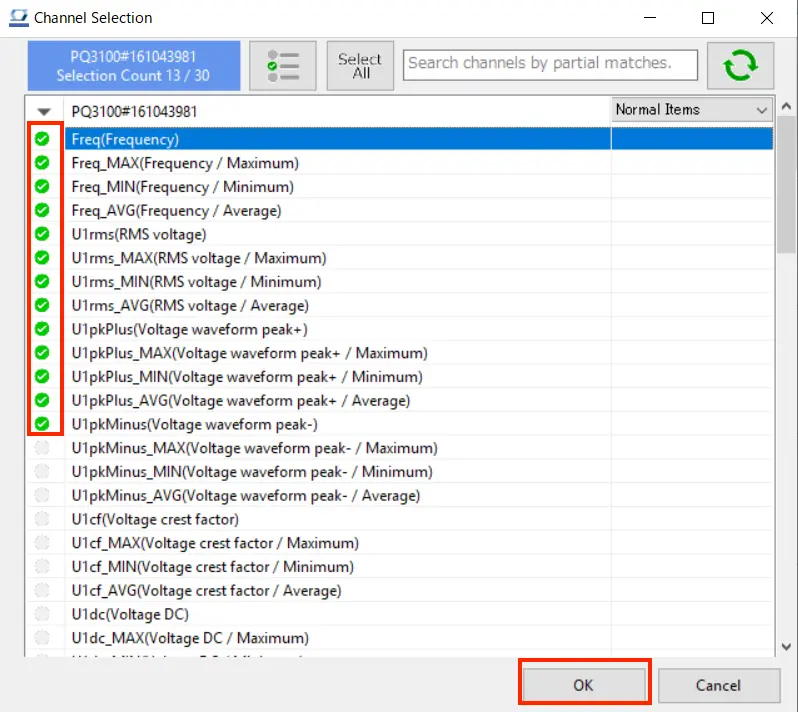
- Wählen Sie den zu verwendenden Messkanal mit Hilfe der Kontrollkästchen aus.
Klicken Sie auf die Schaltfläche [OK], um fortzufahren.
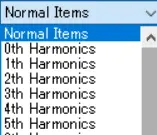
- Wenn die Anzahl der Messkanäle für normale Positionen 1200 übersteigt, wird die Seite auf mehrere Seiten aufgeteilt. Wählen Sie in diesem Fall die Seite, die in der Combobox angezeigt werden soll, und wechseln Sie die Seite.

- In PQ3100,PQ3198,PW3335,PW3336,PW3337,PW3360,PW3365,PW8001 (nur mit Oberschwingungsanalyse) können Sie die Oberschwingungsmesskanäle auswählen, indem Sie die Dropdown-Liste der Messgrößen auswählen.
*Wenn die Version dieser Anwendung kleiner als V5.10 ist, wird die Erfassung von Oberschwingungselementen für PW3335, PW3336 und PW3337 nicht unterstützt. Bitte aktualisieren Sie diese Anwendung auf V5.10 oder eine neuere Version.
- Measurement parameters for some instruments, for example the PW3336, PW8001, and PQ3198, will be displayed by identifier (PWP, MUpk, etc.).
For more information about the relationship between identifiers and measurement parameter names, see the following:
Sie brauchen Hilfe oder haben Fragen?