

Utilizar la función "Registro" (grabación automática)
1
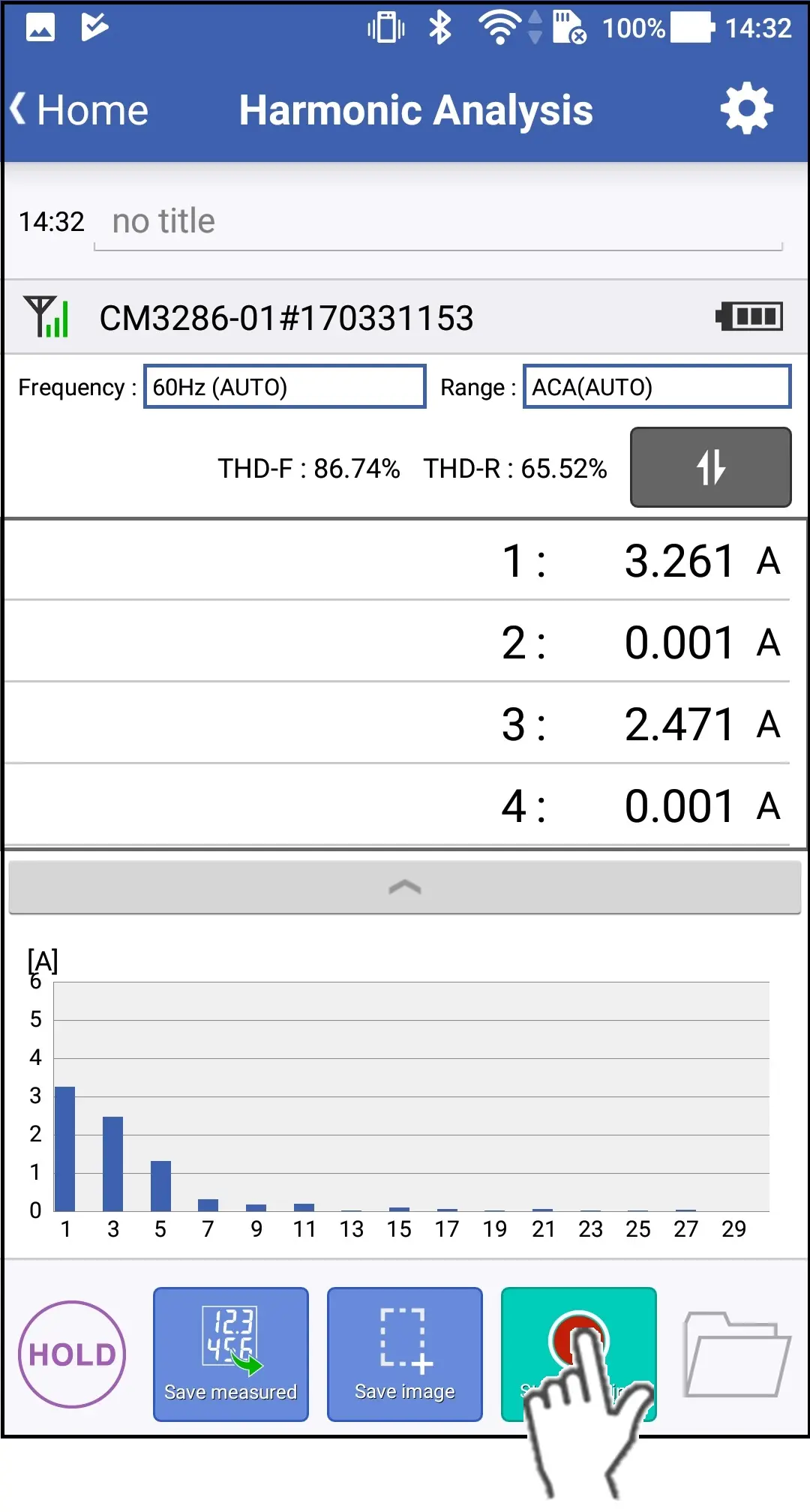
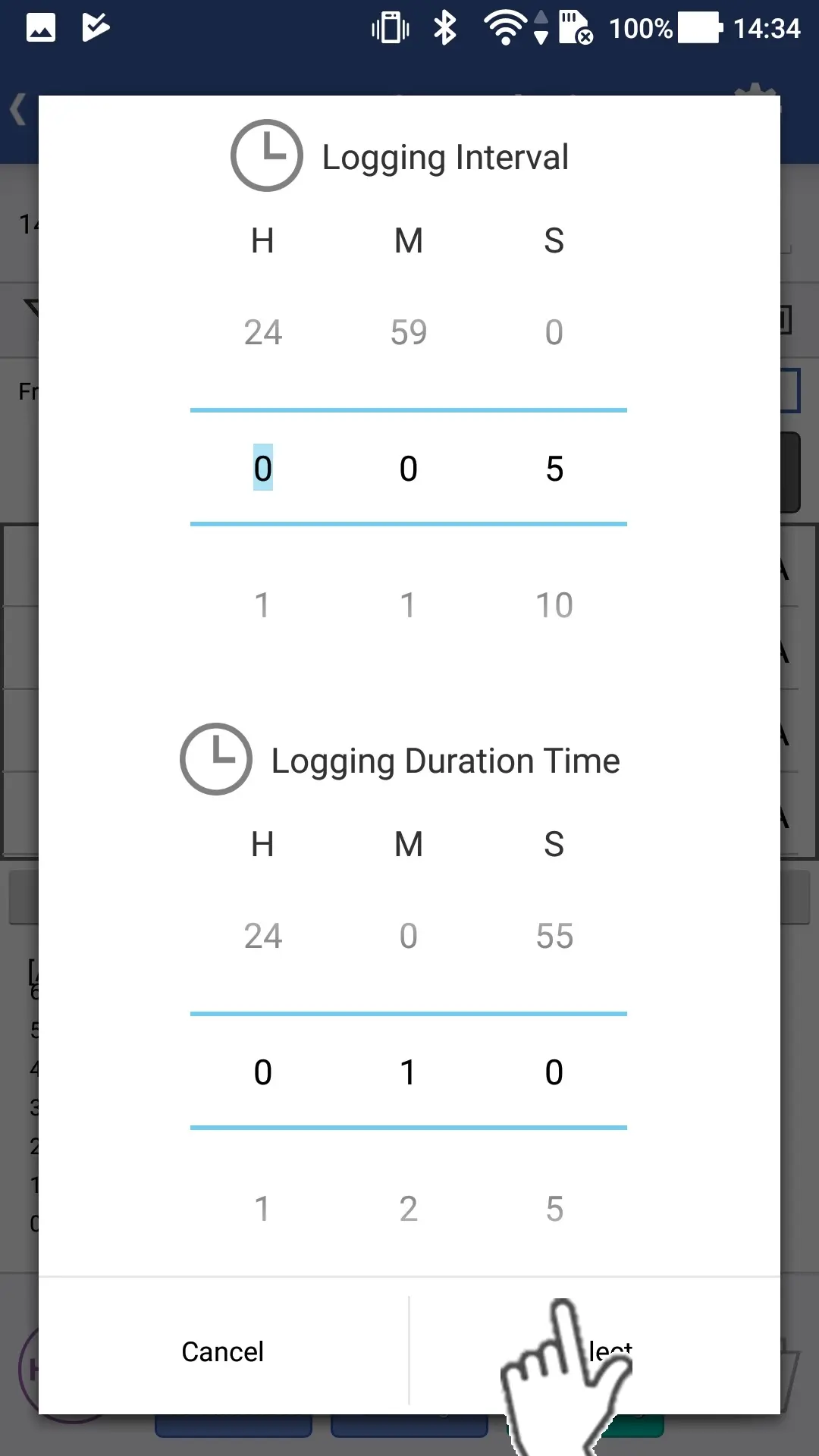
Si toca el botón "Iniciar registro", aparecerá un cuadro de diálogo para configurar el intervalo de registro y el tiempo de duración del mismo.
2
A continuación, pulse el botón "Seleccionar" para iniciar el registro.
3
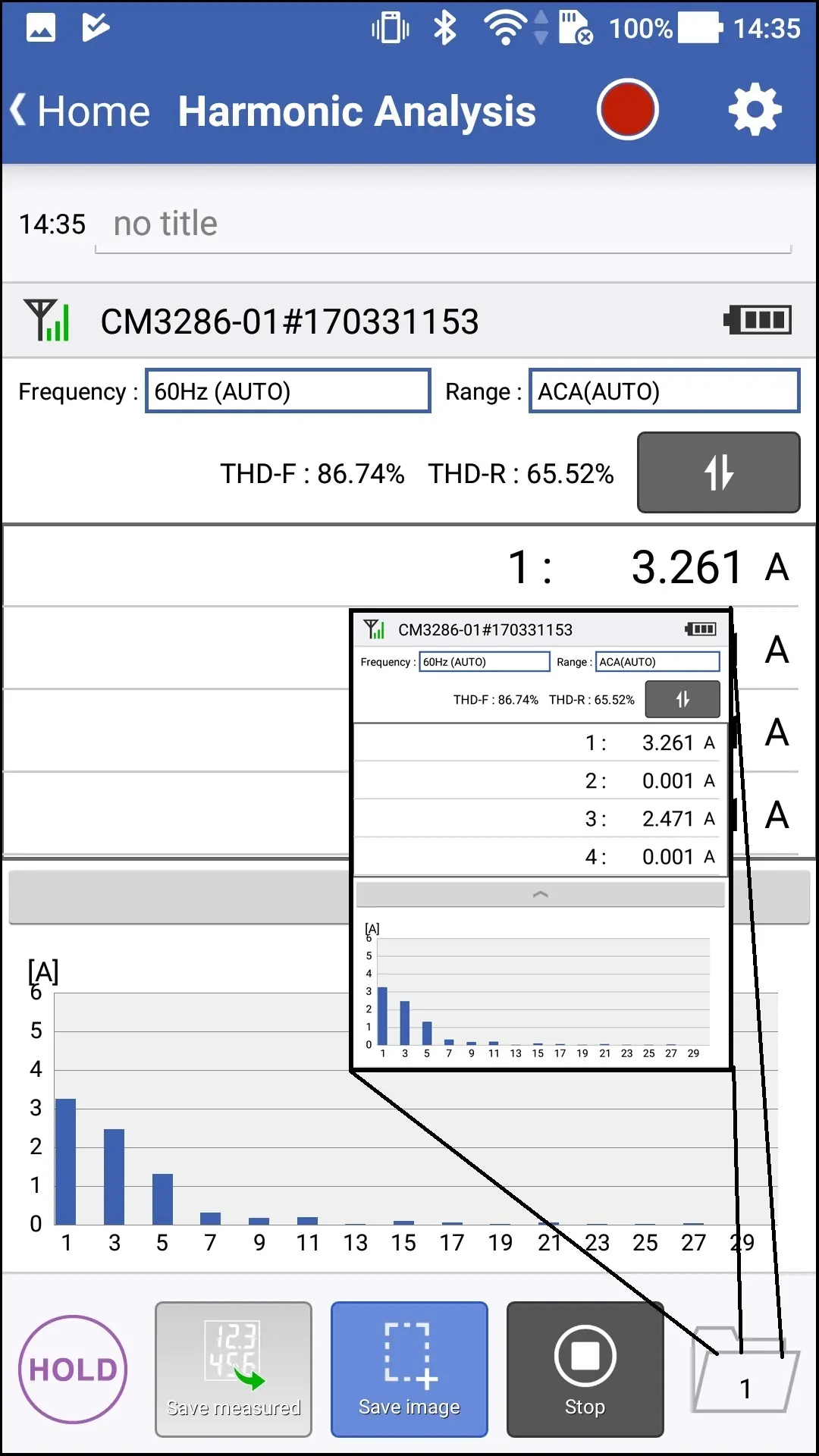
Una vez que haya pasado el tiempo de duración del registro o que pulse el botón "Detener registro", se detendrá el registro (grabación automática).
Si pulsa el icono rojo, podrá comprobar la configuración del registro.
Puede tocar el botón "Guardar imagen" y guardar las imágenes mientras se registra.
Puede tocar el botón "Guardar imagen" y guardar las imágenes mientras se registra.
¿Quiere ayuda o tiene preguntas?