HIOKI
GENNECT
Cloud
One
Cross
Top
Funktionen
FAQ
Handbuch
Kontakt
This website uses cookies.
We use cookies to personalise content and ads, to provide social media features and to analyse our traffic. We also share information about your use of our site with our social media, advertising and analytics partners who may combine it with other information that you’ve provided to them or that they’ve collected from your use of their services. You consent to our cookies if you continue to use our website.

Hochladen einer beliebigen Datei

Von Ihrem Gerät aus können Sie eine beliebige Datei zum Hochladen und Speichern in der GENNECT Cloud auswählen.

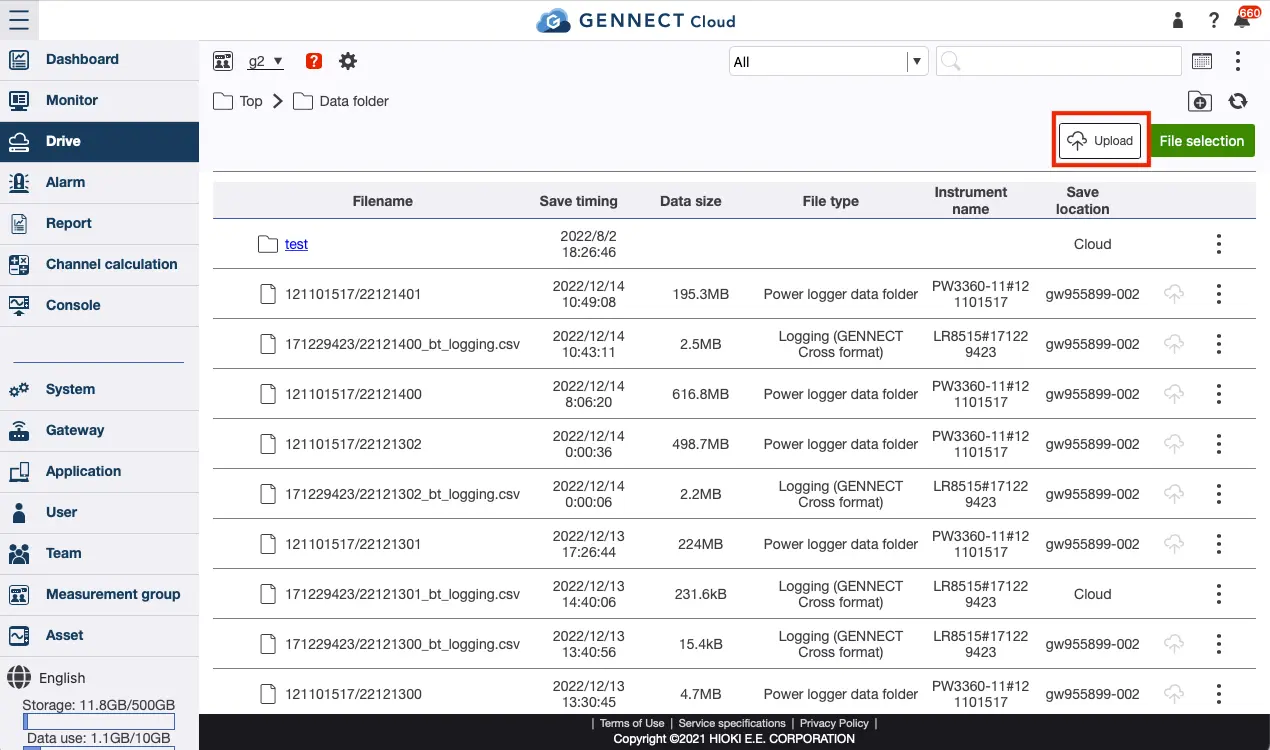
Klicken Sie auf [Datenordner] auf dem Bildschirm Laufwerk.
Klicken Sie auf [Hochladen] und wählen Sie die Datei aus, die Sie hochladen möchten.
Wenn der Upload abgeschlossen ist, wird die Datei der Liste hinzugefügt.
Sie brauchen Hilfe oder haben Fragen?

Suche


Inhaltsübersicht


Neues Konto erstellen
Anmeldung