

Selecting channels
- A list of enabled measurement channels for the instruments selected on the Selecting instruments window will be displayed.
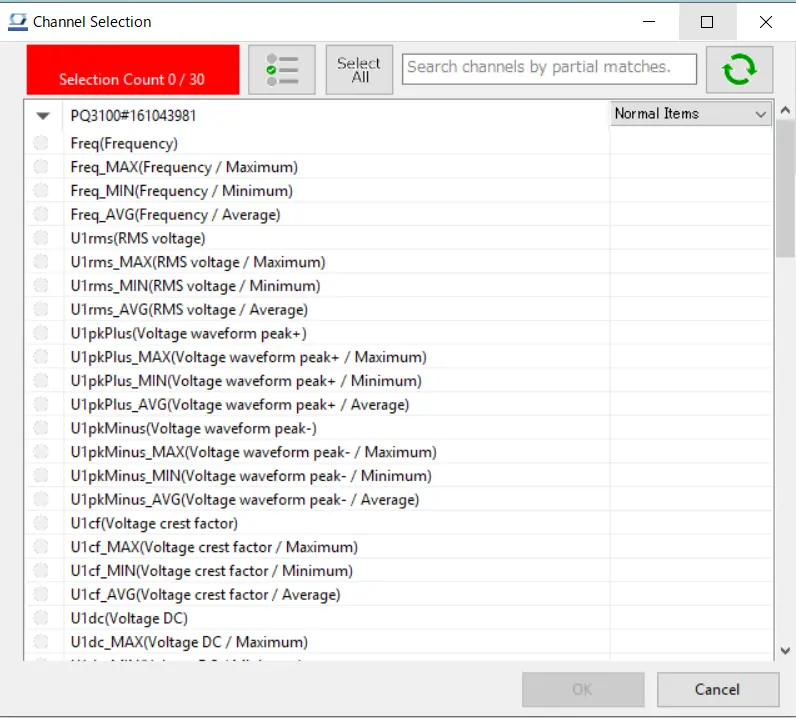
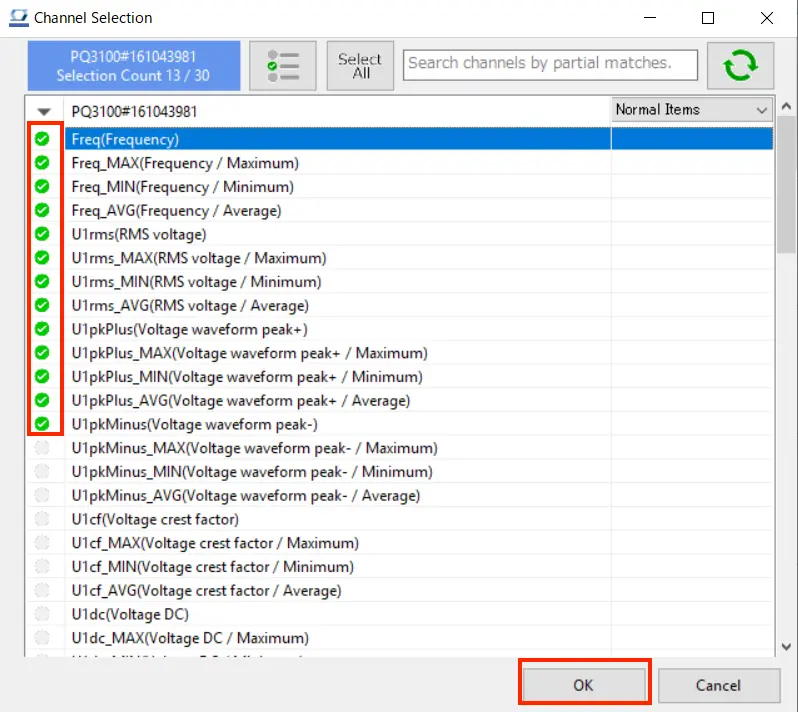
- Select the measurement channel to be used using the check boxes.
Click the [OK] button to continue.
- If the number of measurement channels for normal items exceeds 1200, the page will be divided into multiple pages. In such a case, select the page to be displayed in the combobox and switch pages.

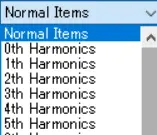
- In PQ3100,PQ3198,PW3335,PW3336,PW3337,PW3360,PW3365,PW8001 (with harmonics analysis only), you can select the harmonics measurement channels by selecting the drop down list of measurement items.
*If the version of this application is less than V5.10, the acquisition of harmonic items for PW3335, PW3336, and PW3337 is not supported. Please upgrade this application to V5.10 or later.
- Measurement parameters for some instruments, for example the PW3336, PW8001, and PQ3198, will be displayed by identifier (PWP, MUpk, etc.).
For more information about the relationship between identifiers and measurement parameter names, see the following:
Want help or have questions?