

Saving/deleting login information
You can save the information needed to log in to GENNECT Cloud (account ID and user ID) in the application.
If you save your login information, you can eliminate the need to enter your account ID and user ID the next time you log in.
Saving login information
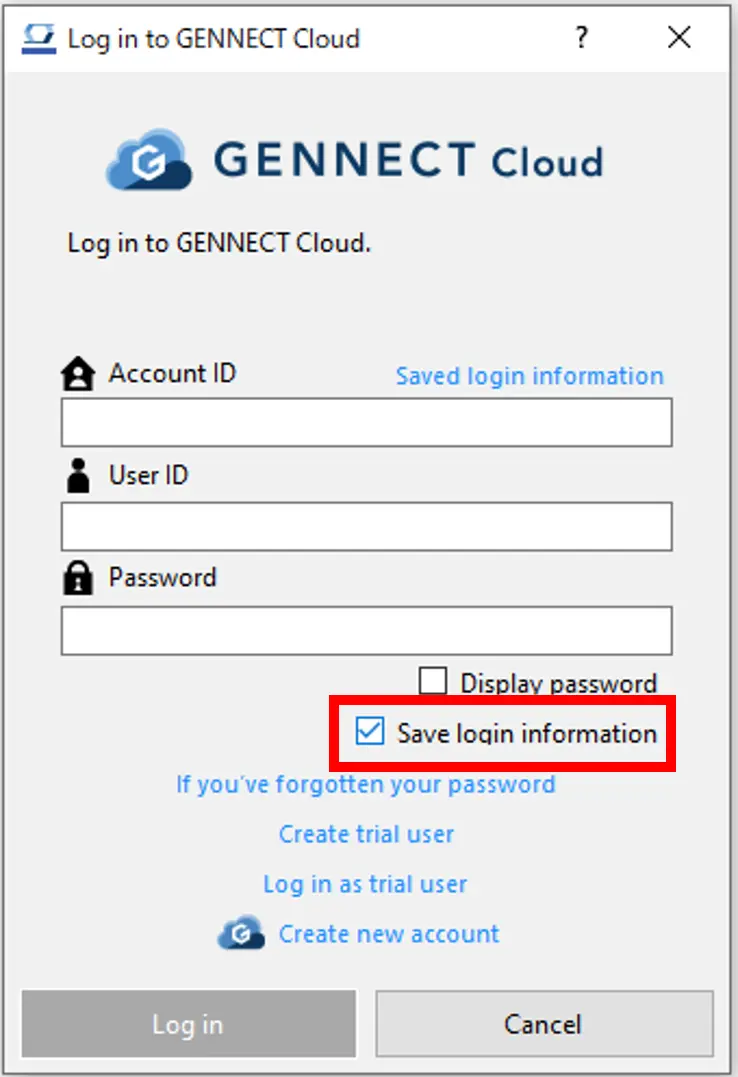
- Log in with the [Save login information] checkbox selected on the [Logging In to GENNECT Cloud] window.
Once you’ve successfully logged in, your user information (account ID, user ID, user icon, and username) will be saved in the application.
Using saved login information
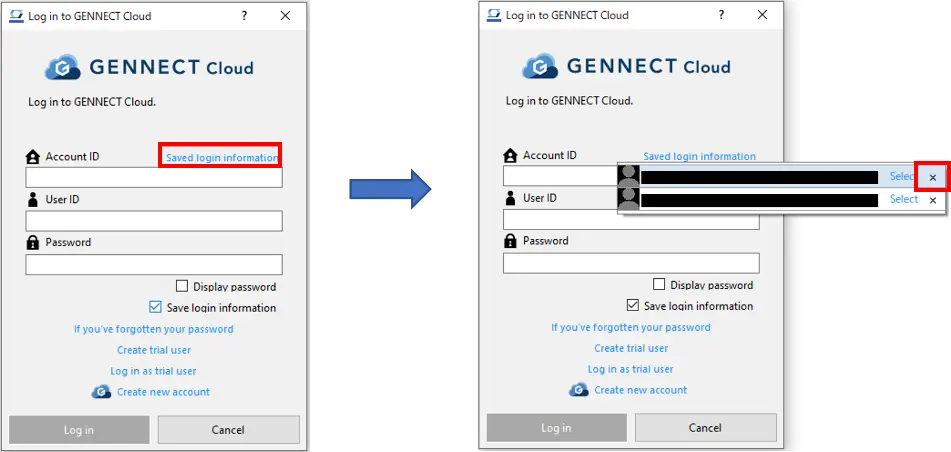
- Click [Saved login information] on the [Log in to GENNECT Cloud] window.
- A list of saved login information will be displayed. Select the login information you wish to use and click [Select].

Deleting saved login information
- Click [Saved login information] on the [Log in to GENNECT Cloud] window.
- A list of saved login information will be displayed. Select the login information you wish to delete and click [×].
Want help or have questions?