

Uploading measurement data in the data list (local) to cloud
This section describes how to upload measurement data stored in the GENNECT One data list (local) to GENNECT Cloud.
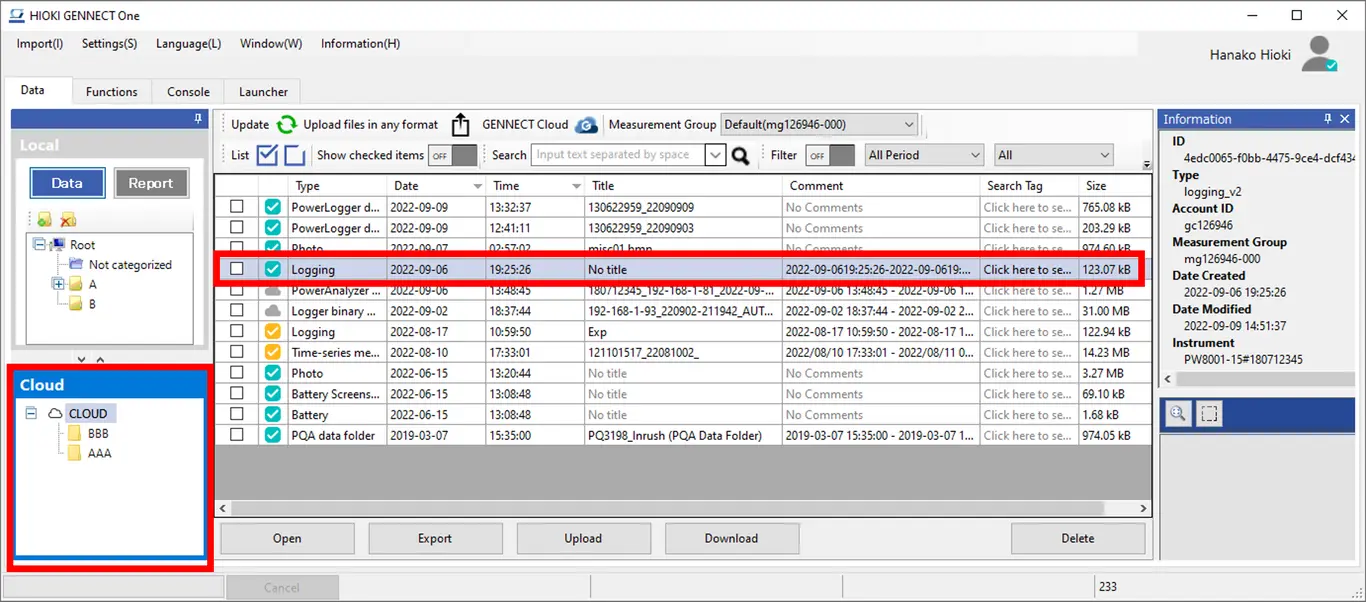
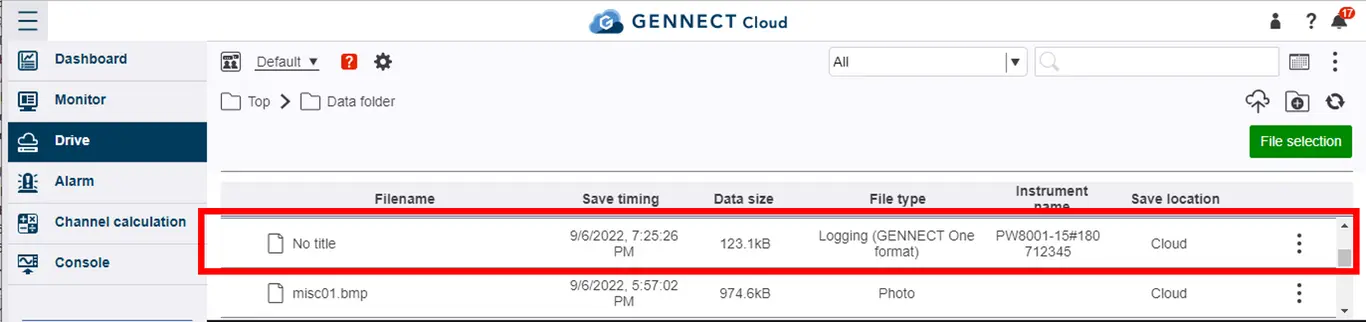
Uploaded measurement data will be reflected on the GENNECT Cloud drive window and in the GENNECT One data list (cloud), creating a data link with GENNECT Cloud.
Measurement data for which a data link has been created can be shared with other users in the same account.
- Log in to GENNECT Cloud.
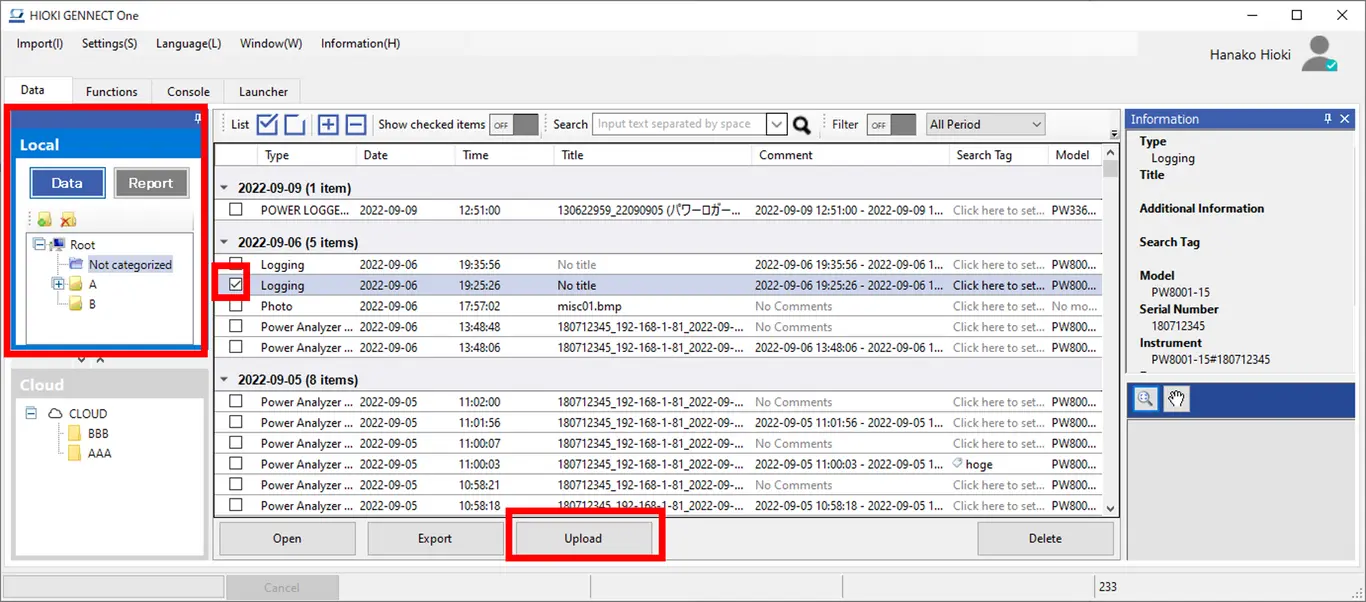
- Open the data list (local).
- Select measurement data in the data list (local) and click the [Upload] button.
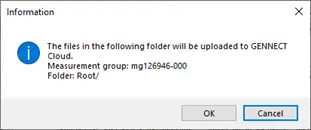
- A window asking you to confirm the measurement group and folder to which to upload the data will be displayed. (*1)
Review the upload destination in GENNECT Cloud and click the [OK] button.
-
Wait for the upload to complete.
-
Measurement data uploaded to GENNECT Cloud will be reflected in the following and made available to be shared with other users in the same account:
・GENNECT One data list (cloud) window
・GENNECT Cloud drive window
*1: For more information about changing the destination measurement group and folder when uploading measurement data from the data list (local), see the following: