

Remote Control an instrument(Cloud)
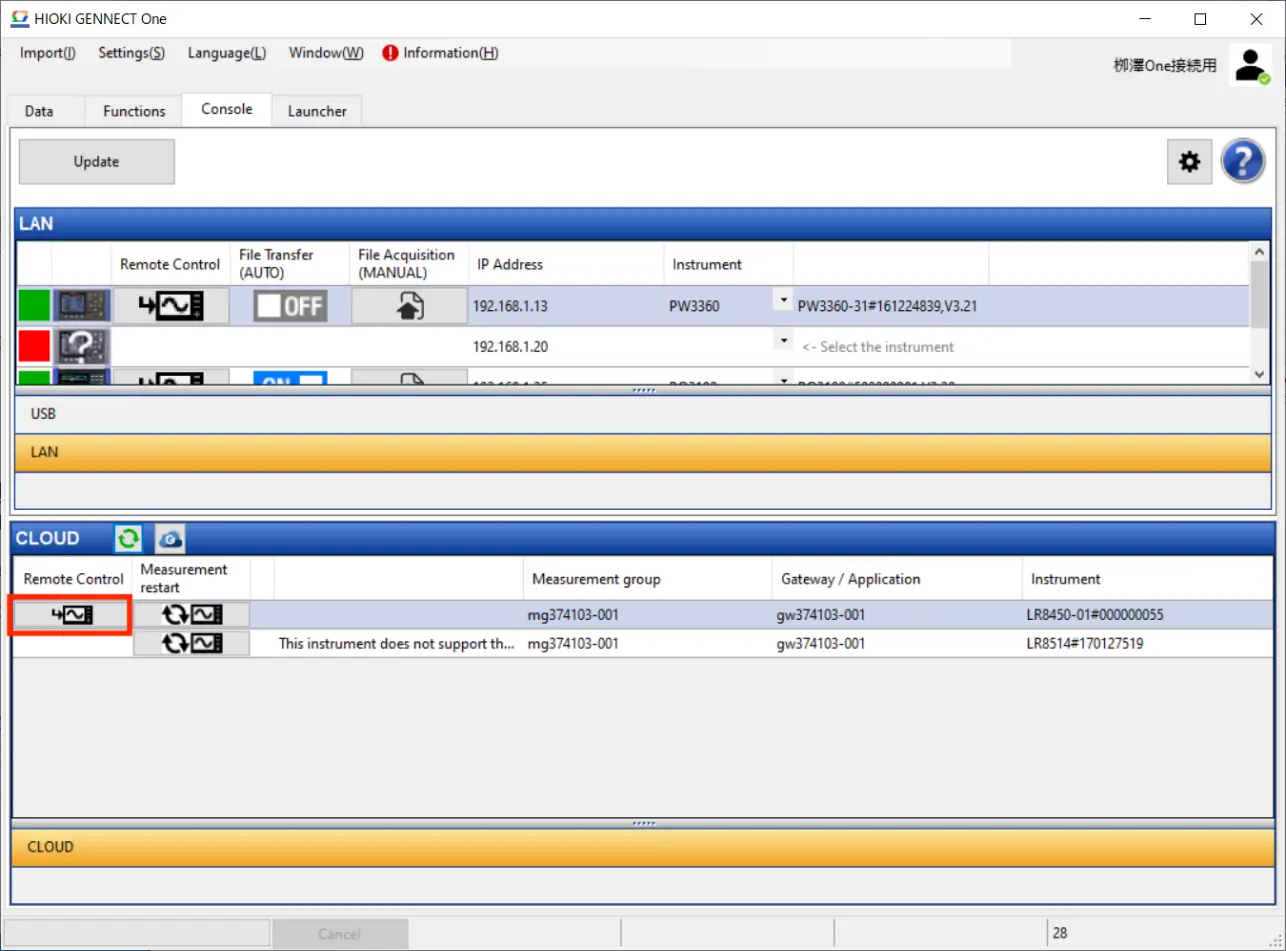
By logging in to GENNECT Cloud, you can control, via GENNECT Cloud, instruments connected to another computer on which GENNECT One has been installed.
Starting remote control
- Select the [Console] tab on the main screen.
- By clicking the buttons in the [CLOUD] panel, you can perform the operations shown in the table below.
| Button | Function | Description |
|---|---|---|
 | Remote control | The [Remote Control] screen will open, allowing you to control the instrument. |
 | Restarting the instrument | The target instrument will restart. |
 | Open in browser | The GENNECT Cloud web application will open in your browser. |
Supported instruments
| Model | Name | Firmware version |
|---|---|---|
| PQ3100 | Power Quality Analyzer | Ver. 2.30 or later |
| PQ3198 | Power Quality Analyzer | Ver. 2.00 or later |
| PW3335 | Power Meter | Ver. 1.11 or later |
| PW3336 | Power Meter | Ver. 1.23 or later |
| PW3337 | Power Meter | Ver. 1.23 or later |
| PW3360 | Clamp On Power Logger | Ver. 3.21 or later |
| PW3365 | Clamp On Power Logger | Ver. 2.10 or later |
| PW3390 | Power Quality Analyzer | Ver. 2.00 or later |
| PW6001 | Power Quality Analyzer | Ver. 3.02 or later |
| PW8001 | Power Quality Analyzer | Ver. 1.00 or later |
| LR8450, LR8450-01 | Memory HiLogger | Ver. 1.50 or later |
| MR6000 | Memory HiCorder | Ver. 3.11 or later |
| MR8875 | Memory HiCorder | Ver. 2.17 or later |
Want help or have questions?