

To communicate with instruments by LAN cable
Before starting the real-time measurement function, you need to connect your computer and the measurement instruments with LAN cable, then configure the network settings properly. This section describes how to connect PQ3100 products in a local network and in an existing network.
*To configure the network settings of measurement instruments, see the instruction manual of each product.
*To check or configure the network settings of the computer, see the following section.
Connect your computer and the instruments in a local network
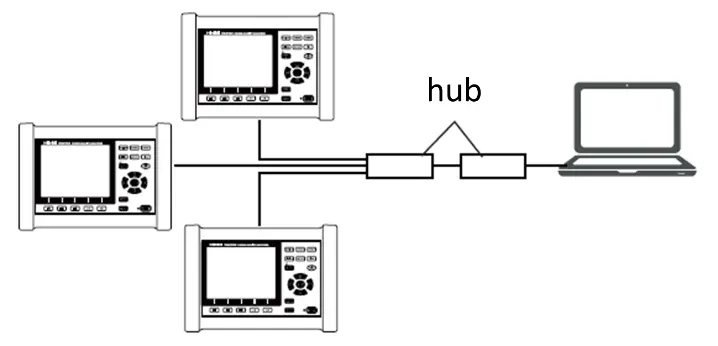
If you configure the instruments in a local network, using private IP addresses is recommended. Please make sure that each address does not overlap.
e.g. To configure the IP addresses in the network of 192.168.1.0/24
| Items | ||
|---|---|---|
| IP Addresses | Computer | 192.168.1.1 |
| IP Addresses | Instrument#1 | 192.168.1.2 |
| IP Addresses | Instrument#2 | 192.168.1.3 |
| IP Addresses | Insturment#3 | 192.168.1.4 |
| Subnet Mask | 255.255.255.0 | |
| Default Gateways | Computer | _._._._ |
| Instruments | 0.0.0.0 |
Connect your computer and the instruments in an existing network
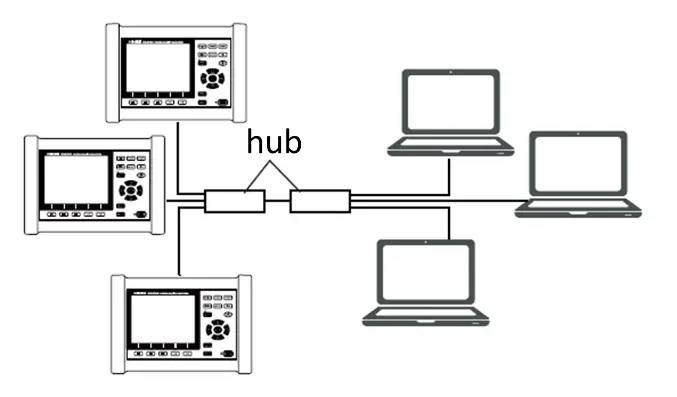
If you configure the instruments in an existing network, you need to consult with your system administrator and get all the IP addresses for the target instruments. Please make sure that the IP addresses are assigned within the network of your computer belonging and each IP address does not overlap.
Note the assigned network settings in the following list.
| Items | ||
|---|---|---|
| IP Addresses | Instrument#1 | _._._._ |
| IP Addresses | Instrument#2 | _._._._ |
| IP Addresses | Instrument#3 | _._._._ |
| Subnet Mask | _._._._ | |
| Default Gateways | _._._._ |