

Deleting the trial user
Deleting the trial user will cause all data saved in the cloud to be deleted, and you will no longer be able to access data in the [GENNECT Cloud] folder in the data list.
Be sure to back up any data as necessary before deleting the trial user.
- Log in as the trial user you wish to delete. (Reference: Logging In to GENNECT Cloud)
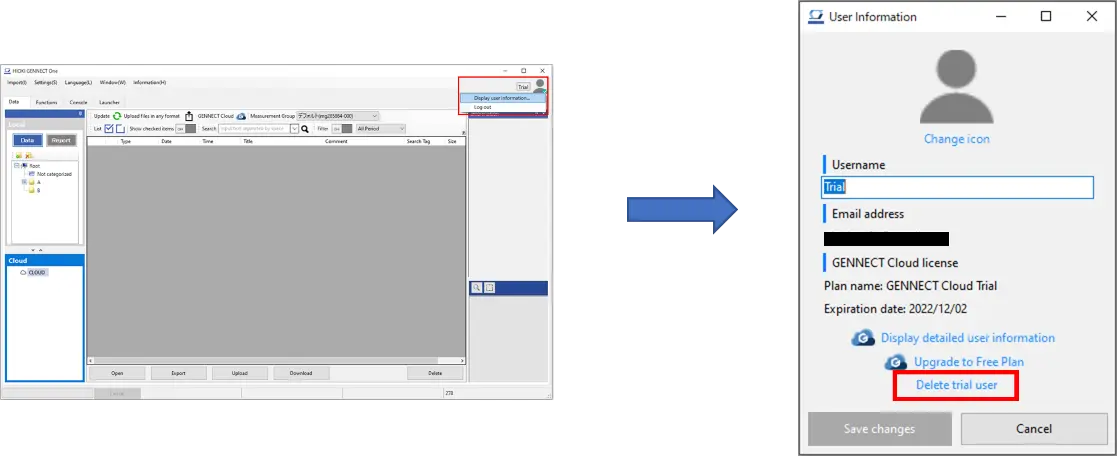
- Click the icon at the top right of the application’s main window and click the displayed [Display user information...] menu item.
The [User Information] window will be displayed. Click [Delete trial user].
Want help or have questions?