

Applying HID settings
1
Connect your instrument to GENNECT Cross.
Before applying the HID settings, you must connect the instrument to GENNECT Cross. For more information about how to do so, see “Connect your measurement instruments to the GENNECT Cross.”
2
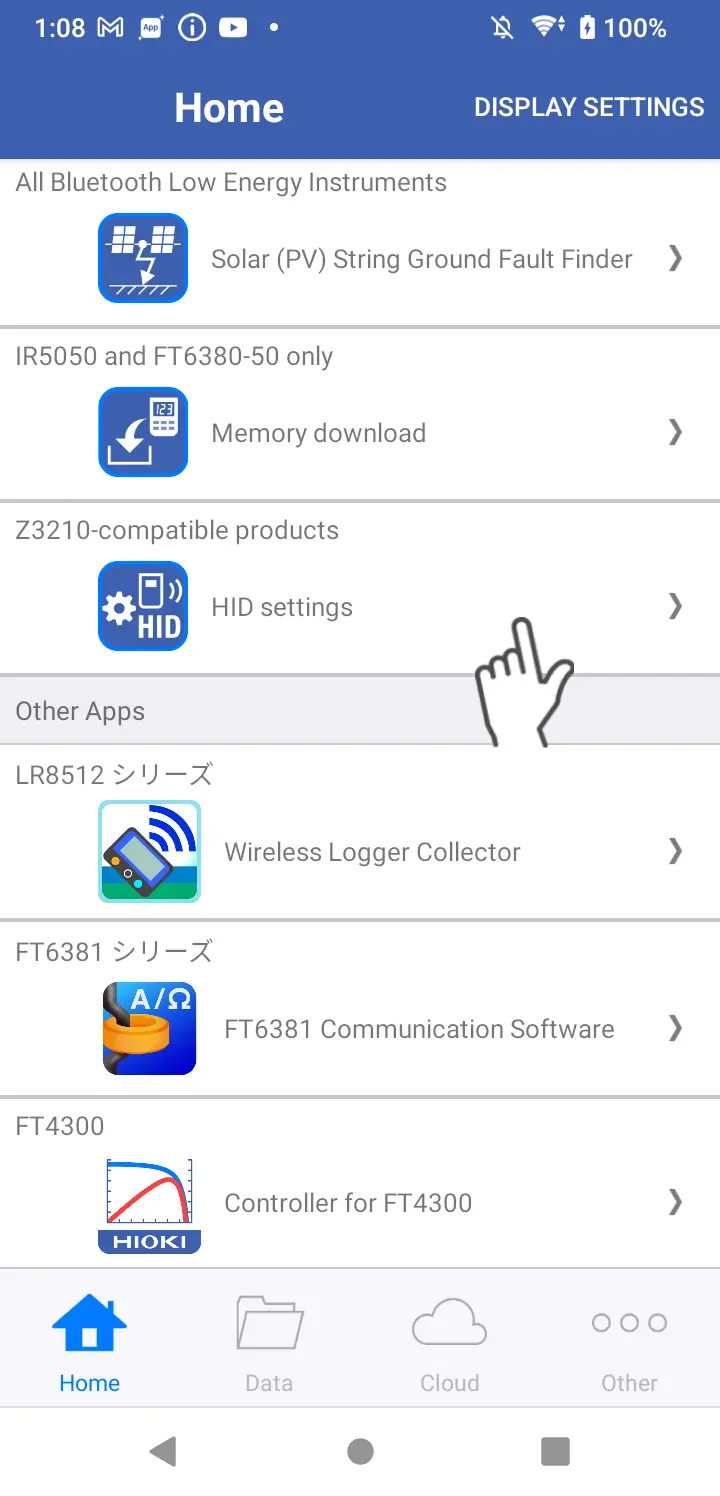
Open the HID settings screen.
To open from the home screen
From the home screen, tap [HID Settings].
To open from the connected device list
-
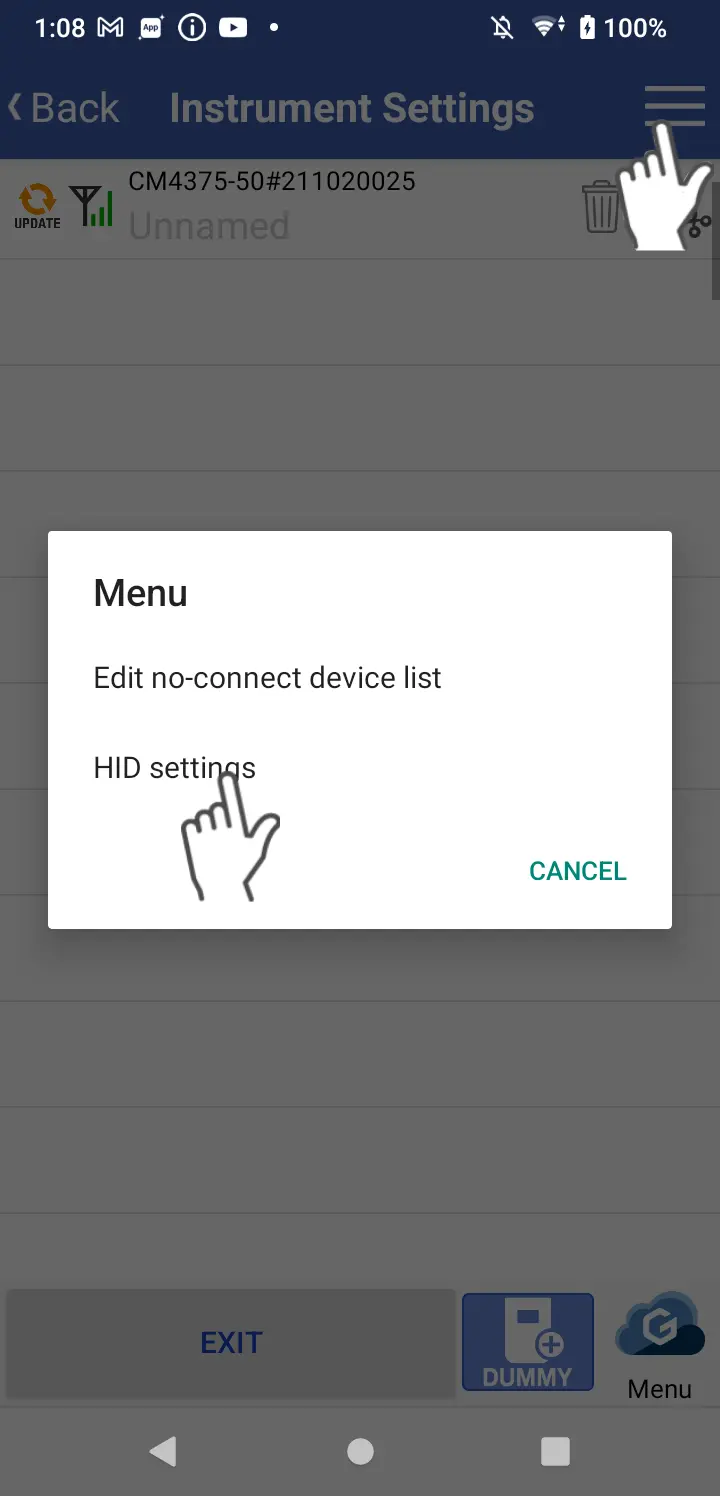
Open the connected device list screen.
-
Tap the three-line icon at the top right of the screen.
-
Tap [HID Settings].
3
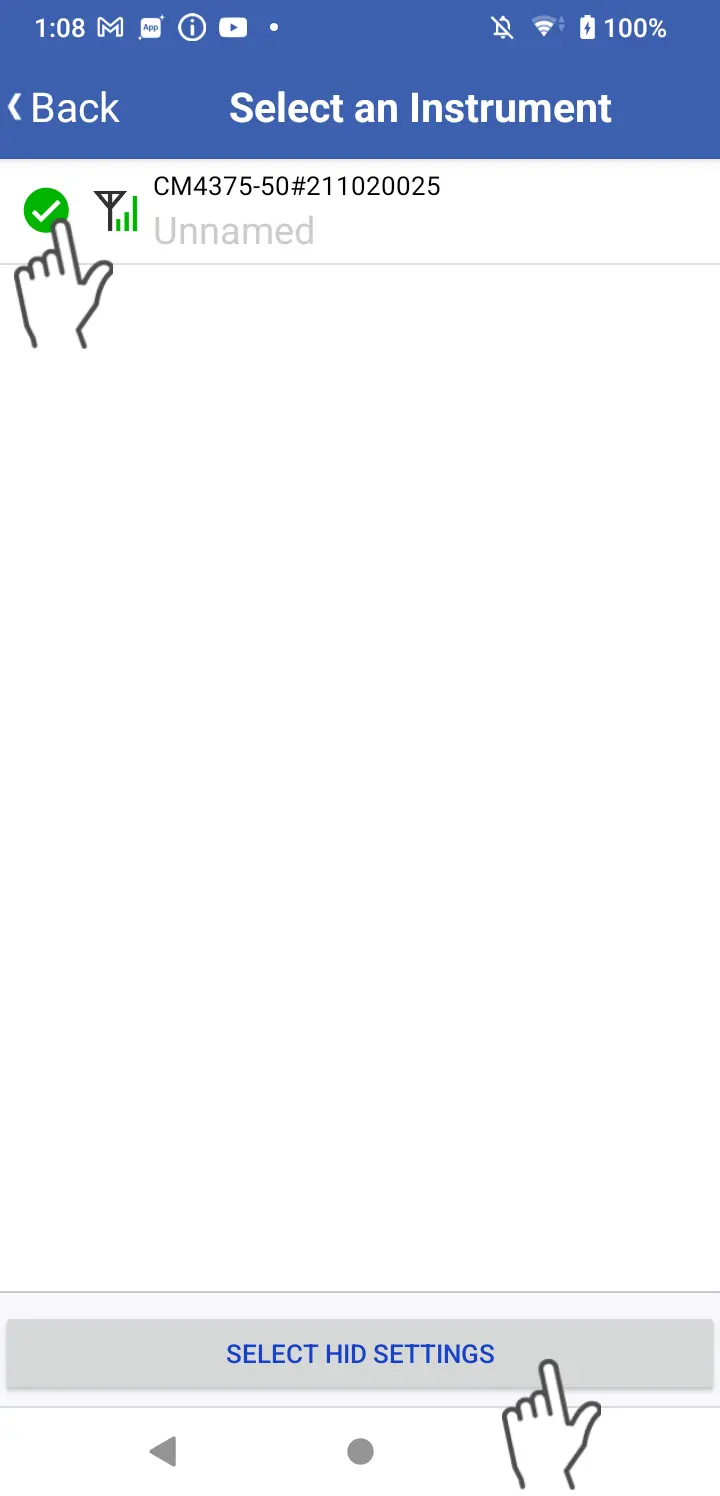
Select the instrument to which you wish to apply the HID settings and tap the [Select HID settings] button.
4
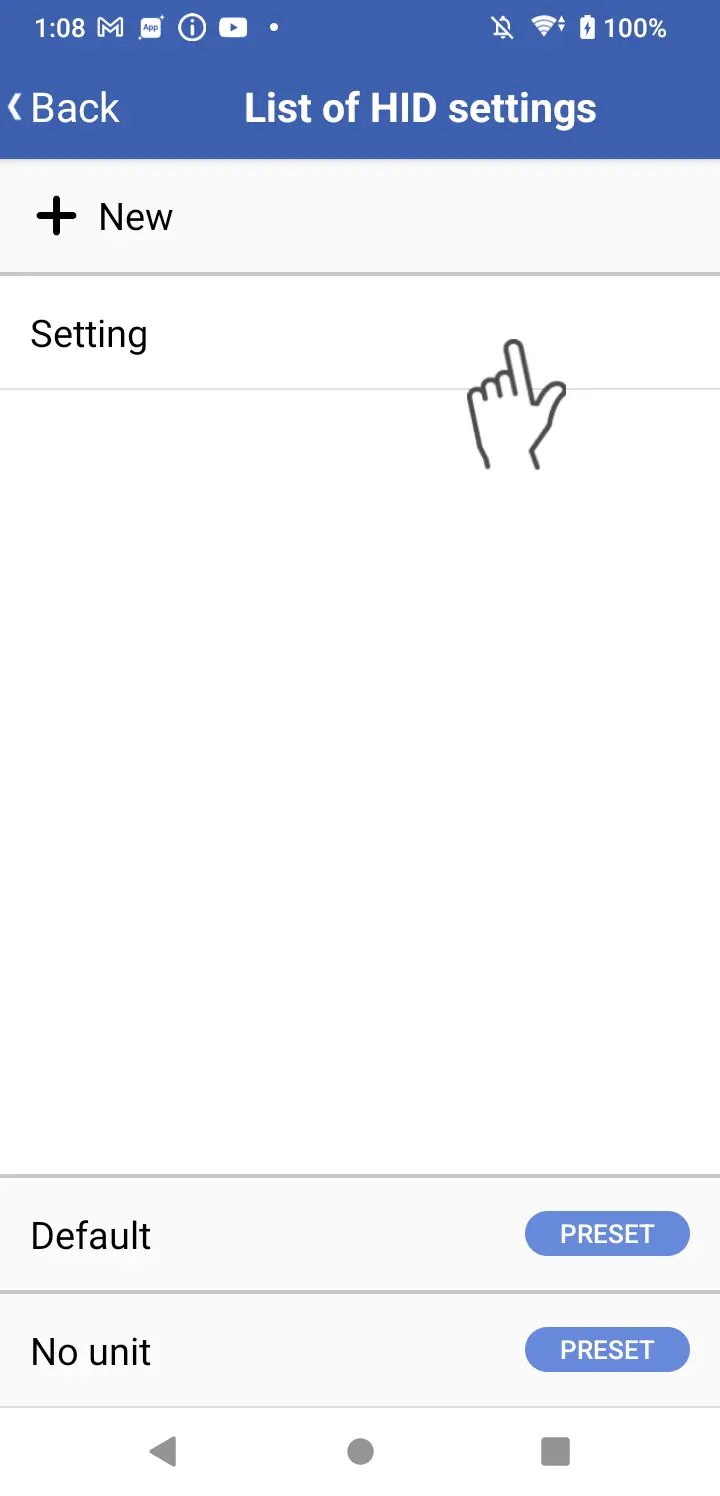
Tap the HID settings you wish to apply.
5
Tap the [Apply HID settings] button.
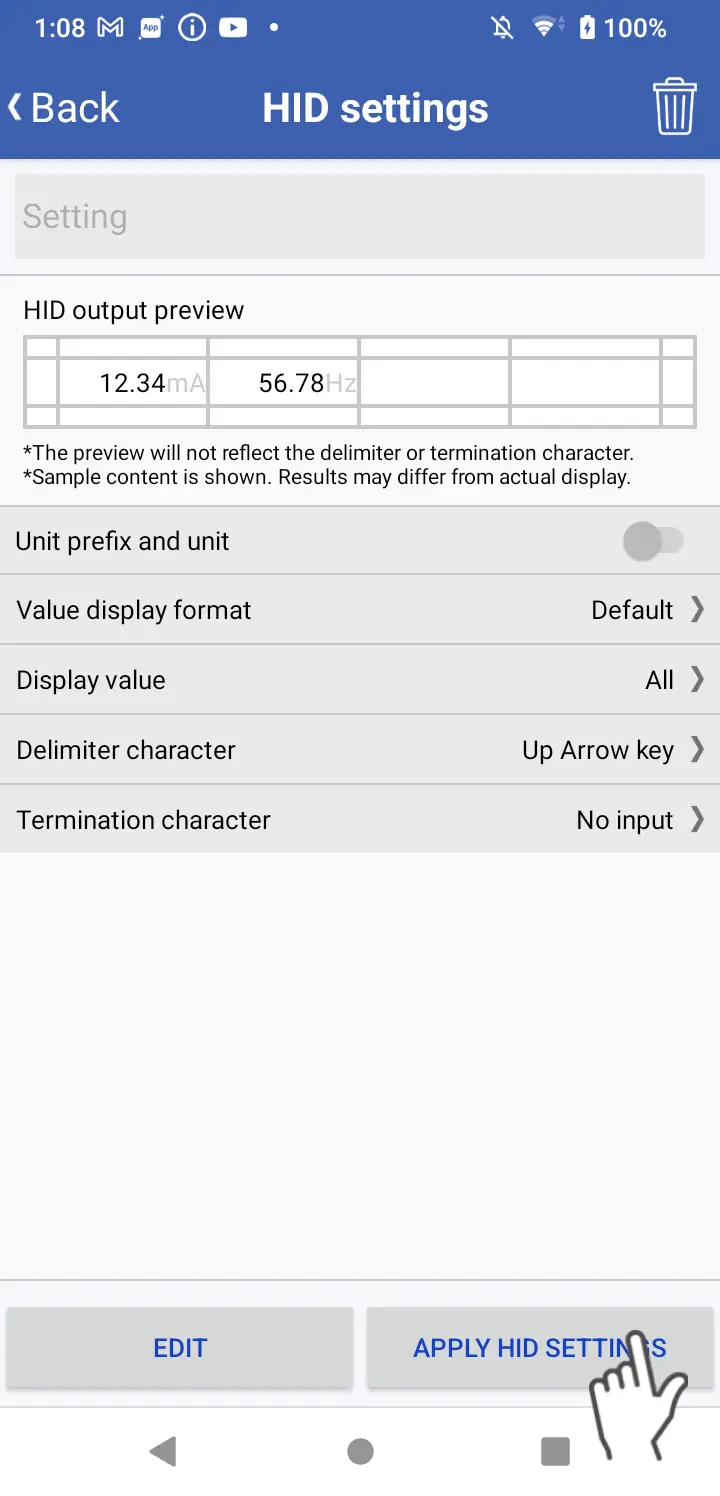
*Once the settings have been applied, the instrument will disconnect from GENNECT Cross. To reconnect, you must turn off the HID mode on the instrument. The method for switching HID mode on and off varies by instrument. For more information, see your instrument’s user documentation.
6
Connect the terminal you wish to use in HID mode (Excel®︎ direct-entry function) to the instrument.
*If you encounter difficulty connecting the instrument, cycle its power.
Want help or have questions?