

Uploading measured values
The cloud monitor function connects to GENNECT Cloud in order to save measured values on the service’s cloud server. Measured values are uploaded at a 5-second interval, and you can review them in real time using an app or web browser.
Although real-time monitor values are updated at a 5-second interval, measured values saved on the cloud server are instantaneous values taken at a 1-minute interval.
If you are not logged in to GENNECT Cloud, first log in.
1
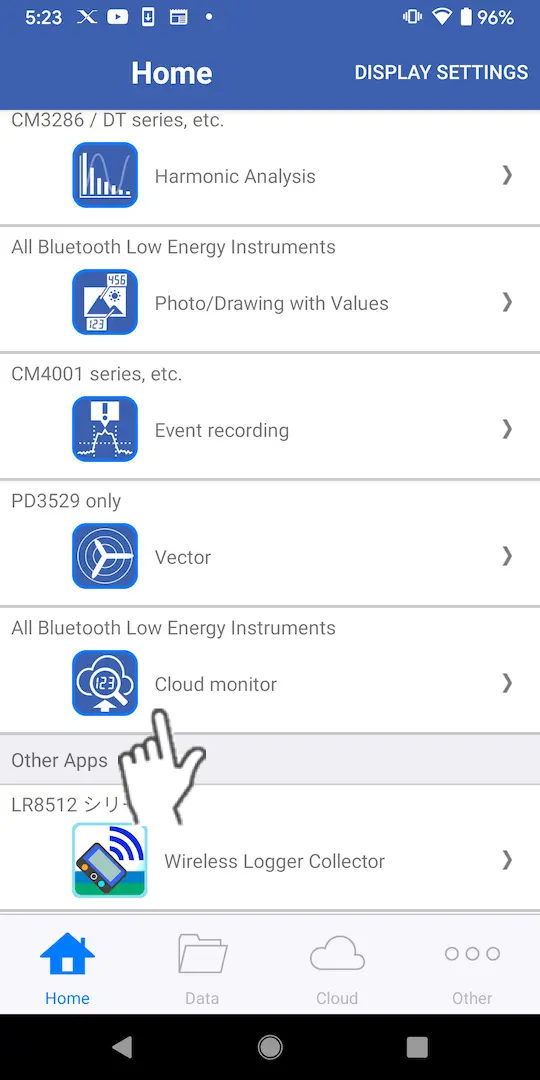
Tap [Cloud monitor] on the home screen.
If no instrument that supports the cloud monitor function has been paired with the app, first add a compatible instrument.
2
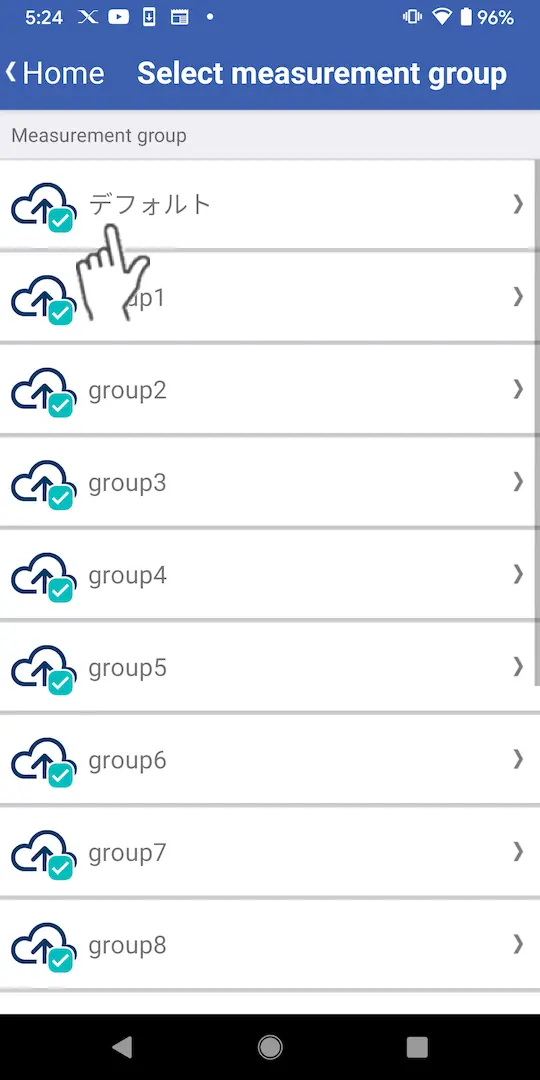
On the measurement group selection screen, tap the measurement group for which you wish to upload the measured values.
If the logged-in user does not have full access privileges, they will not be able to upload measured values.
3
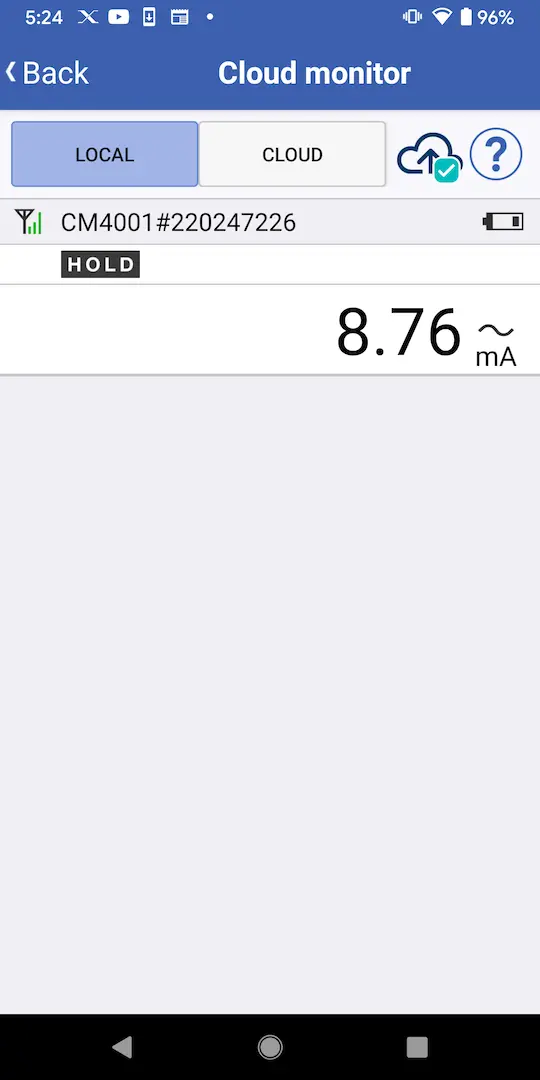
Measured values are uploaded to the cloud server while the measurement screen is being displayed.
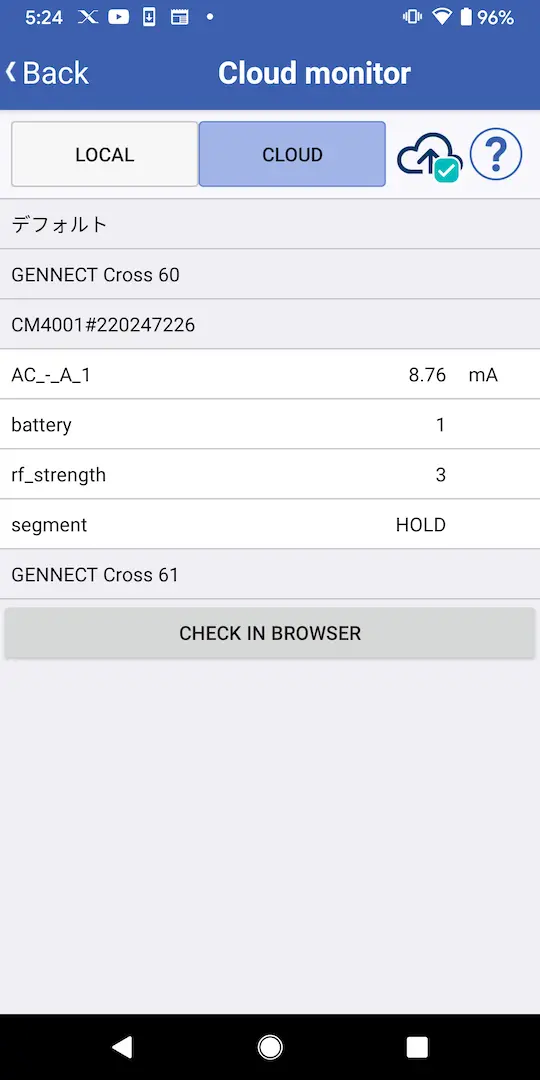
A list of connected instruments is shown on the [Local] tab, while a list of instruments whose data has been uploaded is shown on the [Cloud] tab.
Although measured values on the [Local] tab are refreshed at a 1-second interval, measured values are uploaded to the cloud server at a 5-second interval, and the cloud server saves measured values at a 1-minute interval.
Although measured values on the [Local] tab are refreshed at a 1-second interval, measured values are uploaded to the cloud server at a 5-second interval, and the cloud server saves measured values at a 1-minute interval.
Want help or have questions?