

Importing event data
1
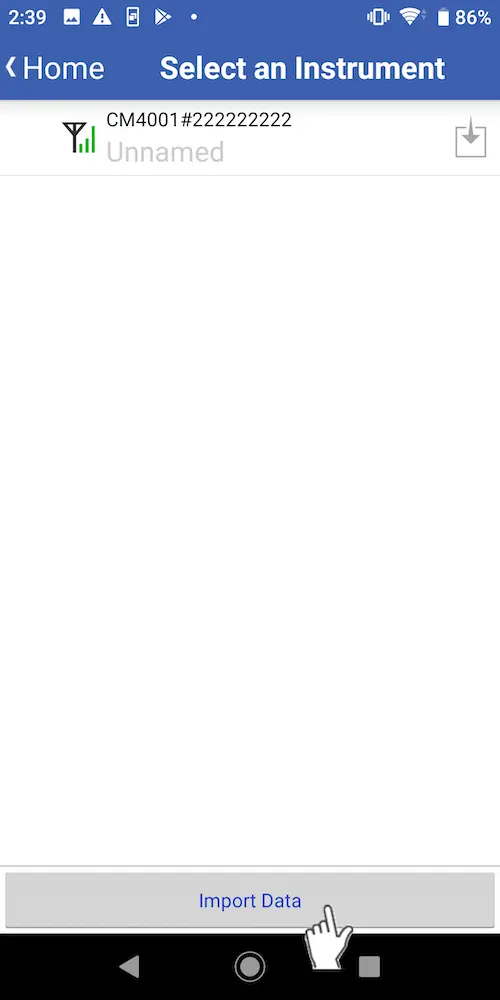
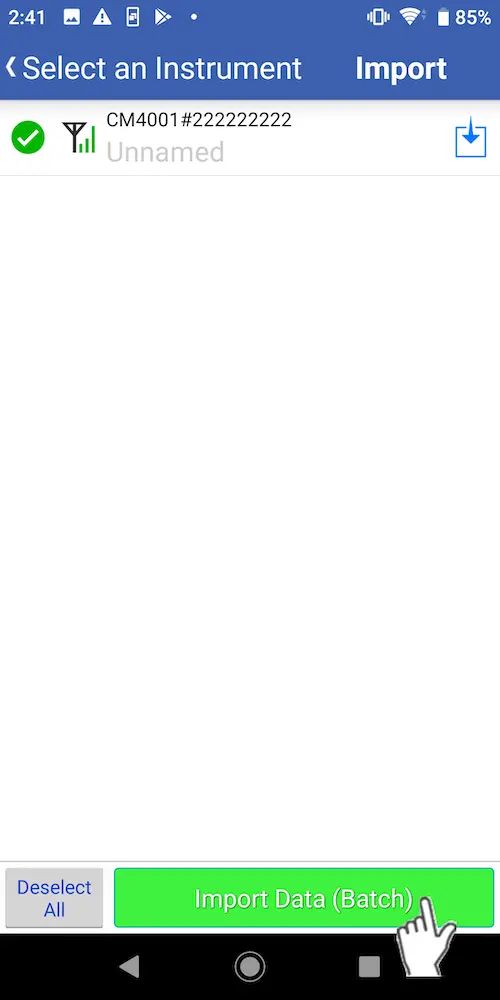
Select the instrument for which you wish to import event data, select [Import Data], and tap [OK].
Alternatively, tap [Import Data], select the instrument for which you wish to import event data, and tap the [Import Data(Batch)] button.
2
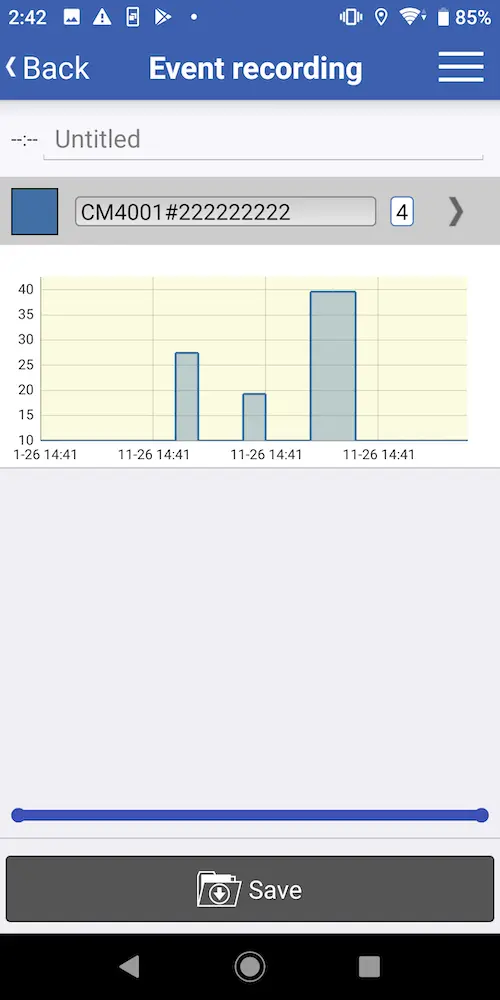
The data will be imported into the app from the instrument.You can tap the [Save] button to save the data and switch to the [Data List] screen.
Want help or have questions?