

Create a report (PDF) file
1
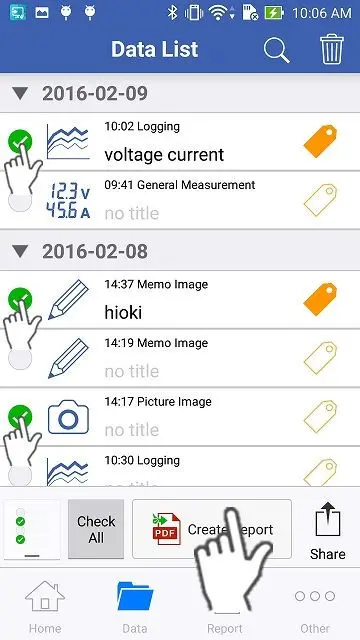
Please select the measured data, picture images and memos which you would like to export to a PDF file by tapping the check marks on the left side, then tap "Create Report" button on the bottom.
2
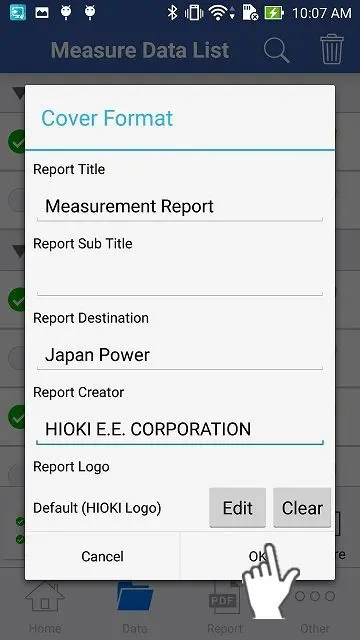
Please enter the basic information for the report on the "Cover Format" page and tap "OK" then the PDF file will be automatically created.
In order to create a PDF file, this app needs to access the internet via a cellular network or WiFi. Please note that you have to cover this access fee to the internet.
3
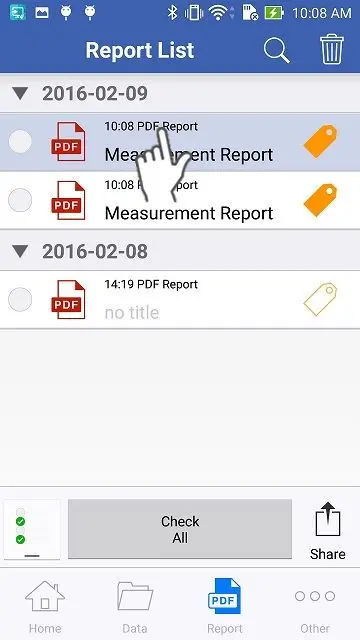
You can see the newly created report highlighted with a light blue color. Please tap it.
4
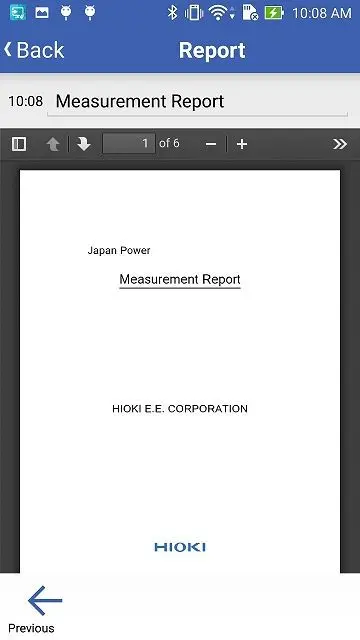
You will see the report (PDF) file.
Want help or have questions?