

Adding comments
You can add comments to individual measurement points.
Adding comments from the [Drawing] tab
1
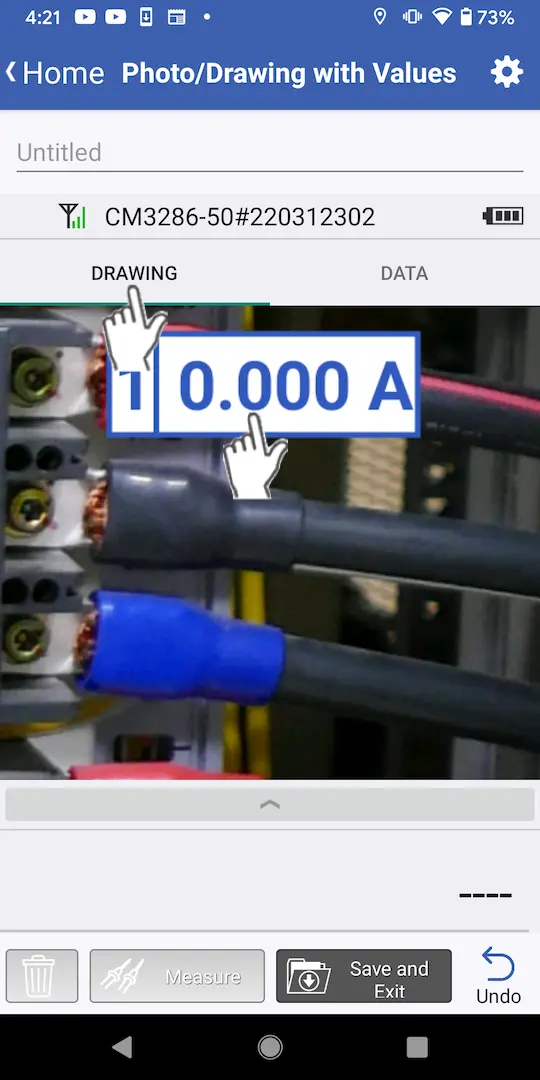
Tap the [Drawing] tab on the measurement screen and then tap the measurement point for which you wish to add a comment.
2
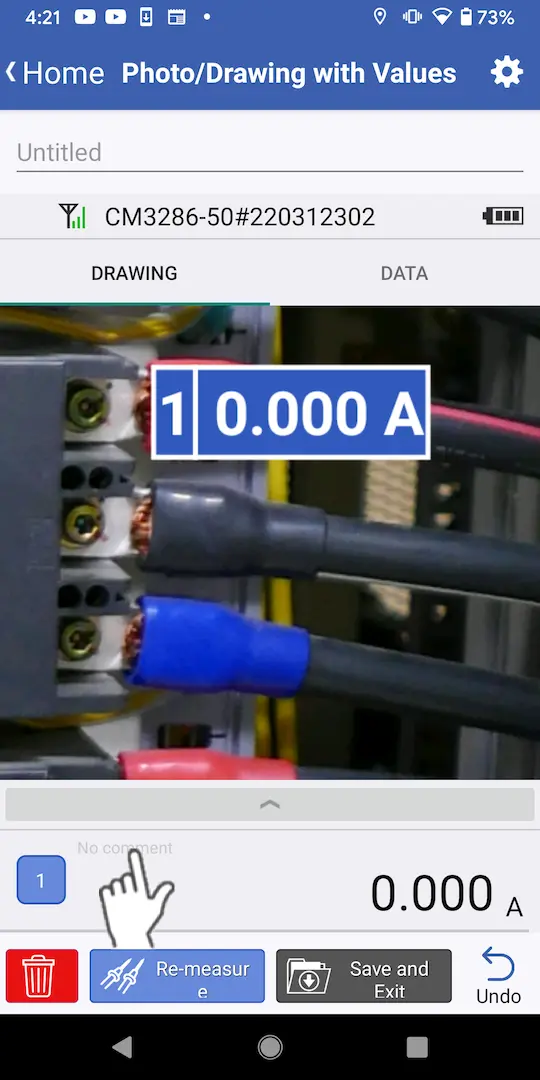
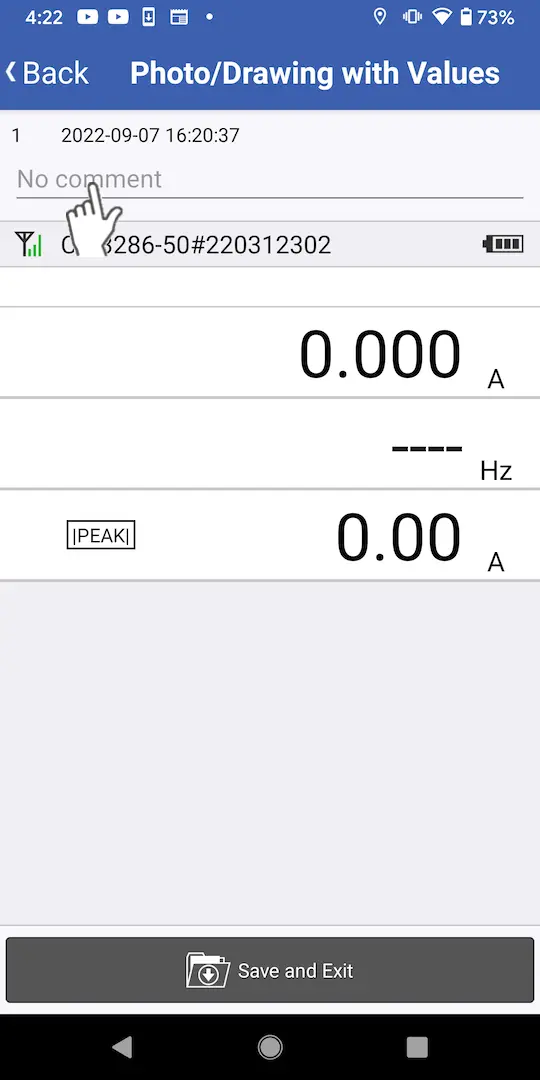
Tap the comment area of the measured value display area.
The comment area will not respond to taps while the display is being updated before the measured value has been accepted.
3
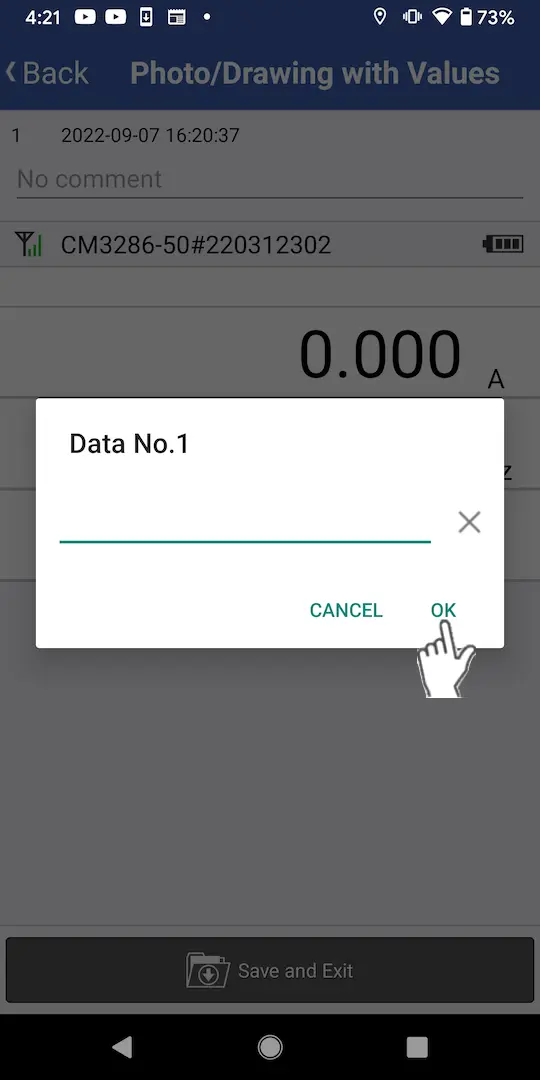
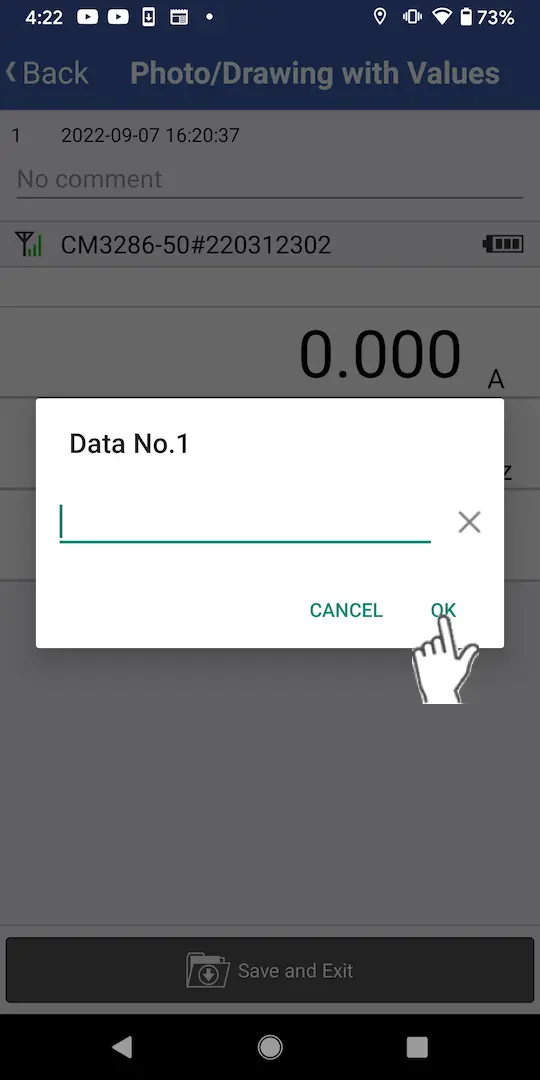
A dialog box prompting you to enter a comment will be displayed. Enter the desired comment and tap [OK].
Adding comments from the [Data] tab
1
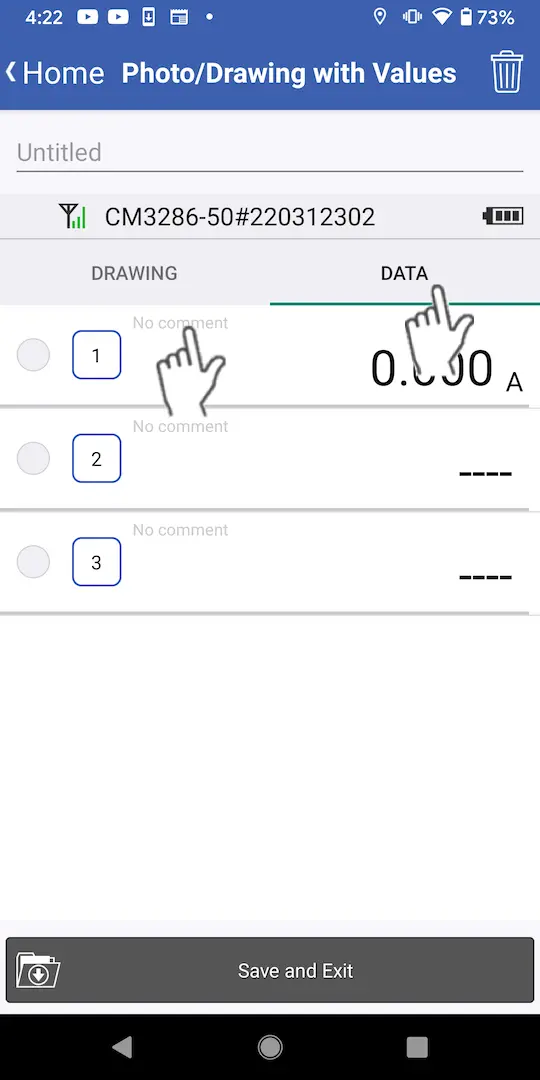
Tap the [Data] tab on the measurement screen and then tap the comment field of the measured value for which you wish to add a comment.
2
When the measurement data screen is displayed, tap the comment field.
3
A dialog box prompting you to enter a comment will be displayed. Enter the desired comment and tap [OK].
Want help or have questions?