

Performing continuous measurement
After each measurement, measurement points for which measured values have not been saved will be automatically selected in order. This feature can be combined with the template function, which allows you to set measurement points in advance, to streamline the measurement process.
1
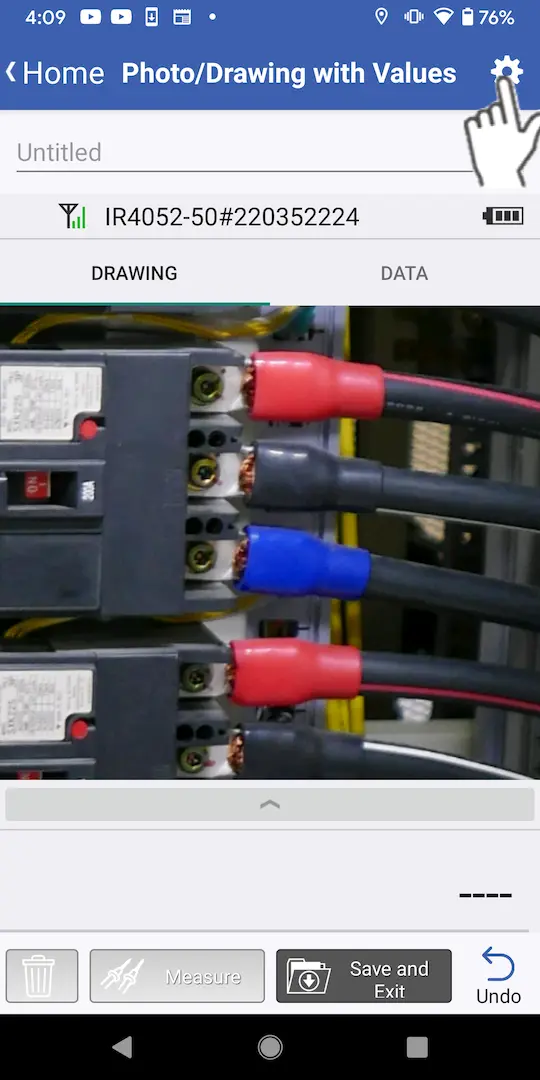
Tap the settings button at the top right of the screen.
2
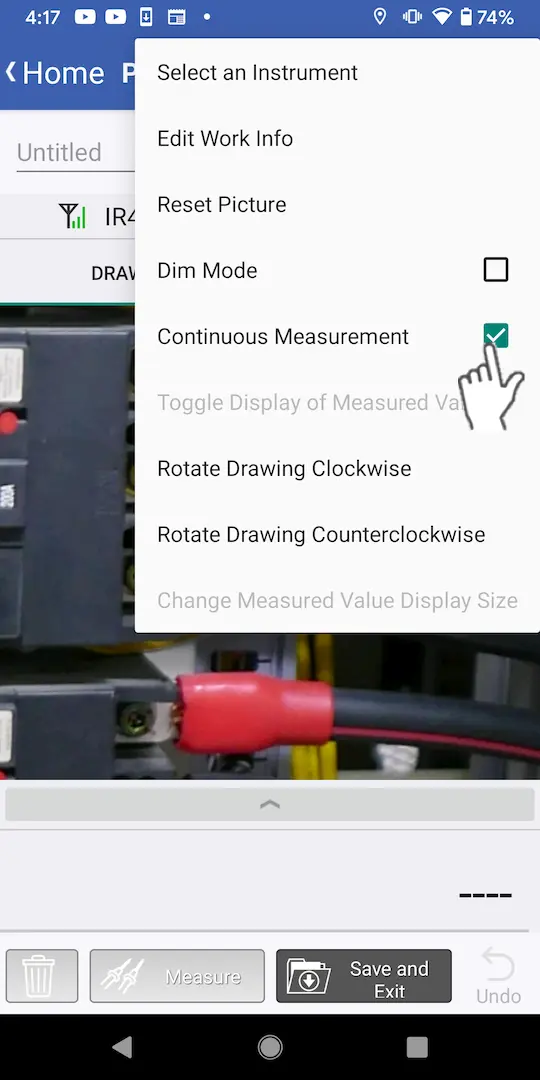
Select the [Continuous measurement] checkbox.
3
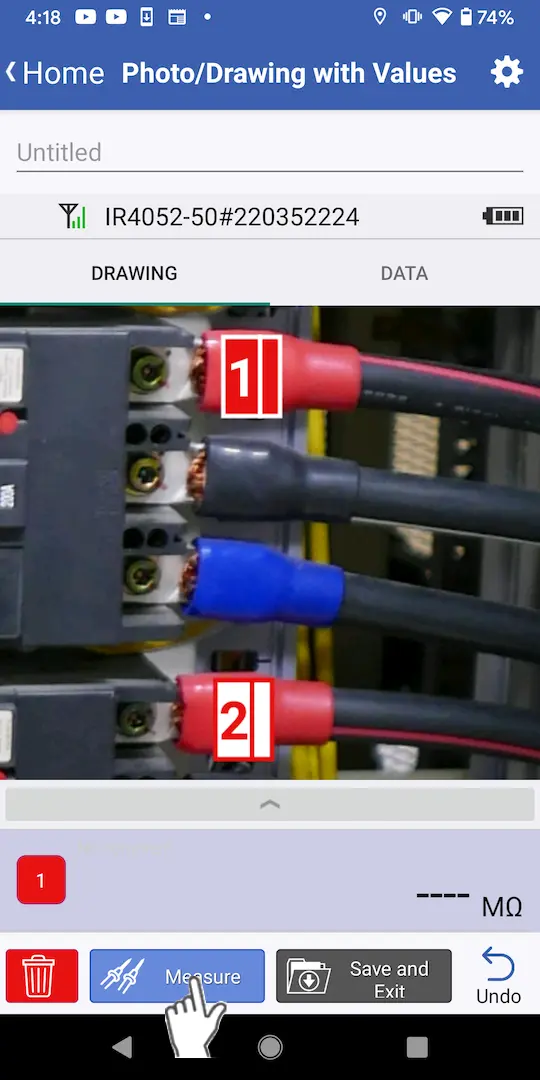
Tap the [Measurement] button or press the instrument’s HOLD button.
4
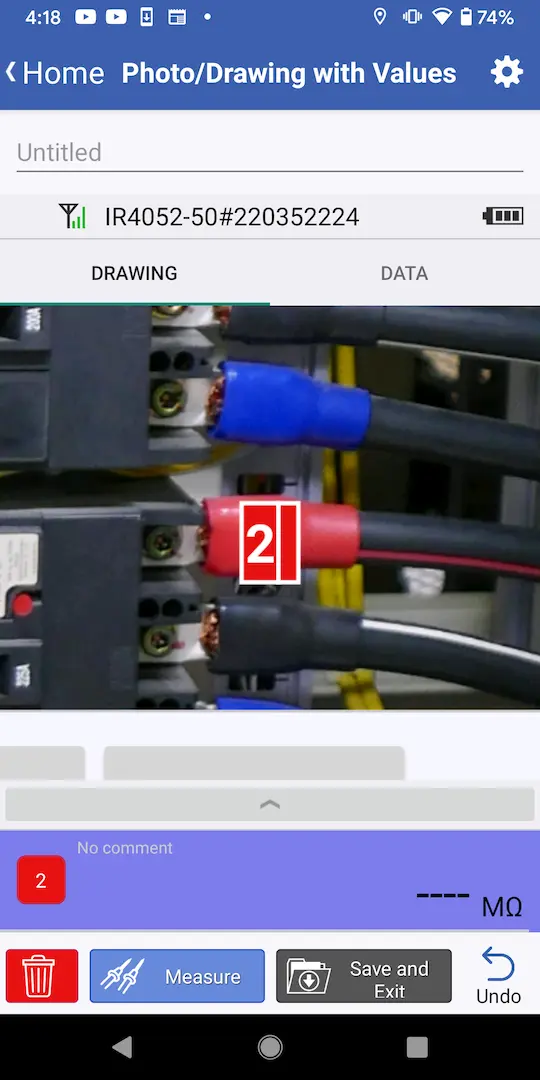
The measured value will be saved, and the next number will be selected.
Want help or have questions?