HIOKI
GENNECT
Cloud
One
Cross
Top
Applications
Functions
FAQ
Download
Manual
Contact Us
This website uses cookies.
We use cookies to personalise content and ads, to provide social media features and to analyse our traffic. We also share information about your use of our site with our social media, advertising and analytics partners who may combine it with other information that you’ve provided to them or that they’ve collected from your use of their services. You consent to our cookies if you continue to use our website.

Setting the comparator conditions

The comparator function allows you to generate pass/fail judgments for measured values from a variety of instruments such as the IR4054 Insulation Tester.
Each measured value will be given a judgment of either “fail” (if it falls outside the range defined by previously configured threshold settings) or “pass” (if it falls inside the range), and that judgment will be reflected on the graph in real time.
You can also continuously record multiple points without generating judgments.
1
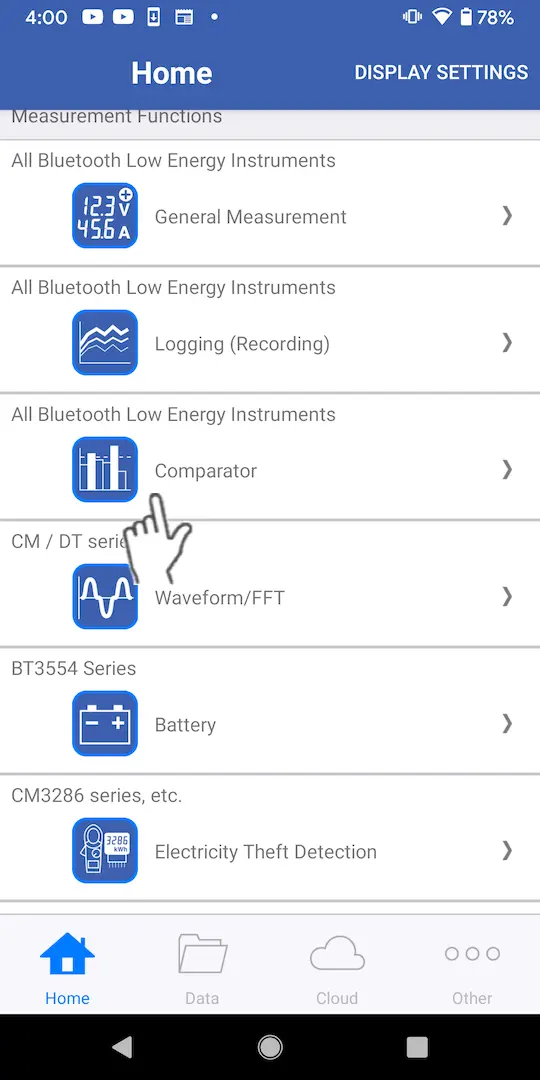
Tap [Comparator] on the home screen.
If you have not yet paired the app with an instrument that supports the comparator function (for example, the IR4054 or CM4372), Add other measurement instruments first.
2
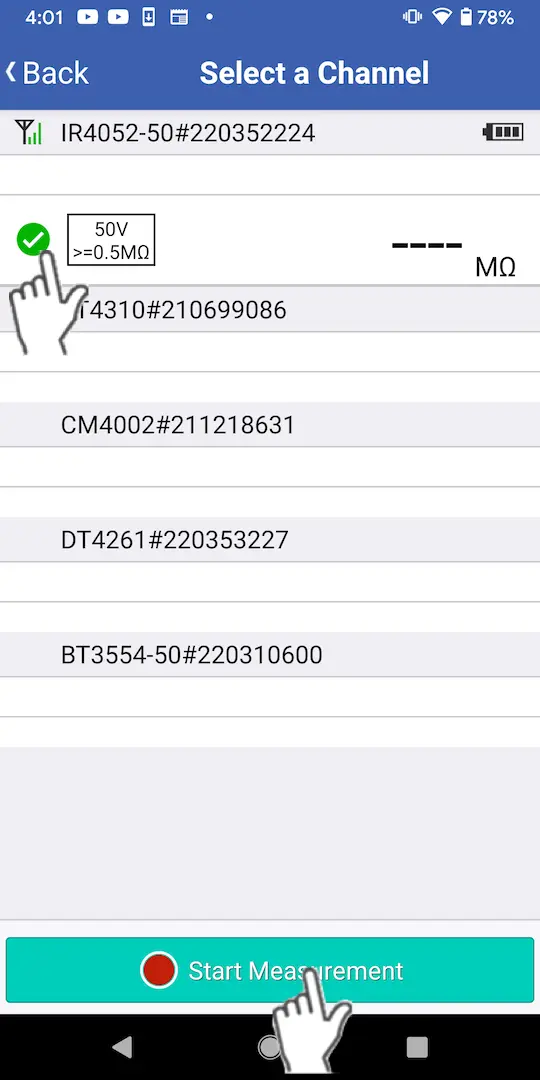
The app will automatically connect to paired instruments if you wait while displaying the instrument selection screen (for about 5 seconds). Select the measurement channel you wish to use with the comparator function and tap the [Start Measurement] button.
3
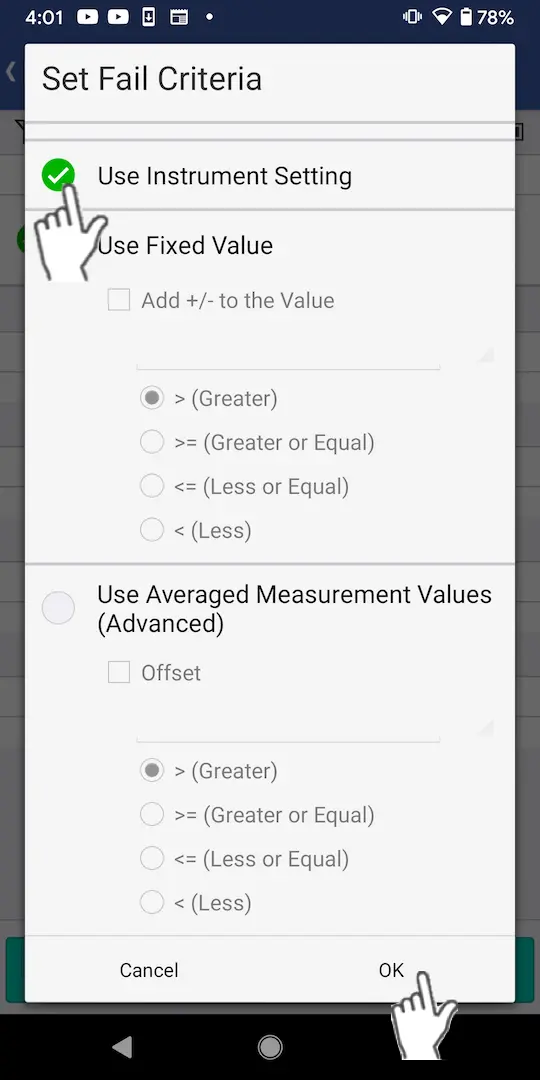
Set the desired detection method and judgment criteria on the [Set Fail Criteria] dialog box.
Then tap [OK].

・No Comparator: Perform measurement without pass/fail judgment.
・Use Instrument Setting: Perform pass/fail judgment using the criteria from a supported instrument (IR4054, IR4055, FT4310).
・Use Fixed Value: Perform pass/fail judgment based on user-configured threshold values. If you select the [Add ± to the Value] checkbox, you can make judgments based on a pair of positive and negative threshold values.
・Use Averaged Measurement Values (Advanced): Perform pass/fail judgment using the average of all measured values as the threshold. If you select the [Offset] checkbox, you can offset the threshold in either the positive or negative direction.

Want help or have questions?

Search


Table of contents


Create new account
Login