

Set the clock
1
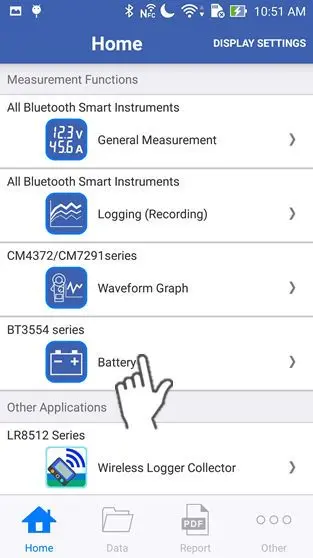
Tap "Battery" on the home screen.
If you cannot find an instrument which can utilize the "Battery" function, please refer to Add other measurement instruments to proceed with this function.
2
Wait up to 30 seconds until you find the instrument on the "Select Instrument" screen, then select the one which you would like to measure a battery with.
If the instrument has not connected after 1 minute, please refer to 「I can’t connect to GENNECT Cross」
If you tap "Start Procedure offline", the function starts without a bluetooth connection. In this mode, only the "Threshold Table" function in the maintenance menu and the setting menu are available.
If you tap "Start Procedure offline", the function starts without a bluetooth connection. In this mode, only the "Threshold Table" function in the maintenance menu and the setting menu are available.

3
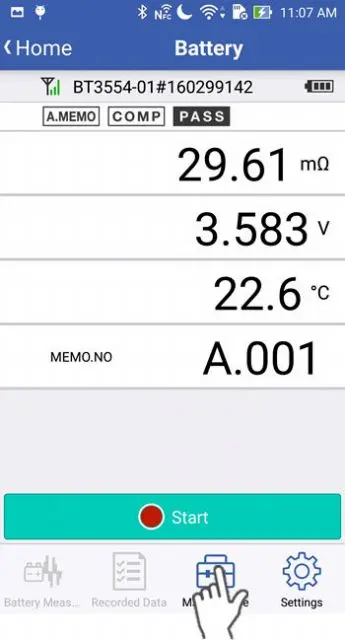
Tap "Maintenance" on the screen.
4
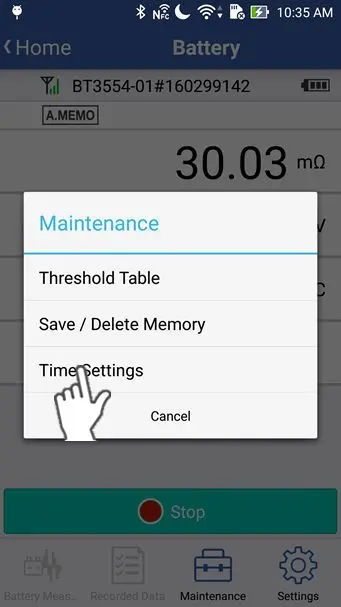
Tap "Time Settings" in the maintenance menu.
5
Tap "OK" to set the time of the battery tester from your smartphone/tablet clock.

Want help or have questions?