

Save/Delete memories of the battery tester
You can save or delete the memory of the Battery Tester.
1
Tap "Battery" on the home screen.
If you cannot find an instrument which can utilize the "Battery" function, please refer to Add other measurement instruments to proceed with this function.
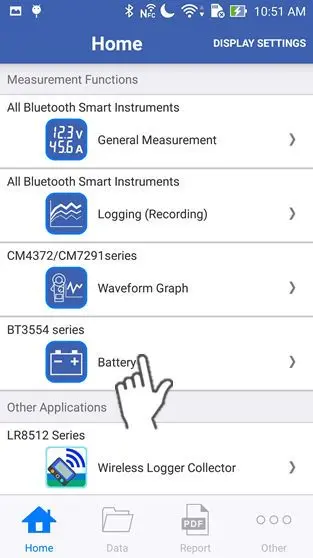
2
Wait up to 30 seconds until you find the instrument on the "Select Instrument" screen, then select the one which you would like to measure a battery with.
If the instrument hasn't connected after 1 minute, please refer to 「I can’t connect to GENNECT Cross」
If you tap "Start Procedure offline", the function starts without a bluetooth connection. In this mode, only the "Threshold Table" function in the maintenance menu and the setting menu are available.
If you tap "Start Procedure offline", the function starts without a bluetooth connection. In this mode, only the "Threshold Table" function in the maintenance menu and the setting menu are available.

3
Tap the "Maintenance" icon on the screen.
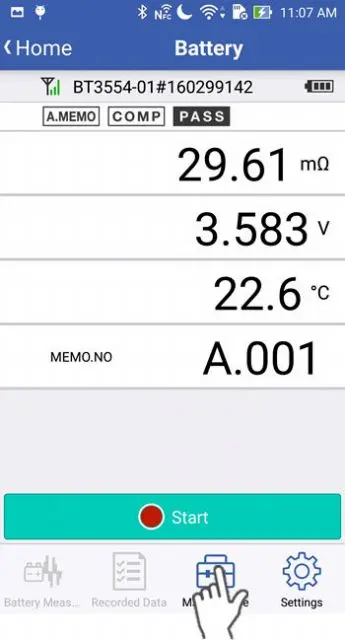
4
Tap the "Save/Delete Memory" in the maintenance menu.
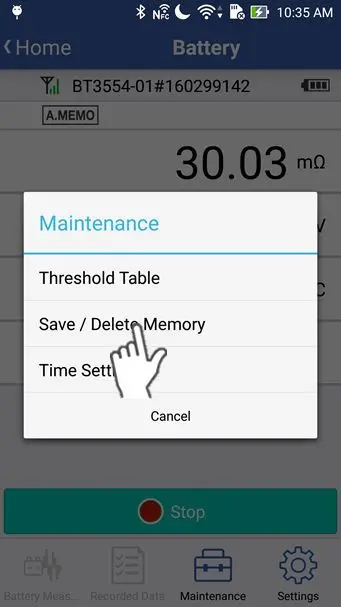
5
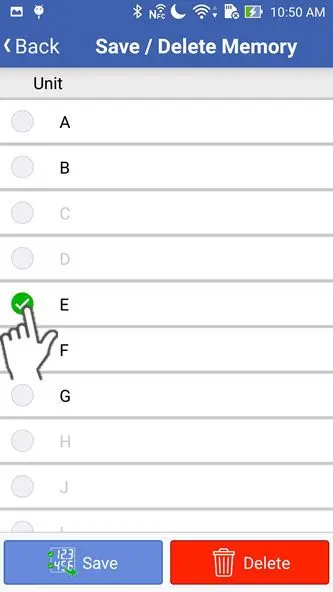
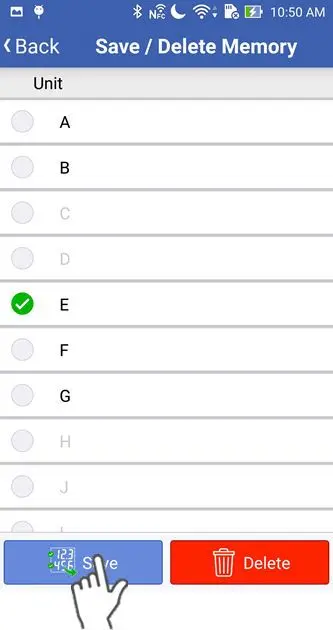
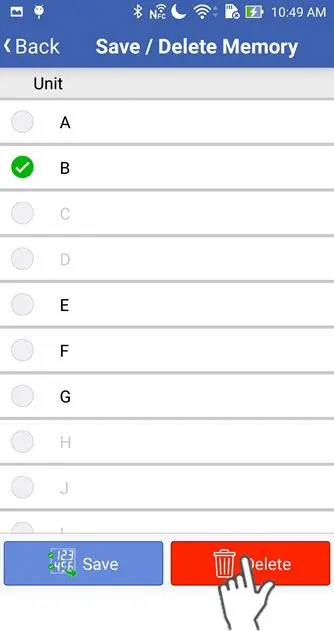
Tap to hightlight with the check icon, the unit you want.
6
If you tap the "Save" button, the measurement data of the selelcted unit will be imported from the battery tester.
Imported measurement data will be stored in the list of "Data" on the home screen.
If you import the data of one unit, it may take up to 300 seconds if the unit contains the maximum of 500 values.
If you import the data of one unit, it may take up to 300 seconds if the unit contains the maximum of 500 values.
7
If you tap the "Delete" button, the measurement data of the selected unit will be deleted from the battery tester.
Want help or have questions?