

Changing the measurement guidance language(Android)
Only for the Android version, the audio language in which measurement guidance is read aloud can be changed independently of the language used by the mobile device.
The default language setting as well the manner in which numbers are read aloud and other characteristics may vary with the type of smartphone or tablet, operating system version, speech engine, and other factors.
It is recommended to use English as the language and "Google text reading" as the engine.
This section describes how to configure audio settings using Pixel 4 (Android 11) as an example.
1
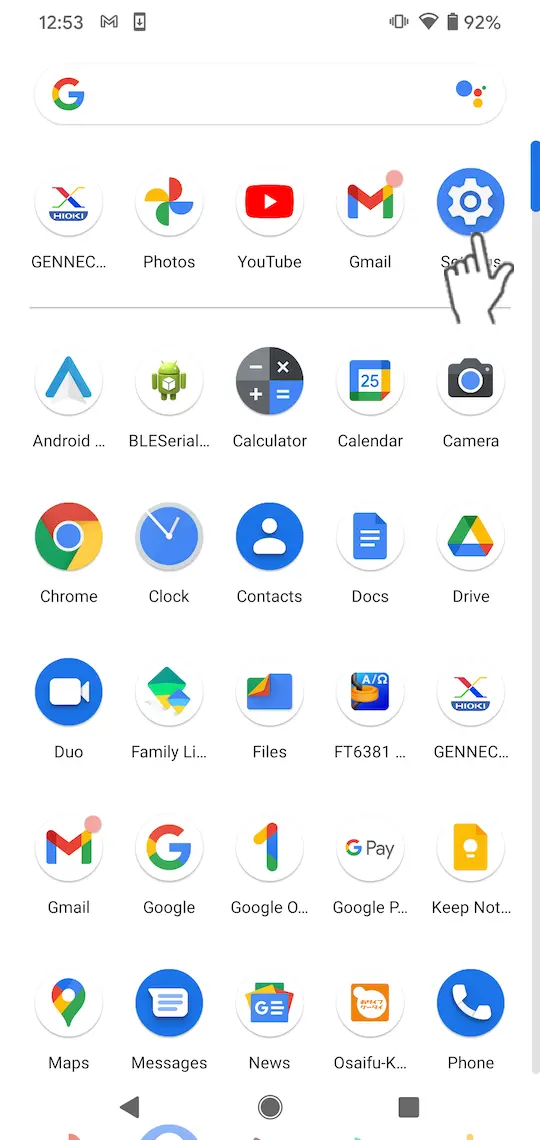
Tap "Settings" on the app list.
2
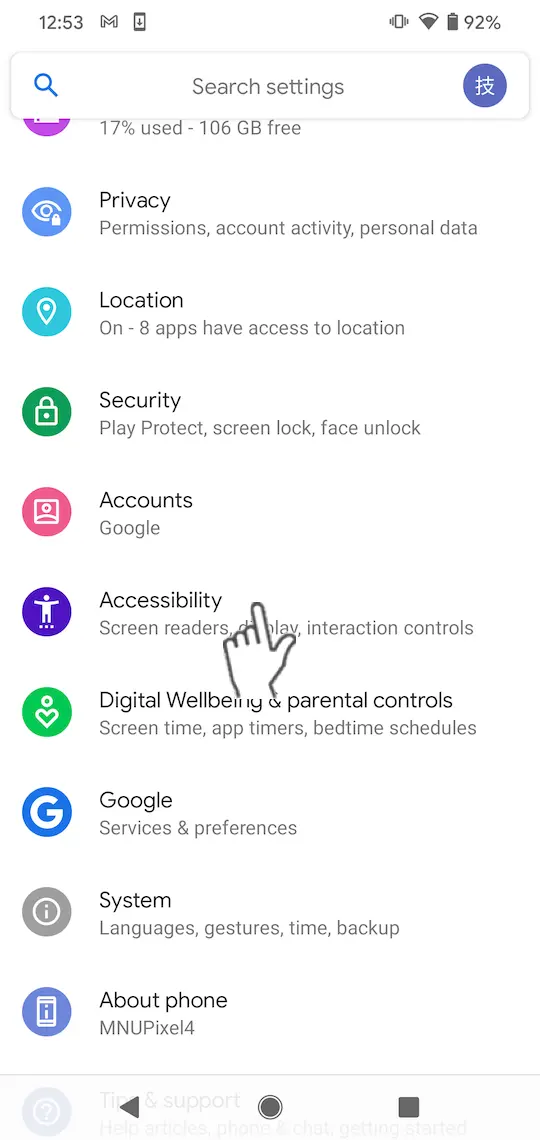
Select "Accessibility".
3
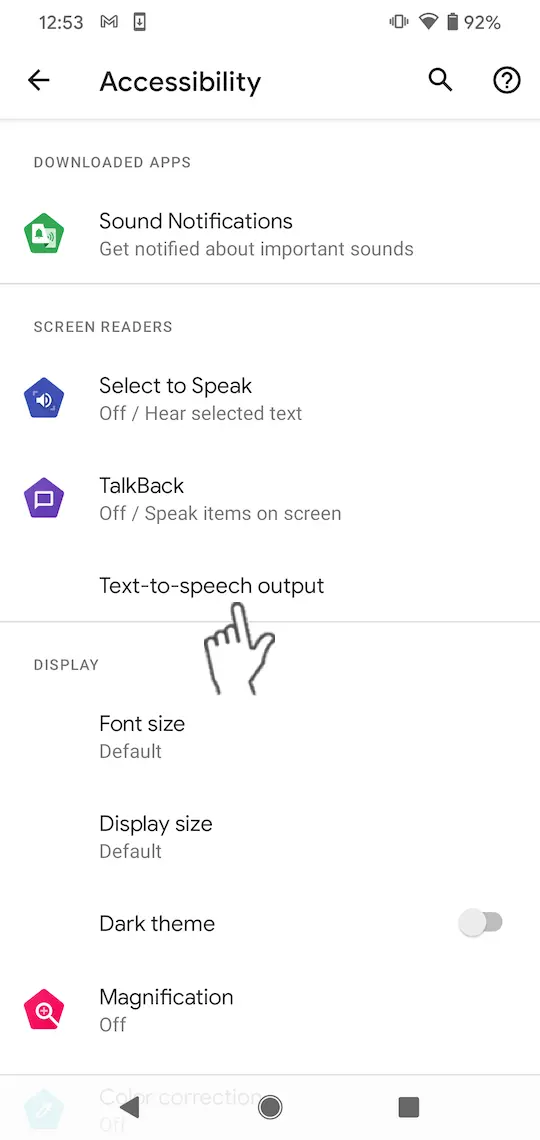
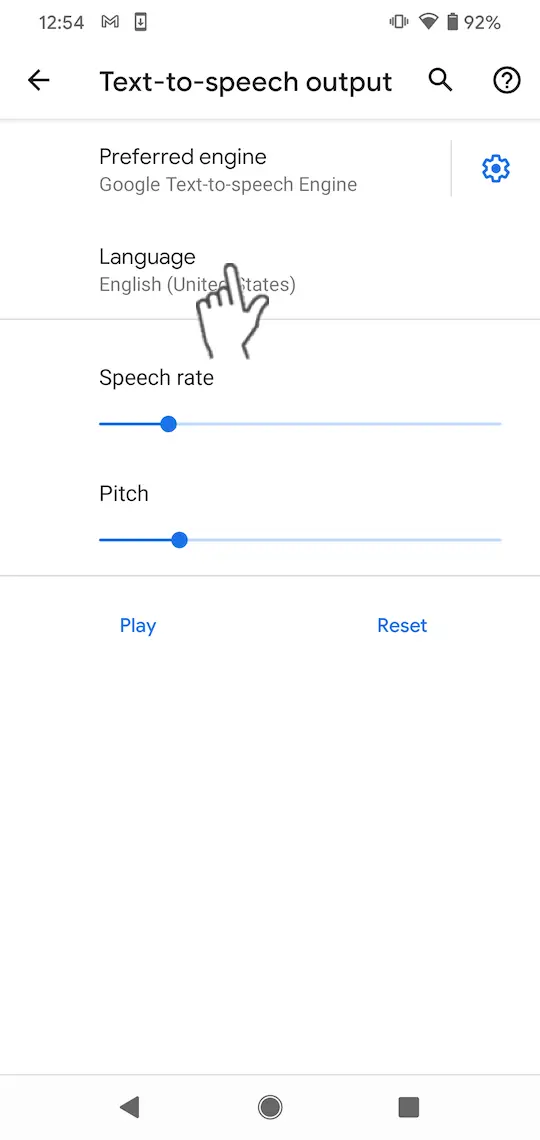
Select "Text-to-speech output".
4
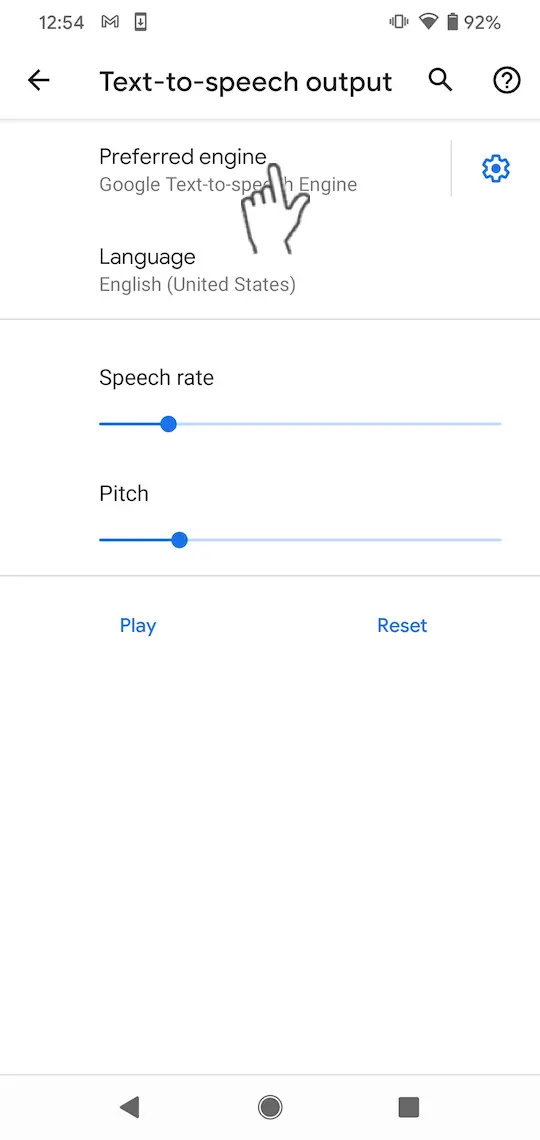
Select "Google Text-to-Speech Engine" as the preferred engine.
If you cannot select "Google Text-to-Speech Engine", install the "Google Text-to-Speech Engine" from Google Play.
5
Set "Language" to the language you wish to use for speech (the recommended language is English).
If sample speech does not play, voice data has not been installed.
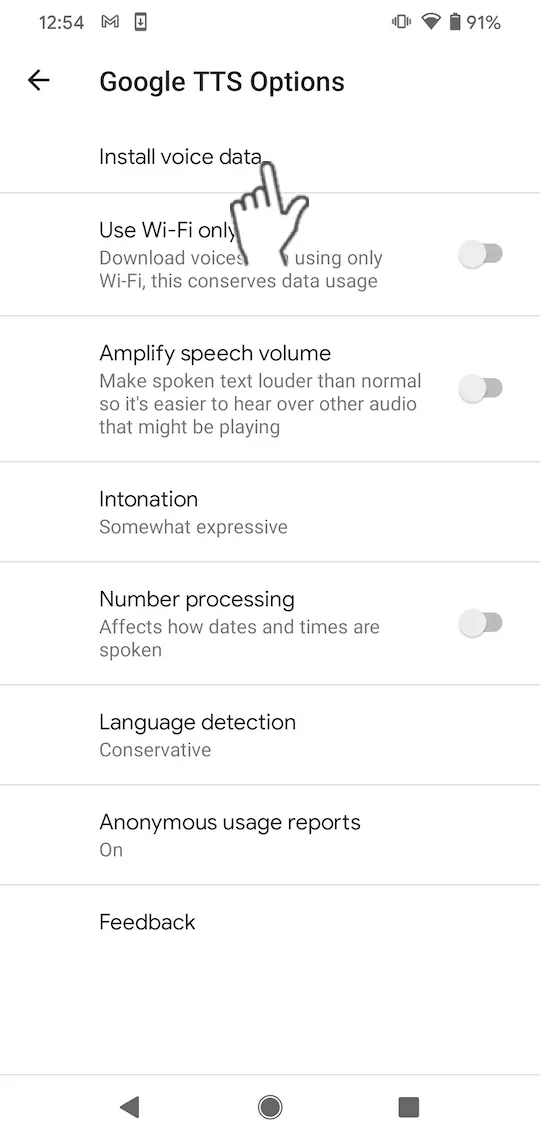
Select "Install voice data" from the settings button to install voice data for the chosen language.
Select "Install voice data" from the settings button to install voice data for the chosen language.
Want help or have questions?