

Comparing data (referencing comparison values)
Referencing comparison values
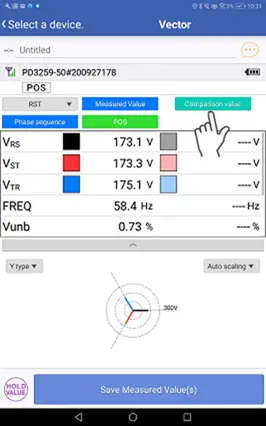
1
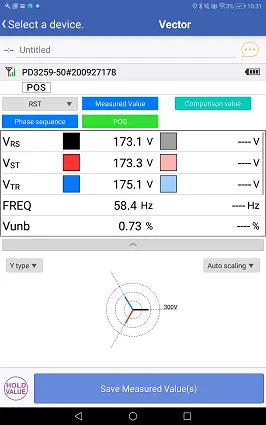
Tap the Comparison value button.
2
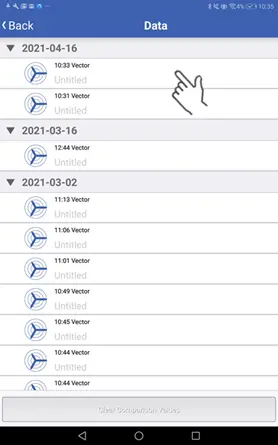
Select the vector data you wish to compare.
3
Check the selected vector data.
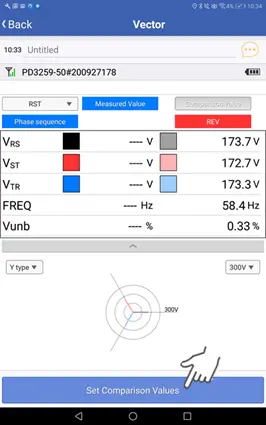
4
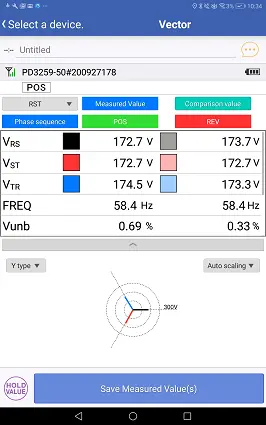
Tap the button for accepting comparison values to display the comparison vector data on the measurement screen (for reference purposes).
Tap the button for saving measured values to save the measured values along with the comparison data.
Clearing comparison values
1
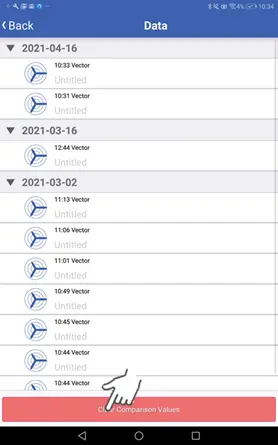
Tap the button for clearing comparison values.
2
Tap [OK] to remove the comparison (reference) vector data from the display.
Want help or have questions?