

Record measured values
You can record measured values that are stored in the internal memory of the Battery Tester.
Once "Start" is tapped, all the measured data are recorded simply by oprating the battery tester. And you can check the measurement result in a graph or list form.
1
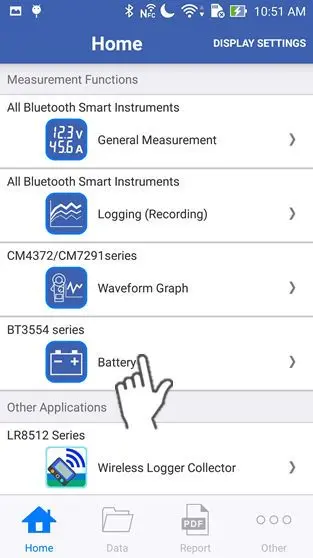
Tap "Battery" on the home screen.
If you cannot find an instrument which can utilize the "Battery" function, please refer to Add other measurement instruments to proceed with this function.
2
Wait up to 30 seconds until you find the instrument on the "Select Instrument" screen, then select the one which you would like to measure the battery with.
If the instrument hasn't connected after 1 minute, please refer to 「I can’t connect to GENNECT Cross」
If you tap "Start Procedure offline", the function starts without a bluetooth connection. In this mode, only the "Threshold Table" function in the maintenance menu and the setting menu are available.
If you tap "Start Procedure offline", the function starts without a bluetooth connection. In this mode, only the "Threshold Table" function in the maintenance menu and the setting menu are available.

3
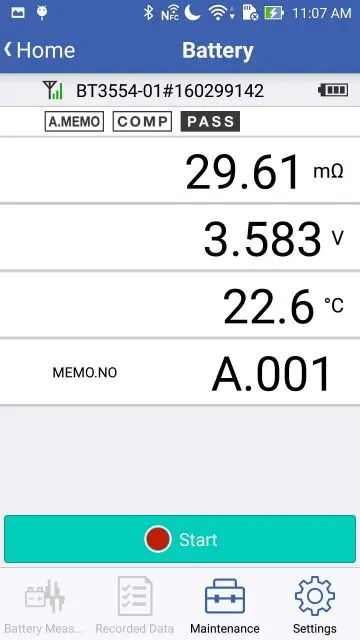
The measured values are displayed approximately every second.
4
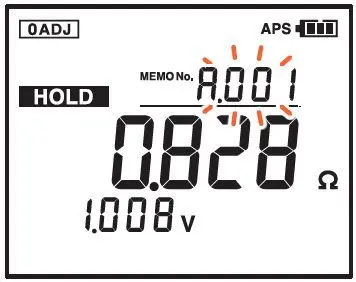
The following operation must be done on the measuring device itself. Set the memory number of the battery tester that you would like to start recording from. Here shows an example of setting the memory number to "A.001".
To set the memory number, you need to turn on the memory function.
Please refer to the instruction manual of the BT3554 series for more information about the memory function.
Please refer to the instruction manual of the BT3554 series for more information about the memory function.
5
This operation also must be done on the measuring device itself. Toggle through until your preference is displayed for "A.HOLD" and "A.MEMO" on the battery tester. If you use this setting, the data is saved on the battery tester and your smartphone/tablet automaticaly, once the measured values are stabilized.
Please refer to the instruction manual of the BT3554 series for more information about the "A HOLD/MEMO" key and the corresponding settings.
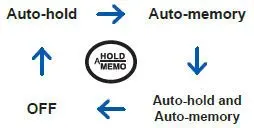
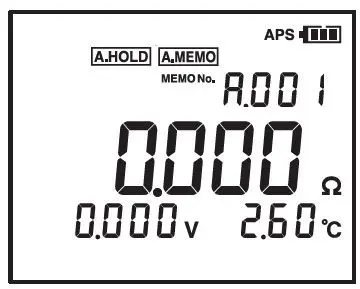
6
Tap the "Start" button.
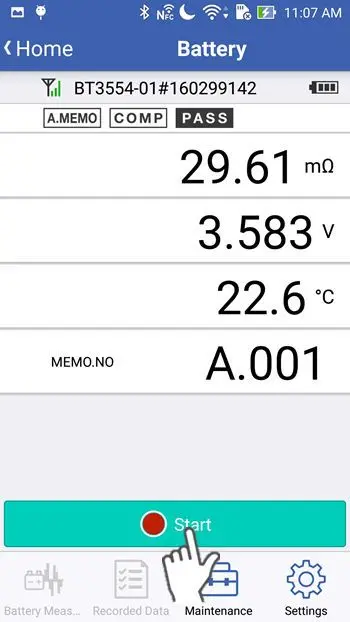
7
Wait up to 10 seconds until the application finishes the preparation for recording. When the button changes to "Stop", you can start the measurement using the battery tester.
If you turn on "Import Value" in the setting menu, the application will pre-load all the data of the single memory unit (in this example, unit "A") from the battery tester.
This setting enables you to keep the measured values synchronized with the memory unit of the battery tester before you start recording.
Importing the unit may take up to 300 seconds if the unit contains the maximum of 500 values.
Please refer to "Configure the battery function" for more information about "Import Value" in the setting menu.
This setting enables you to keep the measured values synchronized with the memory unit of the battery tester before you start recording.
Importing the unit may take up to 300 seconds if the unit contains the maximum of 500 values.
Please refer to "Configure the battery function" for more information about "Import Value" in the setting menu.
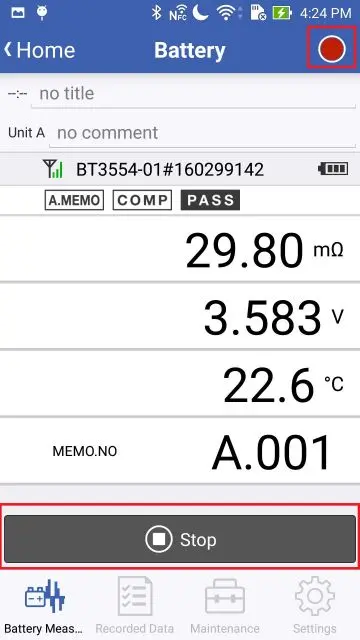
8
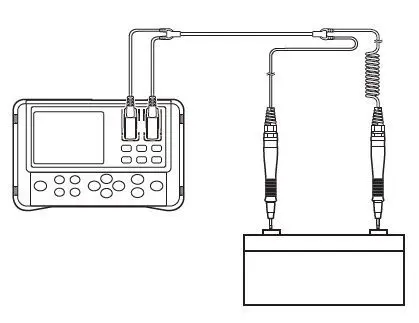
Measure battery cells using the battery tester. The measured value that has been saved in the tester is recorded in the application.
9
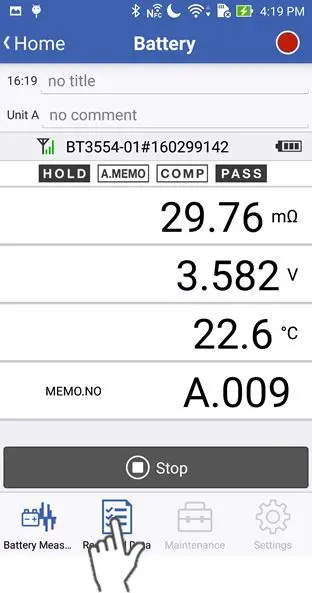
Tap "Measured Data" in the menu, then you can check the measurement result in a graph or list form.
10
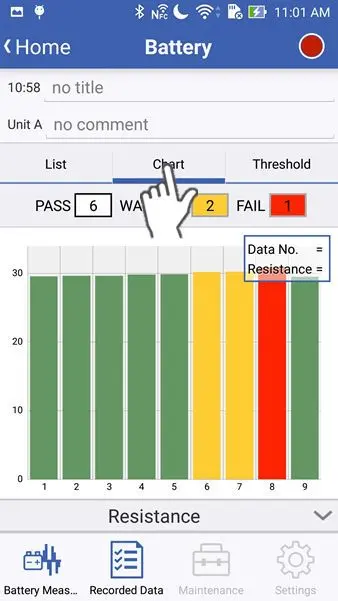
The "Chart" tab shows the result in a graph form.
Tap the bar below the graph, to switch the parameter of the display to show "Resistance", "Voltage" or "Temperature".
The number of the graph bar corresponds to the memory number of the battery tester.
If you save the measured data at the memory number "A.005" using the battery tester, then the corresponding graph bar number is "5".
The number of the graph bar corresponds to the memory number of the battery tester.
If you save the measured data at the memory number "A.005" using the battery tester, then the corresponding graph bar number is "5".
11
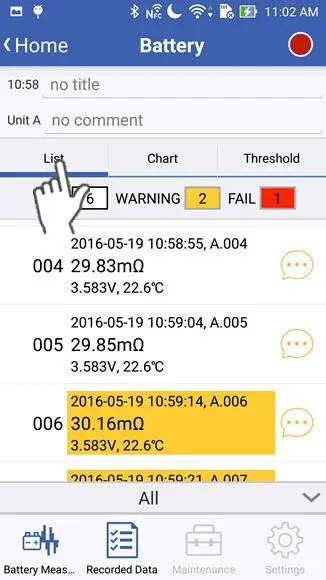
The "List" tab shows the result in a list form.
Tap the bar below the list, to switch the parameter of the display to show "All", "Resistance", "Voltage" or "Temperature".
The number of the list corresponds to the memory number of the battery tester.
If you save the measured data at the memory position "A.005" using the battery tester, then the corresponding list number is "005".
The number of the list corresponds to the memory number of the battery tester.
If you save the measured data at the memory position "A.005" using the battery tester, then the corresponding list number is "005".
12
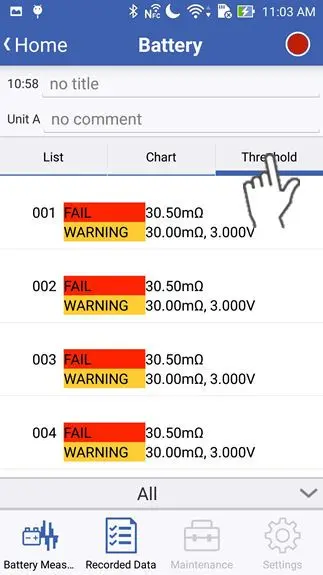
The "Threshold" tab shows the threshold that is set to the measured value in a list form.
Tap the bar below the list, to switch the parameter of the display to show "Resistance" or "Voltage".
13
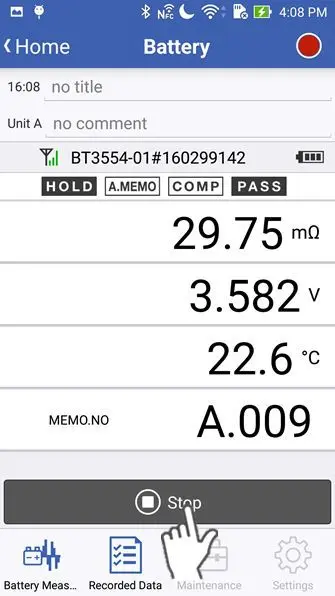
Tap the "Stop" button, to stop recording.
Please note that the recording automatically finishes if the memory unit is changed because either you change the unit on the battery tester, or the battery tester increments the unit.
Want help or have questions?