

Search the data
1
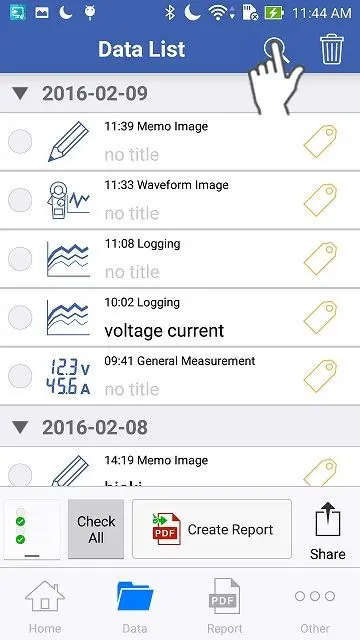
Open the "Data List" and tap the search icon.
2
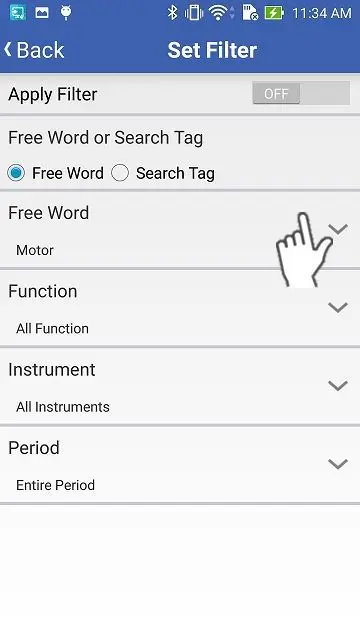
Search the data by "Word Search" (titles or comments) or "Tag Search".
When you would like to search by tags, please select "Tag Search".
You can filter the data by the type of "Function", "Instrument" and "Period".
You can filter the data by the type of "Function", "Instrument" and "Period".
3
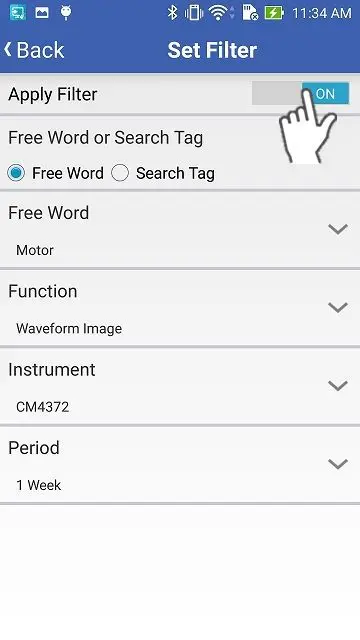
Finally, apply the search settings and tap "Back" to return to the original screen.
Want help or have questions?