

Use the "Logging" function (Auto recording)
1
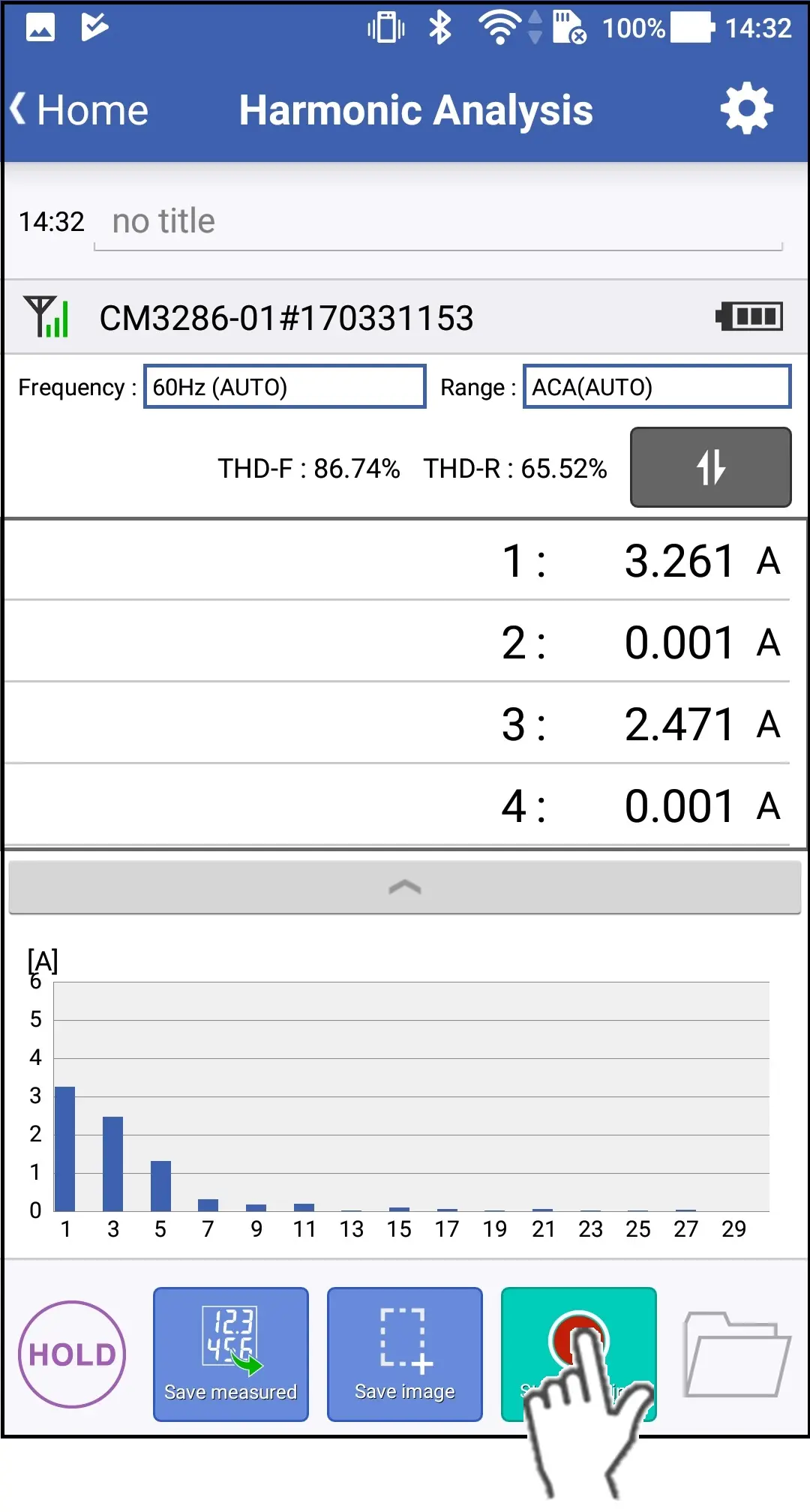
You tap the "Start Logging" button,A dialog box for setting the logging interval and logging duration time is displayed.
2
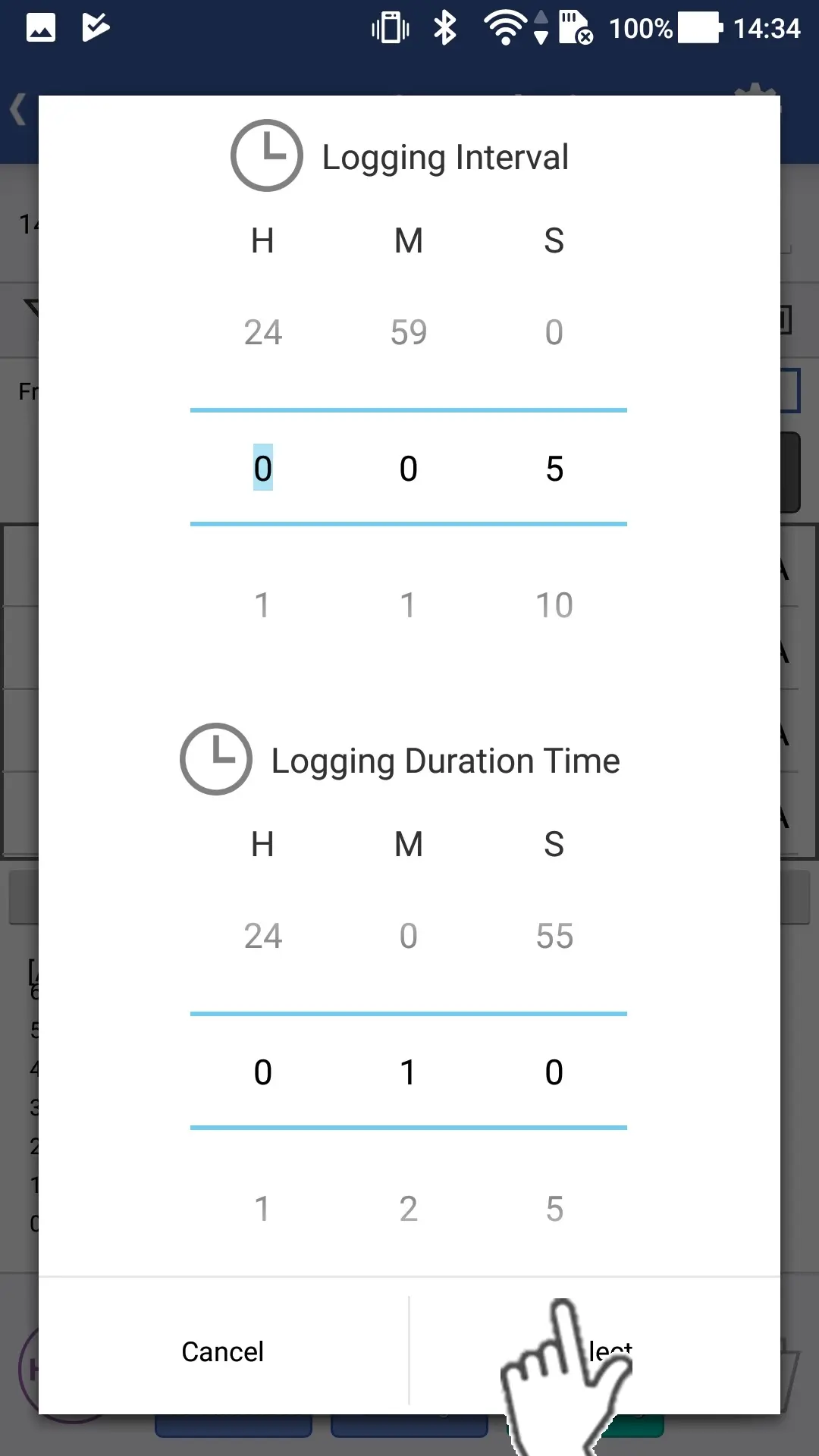
Set the logging interval and logging duration time.Next you tap the "Select" button to start logging.
3
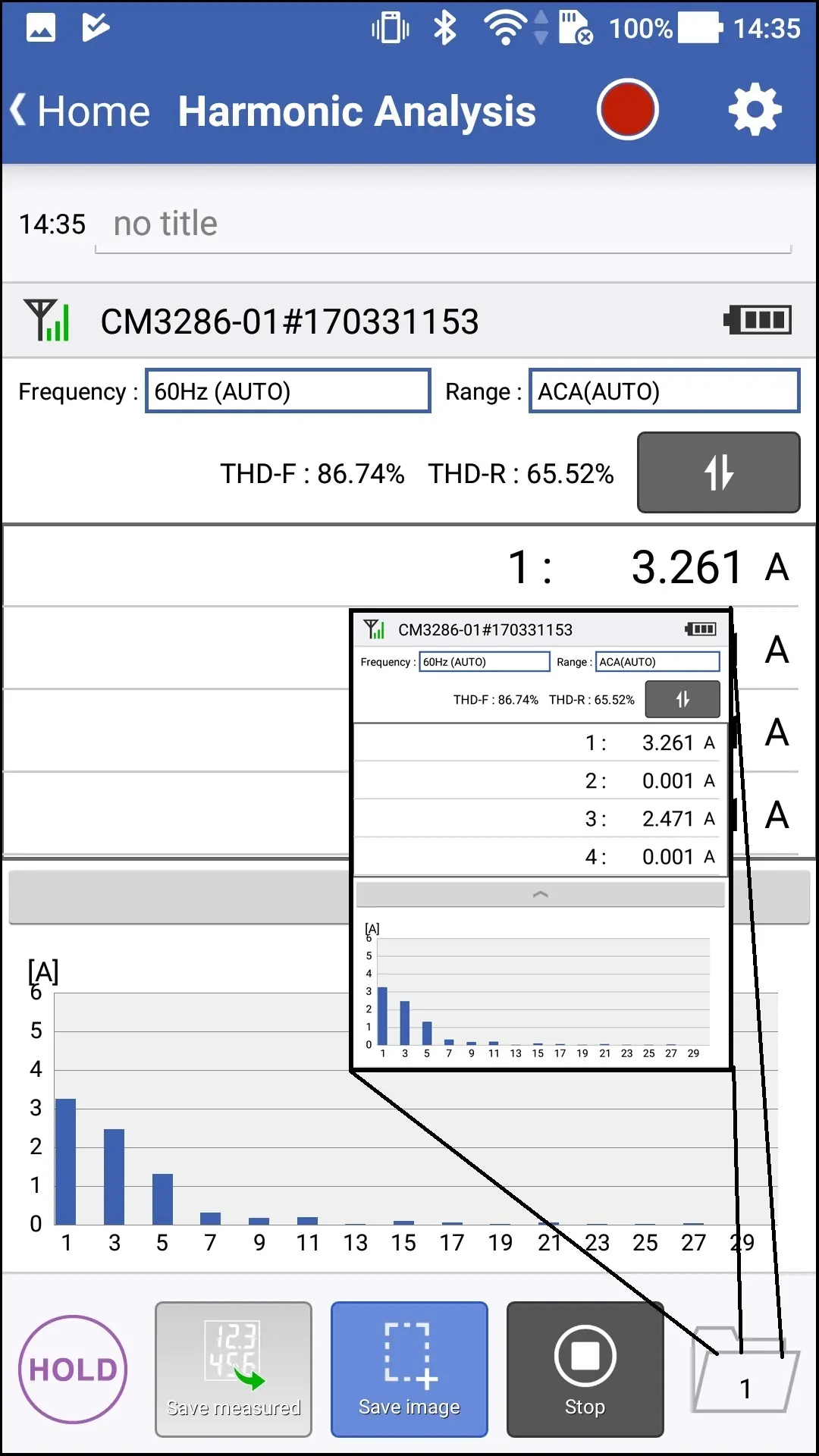
Once the logging duration time has passed or you tap the "Stop Logging" button, the logging (auto recording) will be stopped.
If you tap red icon, then you can check the logging settings.
You can tap the "Save image" button and save images while logging.
You can tap the "Save image" button and save images while logging.
Want help or have questions?