

Sharing the device list (GENNECT Cloud Standard and Pro plans only)
You can upload connected device data (setting names) to the cloud server to share them with GENNECT Cross installations on other devices.
This function requires a subscription to the GENNECT Cloud Standard or Pro plan.
If you are not logged in to GENNECT Cloud, first log in.
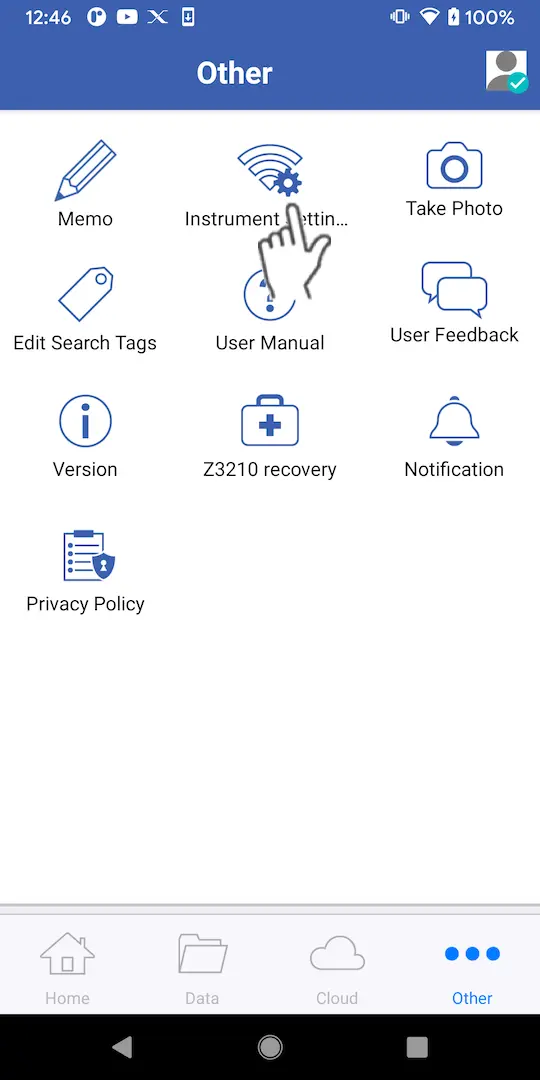
Tap [Connected device settings] on the [Other] screen.
Uploading a list to the cloud server
1
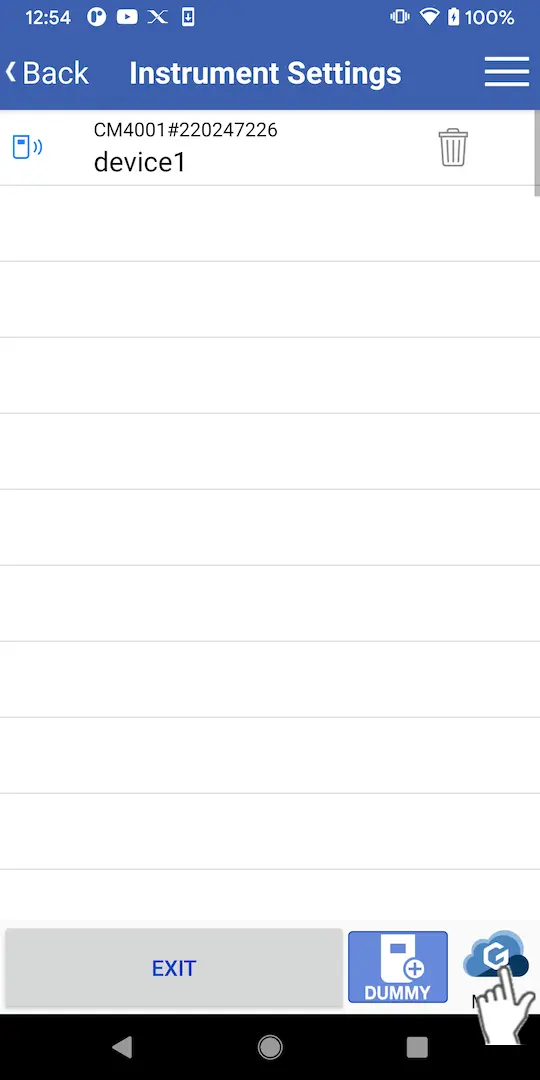
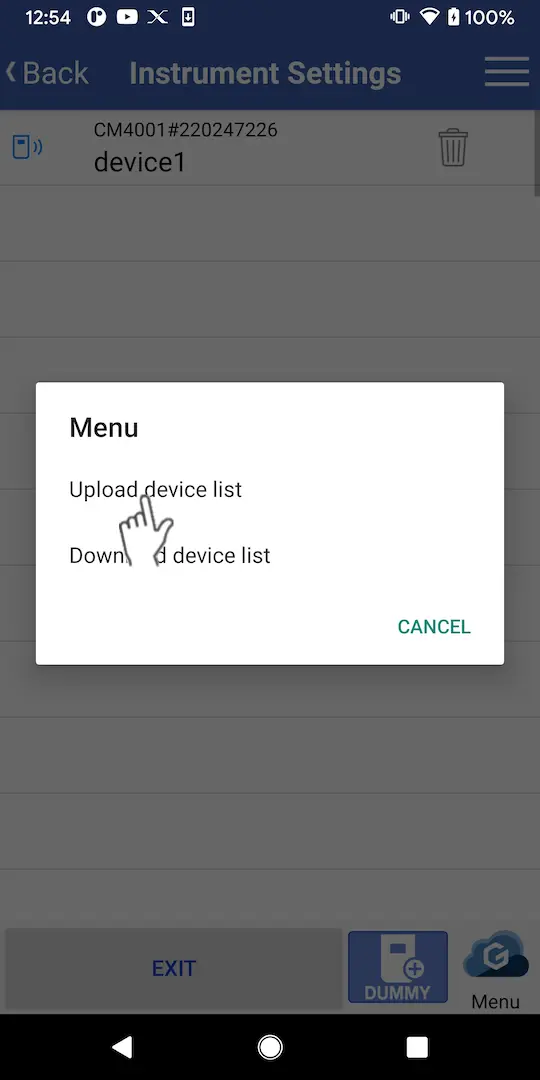
Tap the [Menu] button and then tap [Upload device list].
2
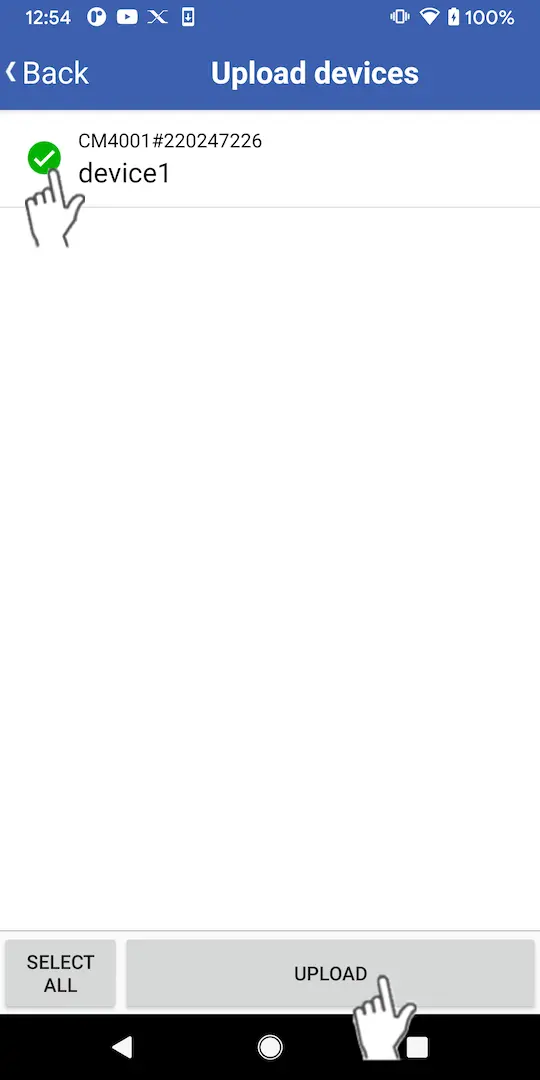
When the currently configured device information is displayed, select the checkboxes for the devices you wish to upload and tap [Upload].
3
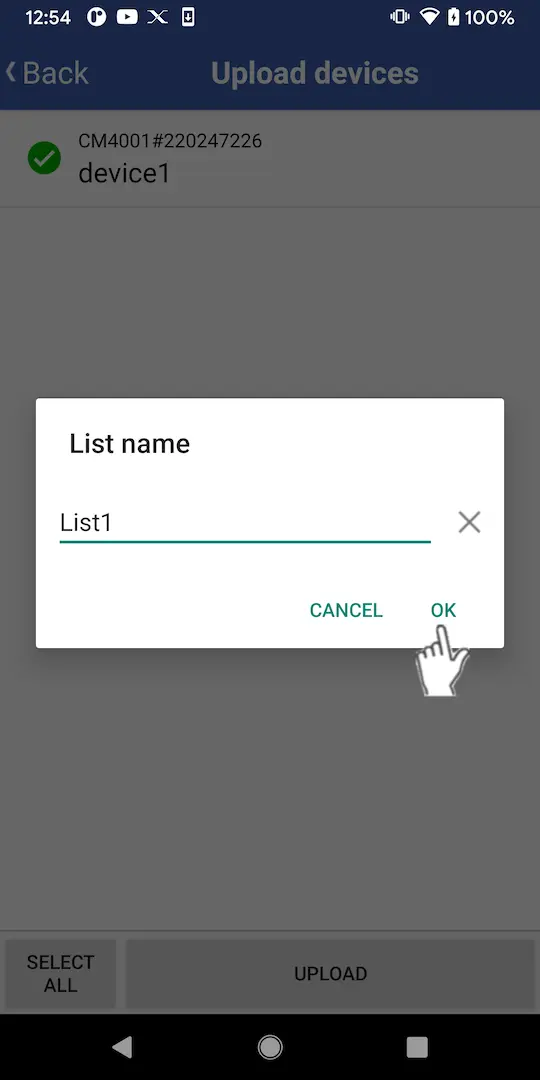
Set the list name and tap [OK] to upload the data.
Downloading a list from the cloud server
1
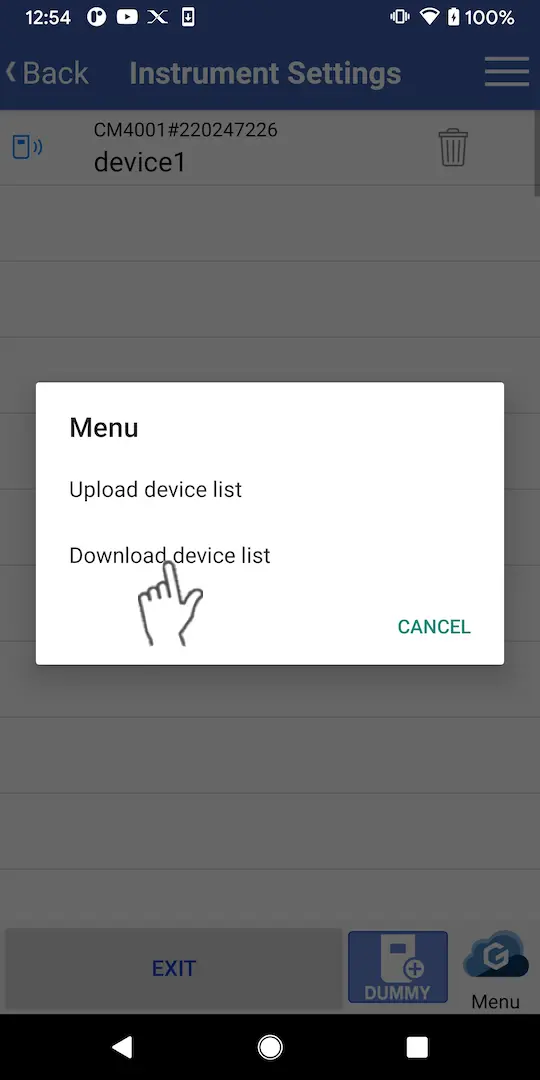
Tap the [Menu] button and then tap [Download device list].
2
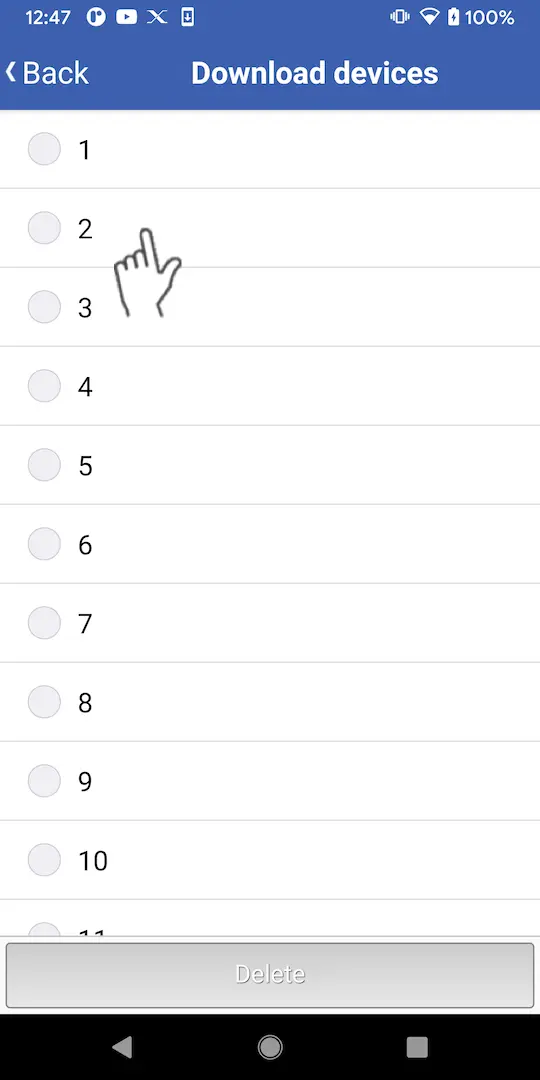
When the list of uploaded device lists is displayed, tap the list you wish to download.
3
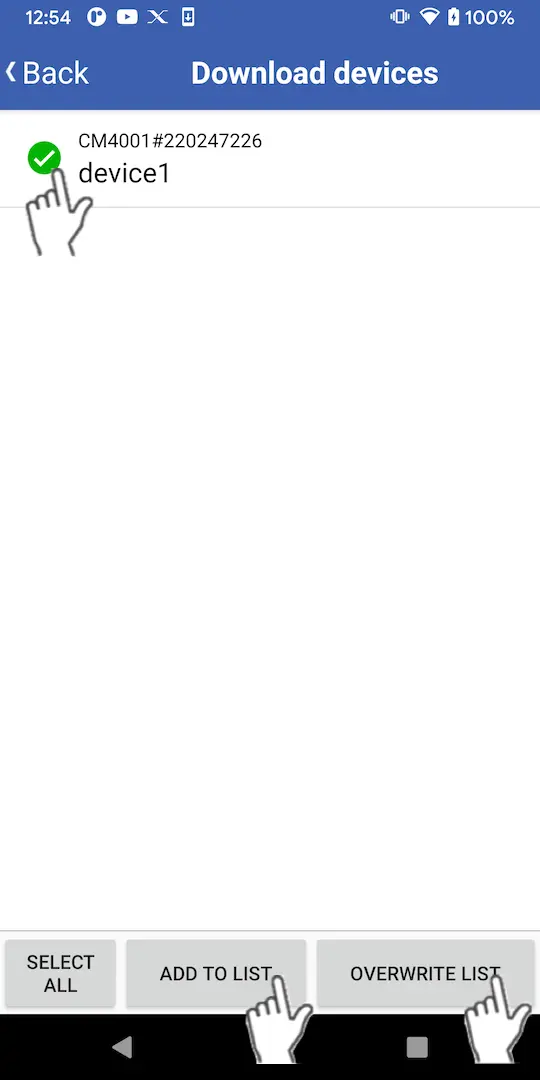
When the configured device information is displayed, select the checkboxes for one or more instruments.
To add the selected devices to the connected device settings: Tap [Add to list].
To overwrite the connected device settings with the selected devices: Tap [Overwrite list]*. Registered settings will be deleted.
To overwrite the connected device settings with the selected devices: Tap [Overwrite list]*. Registered settings will be deleted.
Deleting a device list on the cloud server
1
Tap the [Menu] button and then tap [Download device list].
2
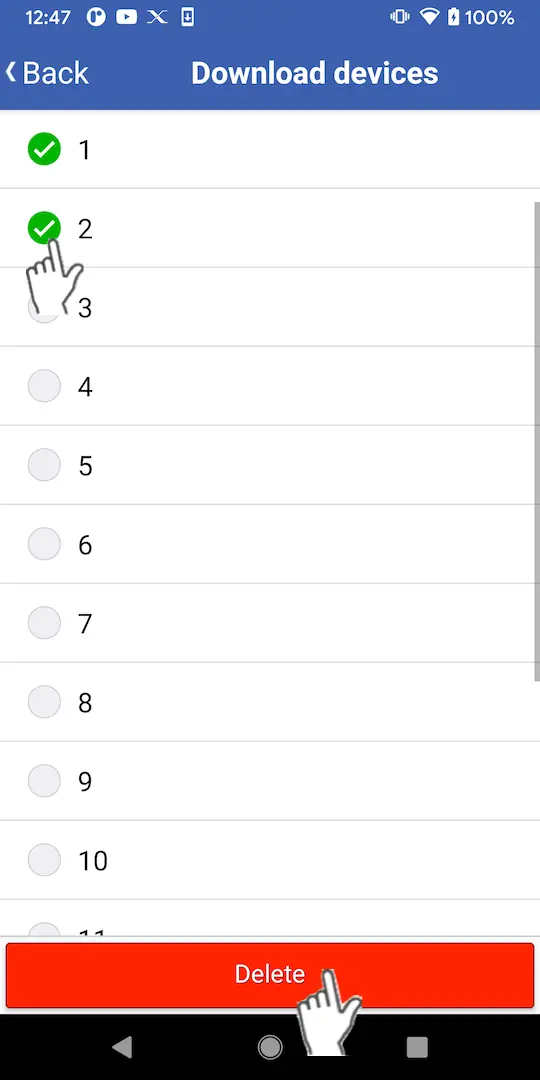
When the list of uploaded device lists is displayed, select the checkboxes for the lists you wish to delete, tap [Delete], and tap [OK].
Want help or have questions?