

Checking the current HID settings
1
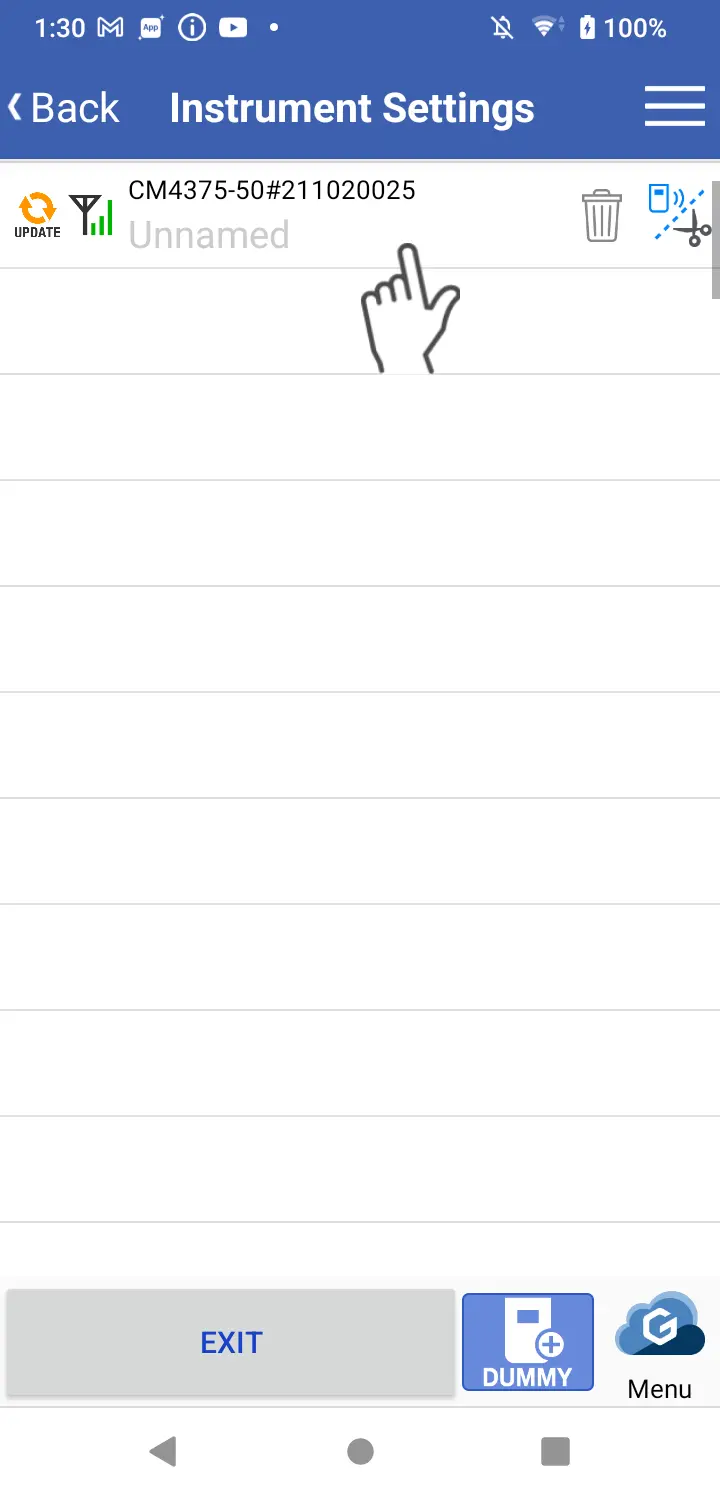
Open the connected device list screen.
2
Tap the instrument whose settings you wish to check and open the hardware settings screen.
3
If the instrument is connected to GENNECT Cross, you can acquire the current HID settings by tapping [Receive HID settings].
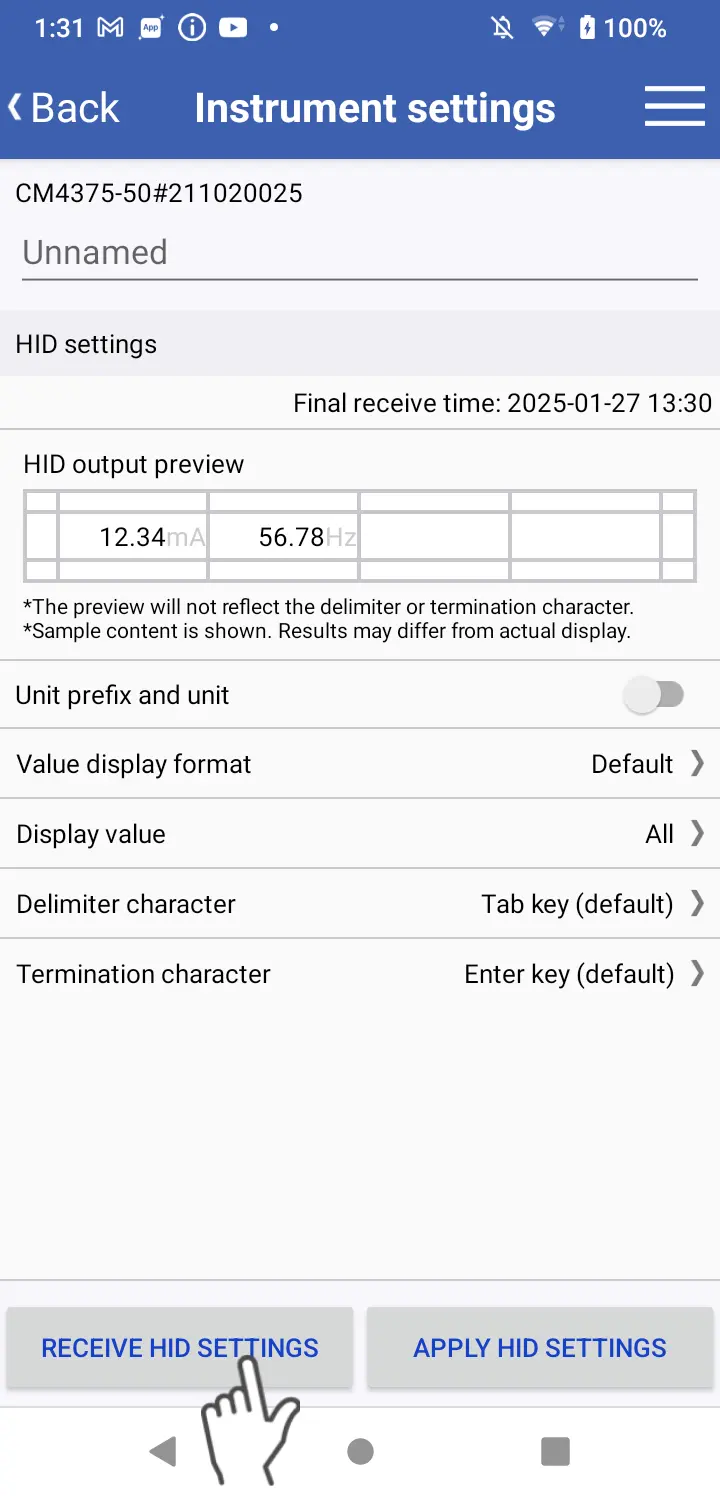
*If you’re unable to receive HID settings, return to the connected device list and then open the hardware settings screen again after verifying that the instrument is connected to GENNECT Cross.
Want help or have questions?