

Deleting HID settings
1
Open the HID settings.
2
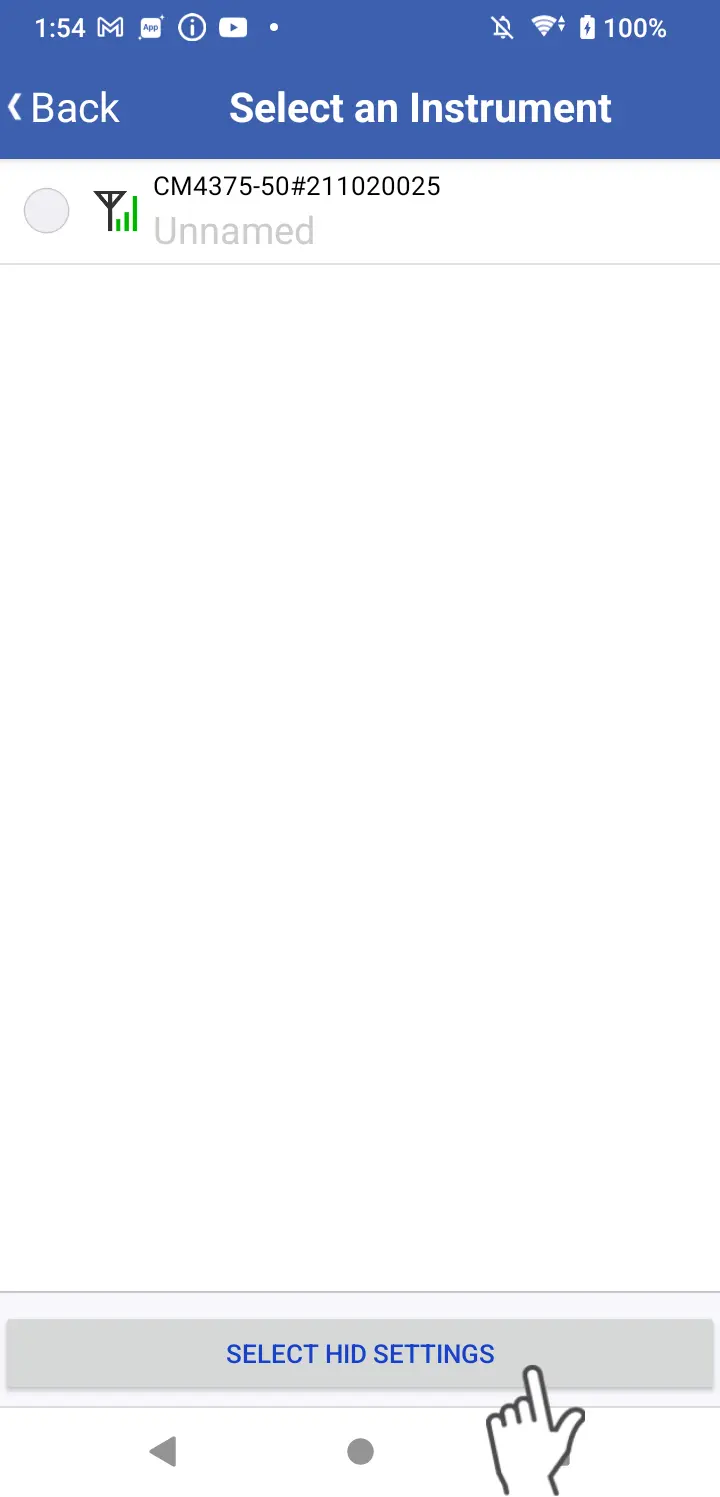
Tap the [Select HID settings] button to display a list of HID settings.
3
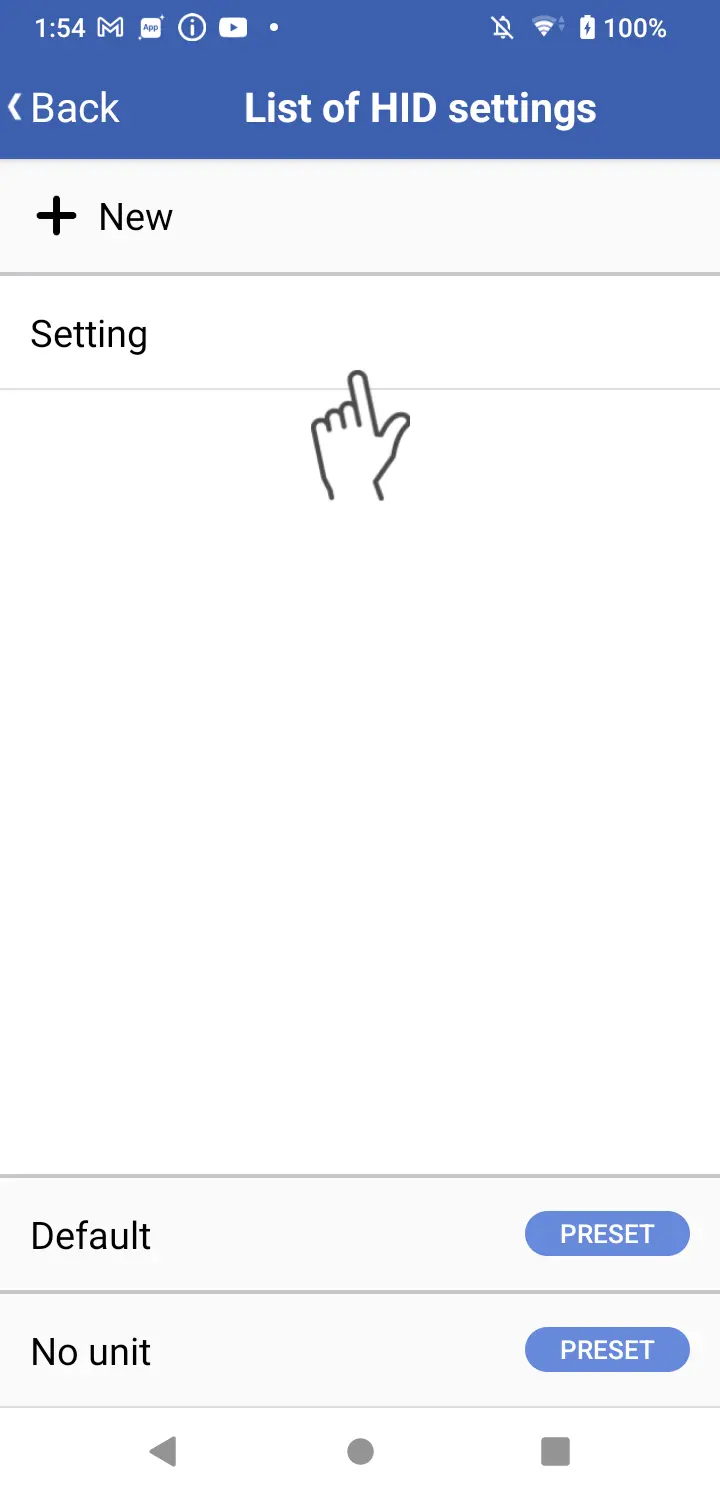
Tap an existing group of HID settings.
4
Click the trash can icon at the top right of the screen.
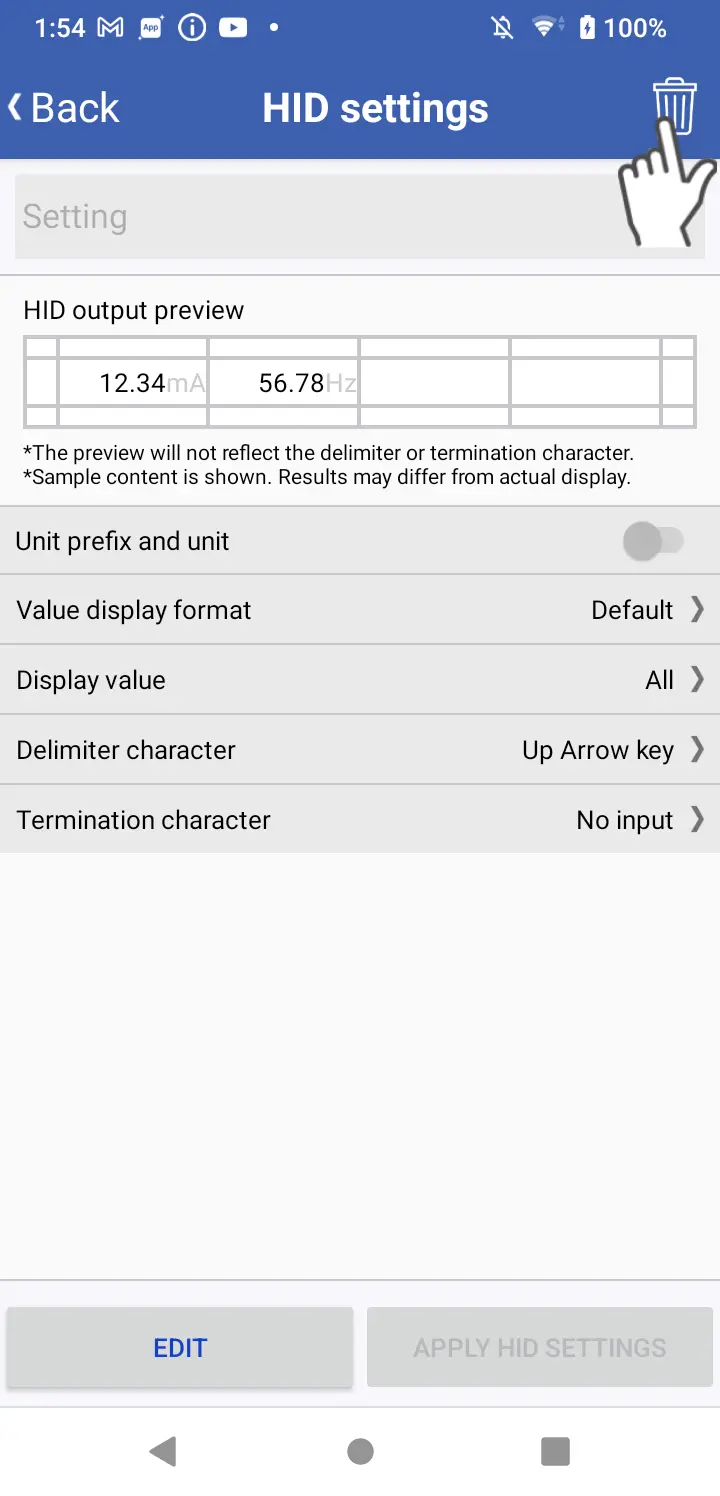
*Presets cannot be deleted.
Want help or have questions?