

Configuring the service so that a previously connected instrument doesn’t connect automatically in the future
While the connected device settings screen is being displayed, the nearby area is scanned, and discovered instruments are connected. Discovered instruments connect automatically, but you can configure the service so that a previously connected instrument won’t connect automatically in the future by deleting its registration.
1
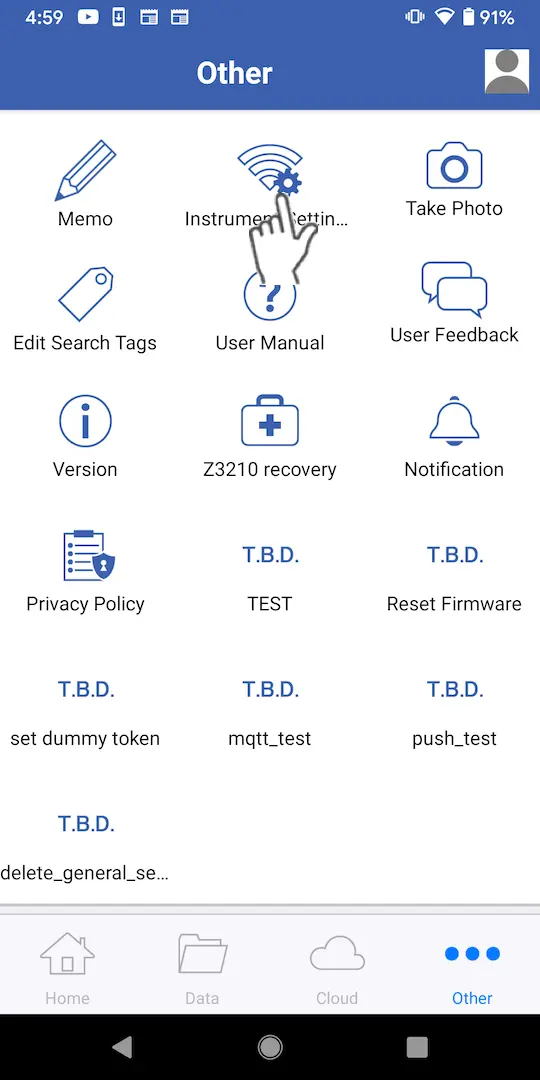
Tap [Instrument Settings] on the [Other] screen.
A list of connected instruments and instruments that have connected in the past will be displayed.
2
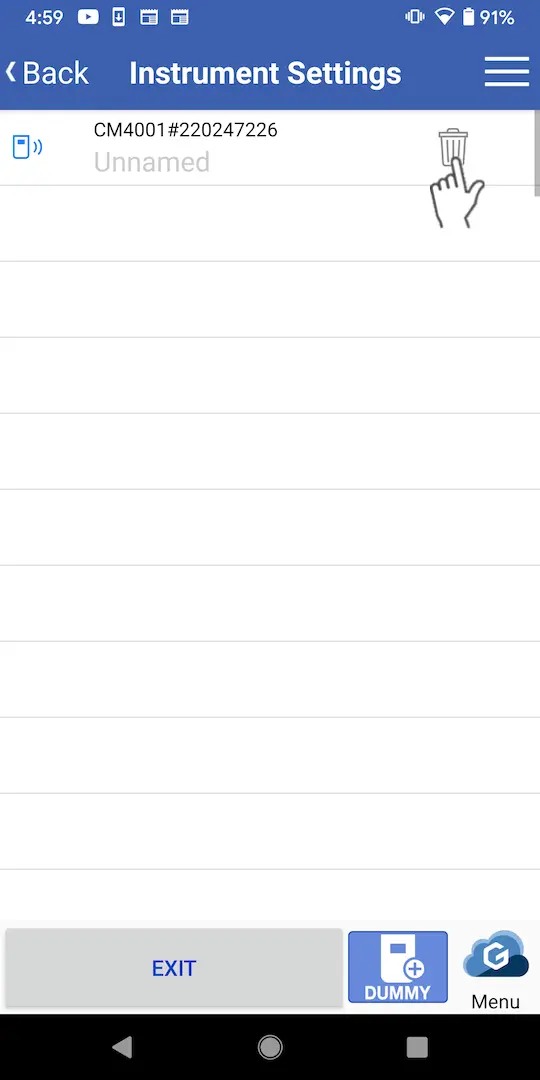
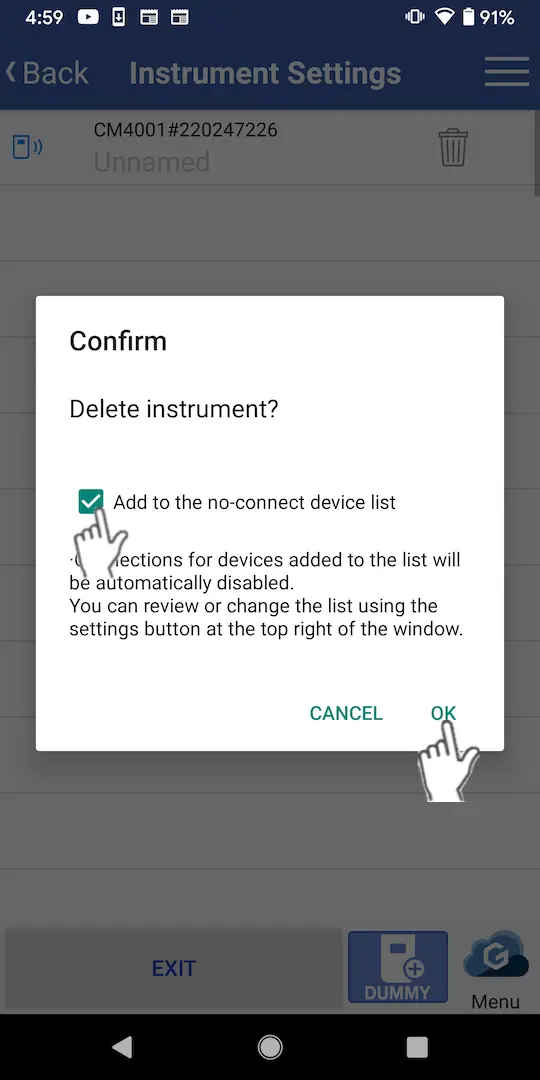
Tap the garbage can icon to the right of the instrument field, select the checkbox in the dialog box, and tap [OK] to prevent the instrument in question from connecting automatically.
3
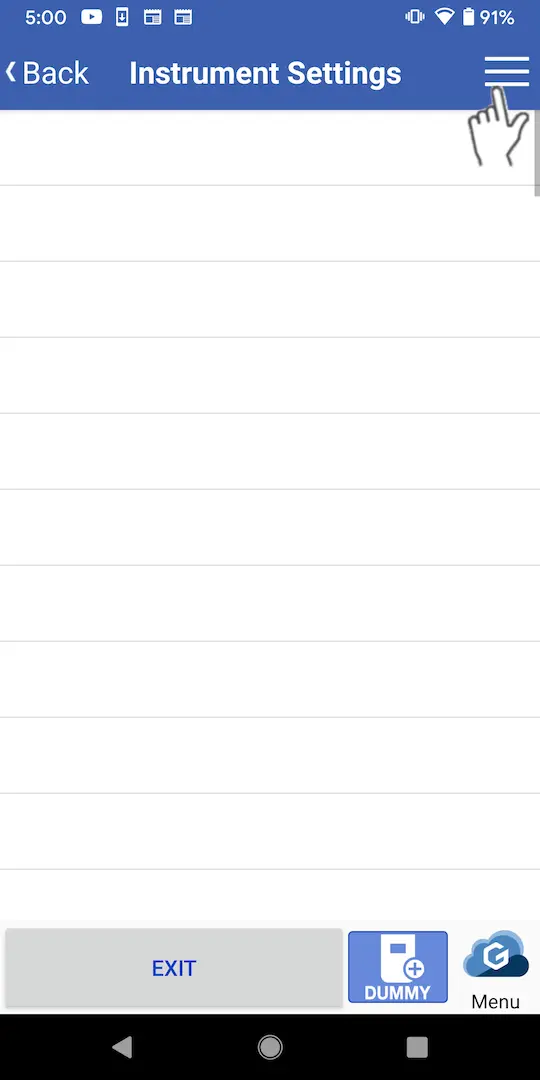
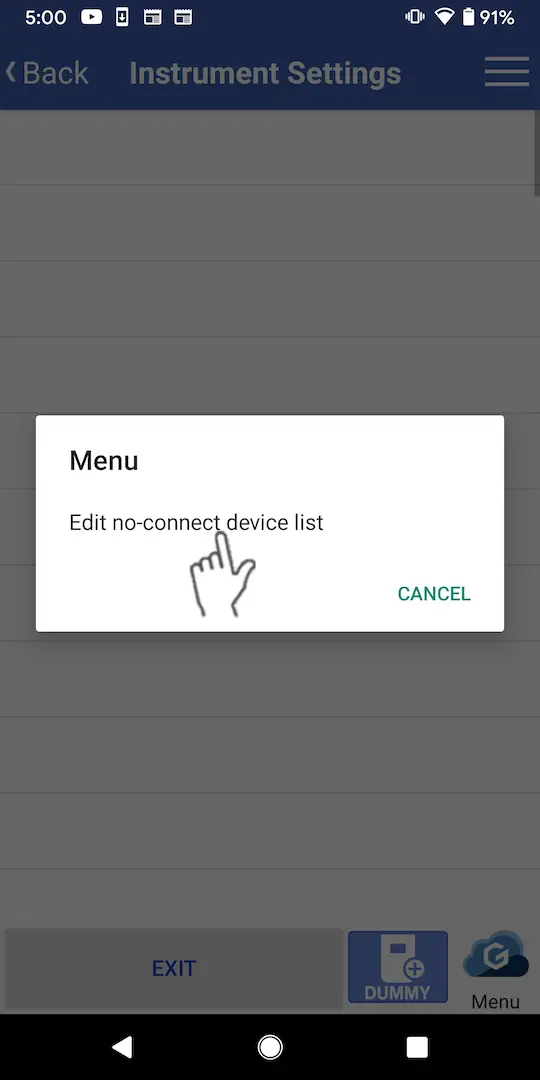
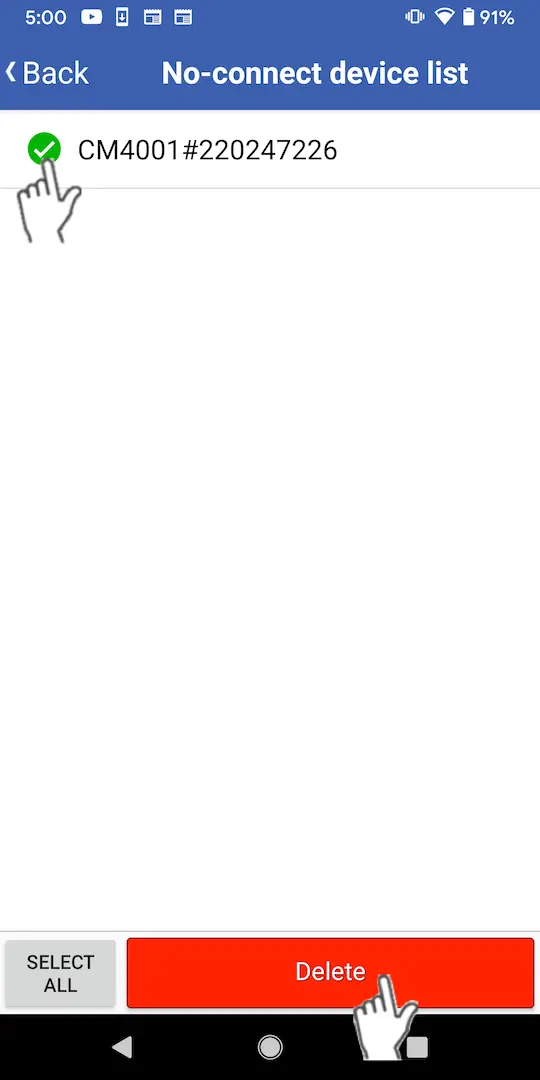
To reconnect to the instrument in the future, tap [Edit no-connect device list] from the settings button at the top right of the connected device settings screen, select the checkbox for the instrument in question, and tap [Delete].
Want help or have questions?