

Editing profile information tables (BT3554-50)
You can configure measurement locations and battery numbers in advance and then use measurement guidance to link them to measurement data as it's saved.
1
Tap "Battery" on the home screen.
If you cannot find an instrument which can utilize the "Battery" function, please refer to Add other measurement instruments to proceed with this function.

2
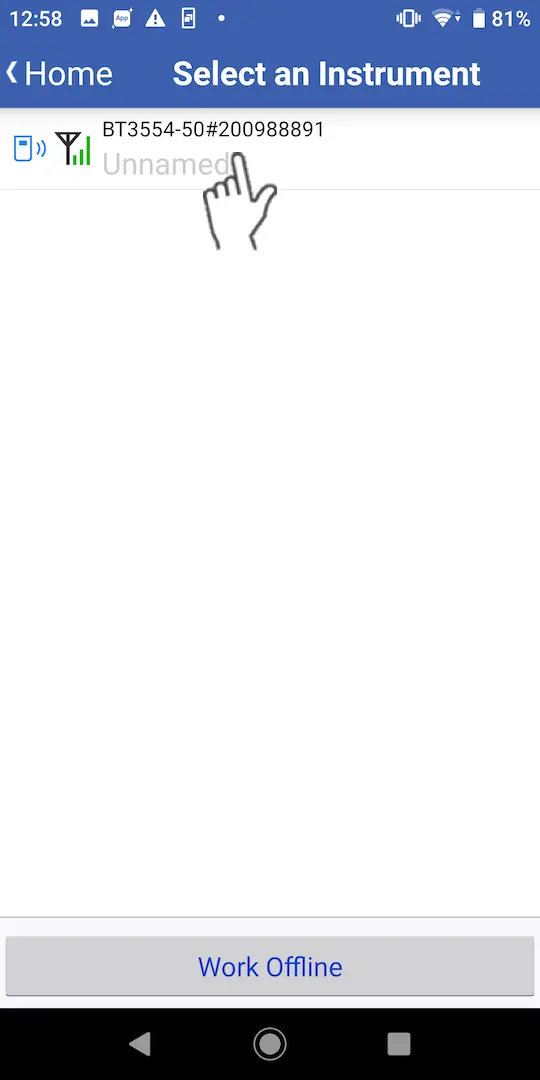
Wait up to 30 seconds until you find the instrument on the "Select Instrument" screen, then select the one which you would like to measure a battery with.
If the instrument hasn't connected after 1 minute, please refer to 「I can’t connect to GENNECT Cross」
3
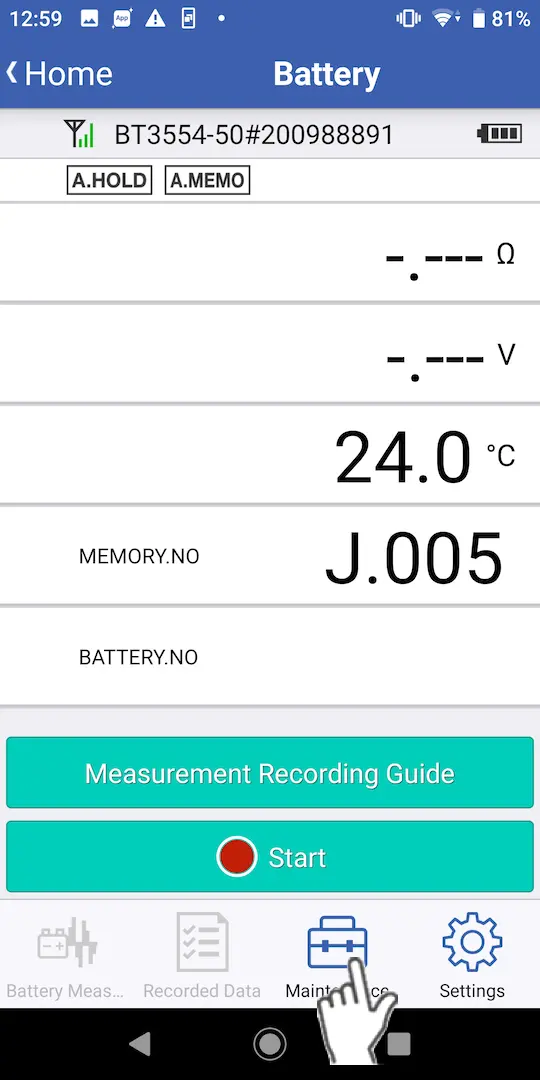
Tap "Maintenance".
4
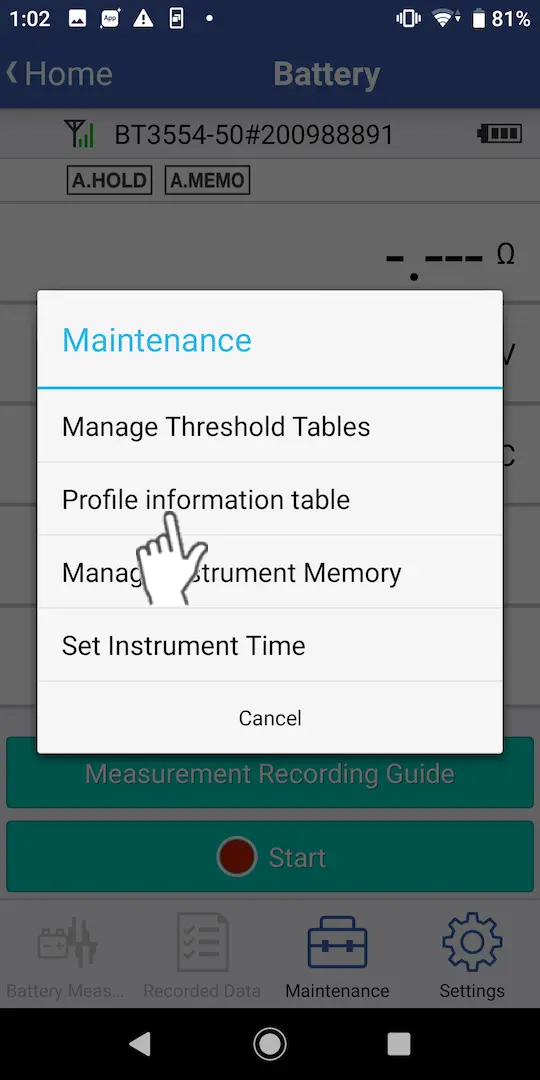
Tap "Profile information table".
5
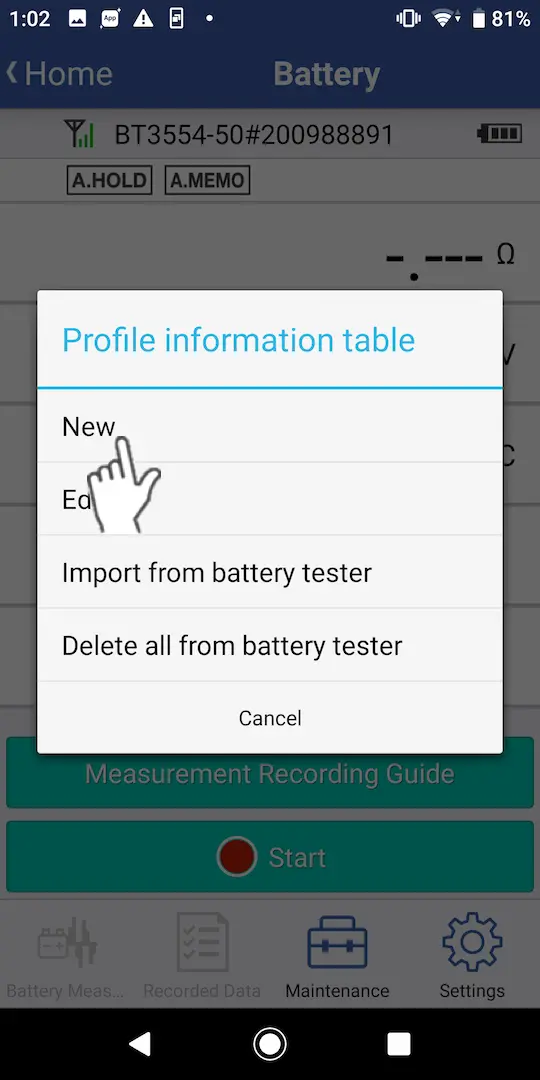
Tap "New" to create a new profile information table.
Tap "Edit" to edit a previously saved profile information table.
Tap "Import from battery tester" to load profile information tables that have been saved on the instrument.
Tap "Delete all from battery tester" to delete all profile information tables and measurement data saved on the battery tester.
Tap "Import from battery tester" to load profile information tables that have been saved on the instrument.
Tap "Delete all from battery tester" to delete all profile information tables and measurement data saved on the battery tester.
6
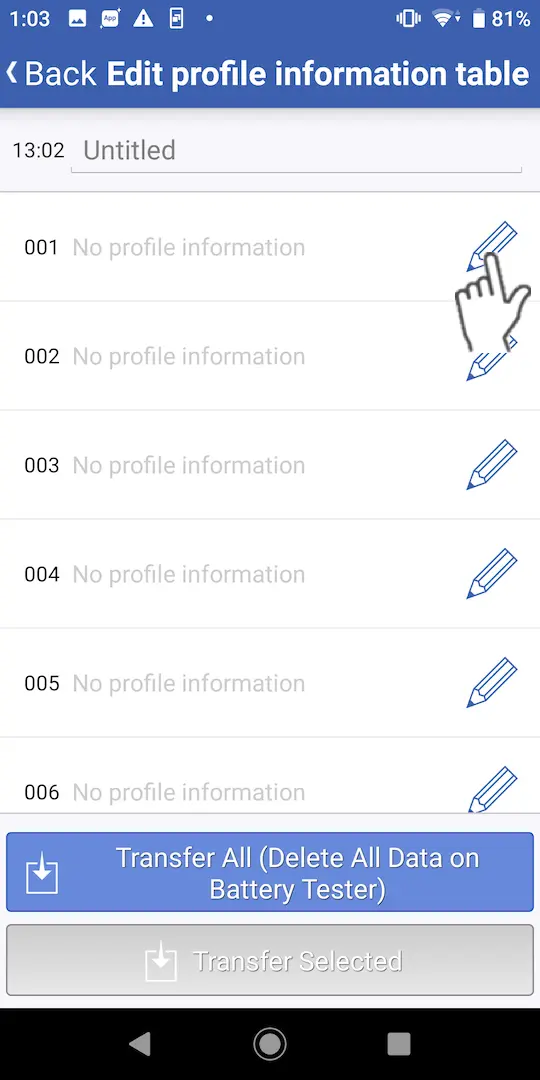
Tap the pencil icon to begin editting the profile information.
7
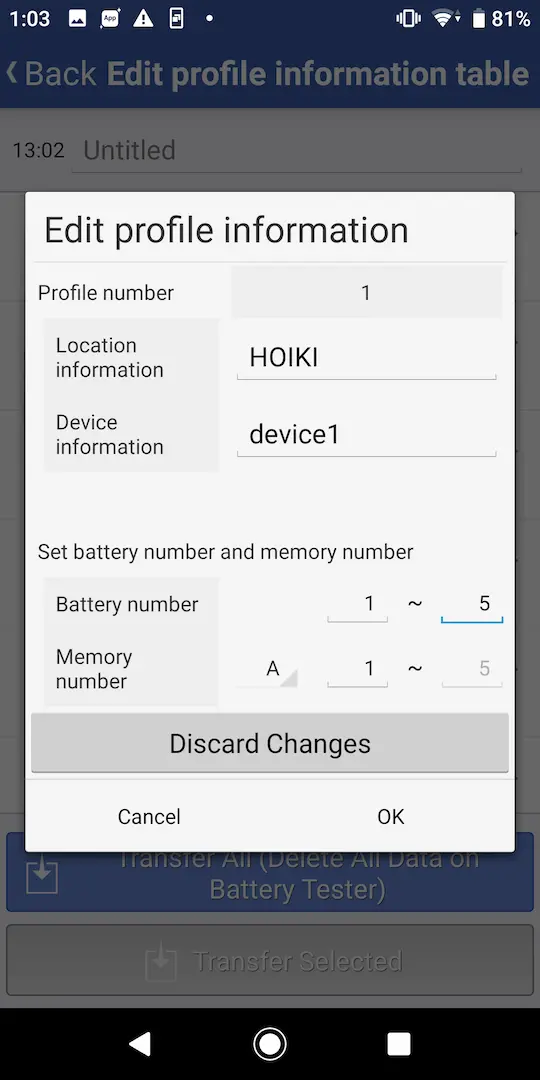
Edit the profile information as desired. Set locations, device information, battery numbers, and memory numbers and then tap "OK".
Battery numbers: Numbers assigned by the user for management purposes
Memory numbers: Numbers used by the instrument for management purposes(A,B,C,D,E,F,G,H,J,L,N,P + 1~500)
Memory numbers: Numbers used by the instrument for management purposes(A,B,C,D,E,F,G,H,J,L,N,P + 1~500)
8
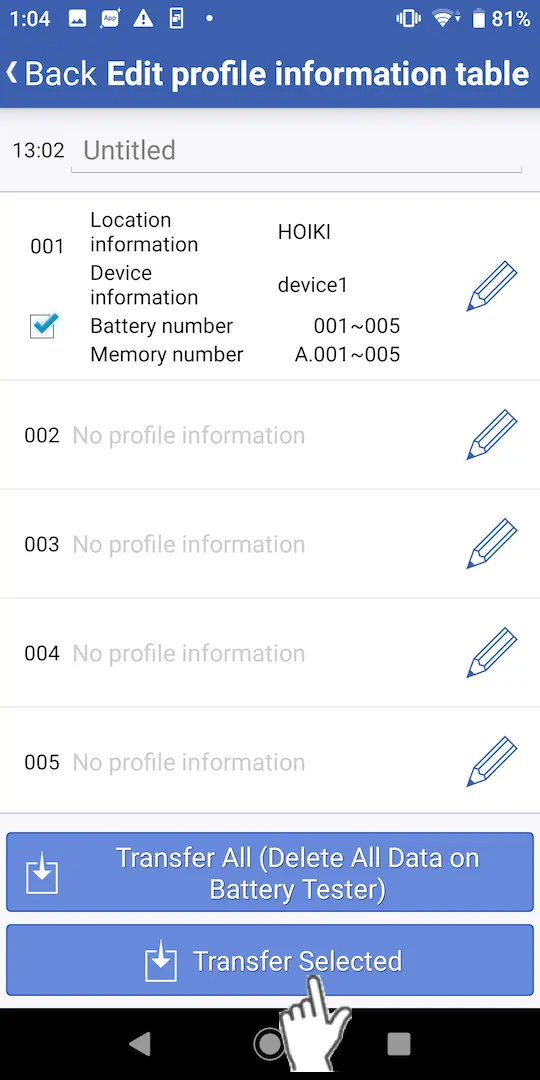
Tap "Transfer All" or "Transfer Selected" to send the profile information table(s) to the battery tester.
Transfer All: Sends the configured profile information tables to the battery tester after first deleting all profile information and measurement data that has been previously saved on the instrument.
Transfer Selected: Sends profile information whose checkbox has been selected to the battery tester. Information on the battery tester with the same number will be overwritten.
Transfer Selected: Sends profile information whose checkbox has been selected to the battery tester. Information on the battery tester with the same number will be overwritten.
Want help or have questions?