

Configure the home screen
You can change the order of measurement functions or show only specific functions which you frequently use.
1
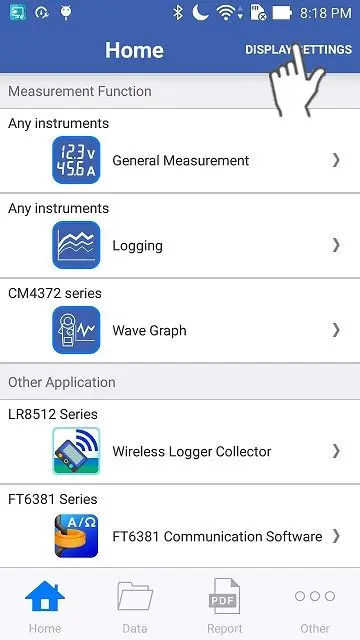
Tap the "Display Settings" on the top right corner of the home screen.
2
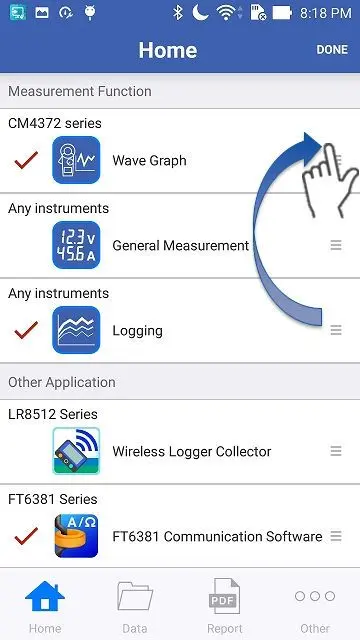
Uncheck the functions which you would like to hide. You can change the order of the functions after selecting an item by a long tap.
iOS user: You can change the order by dragging the tripple line mark on the right side which shows up after a long tap.
Android user: You can change the order without disconnecting your finger after a long tap.
Android user: You can change the order without disconnecting your finger after a long tap.
3
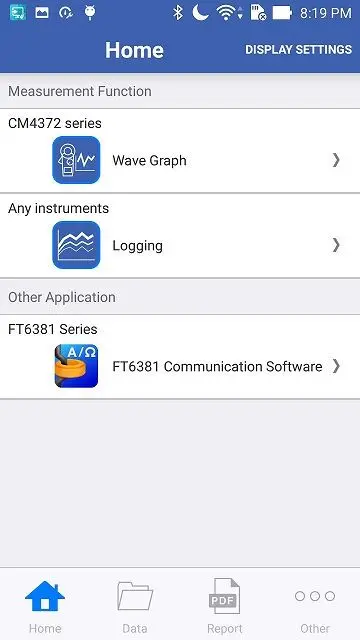
Tap the "Exit" button to finish the settings.
Want help or have questions?