

Upgrading from a trial user account
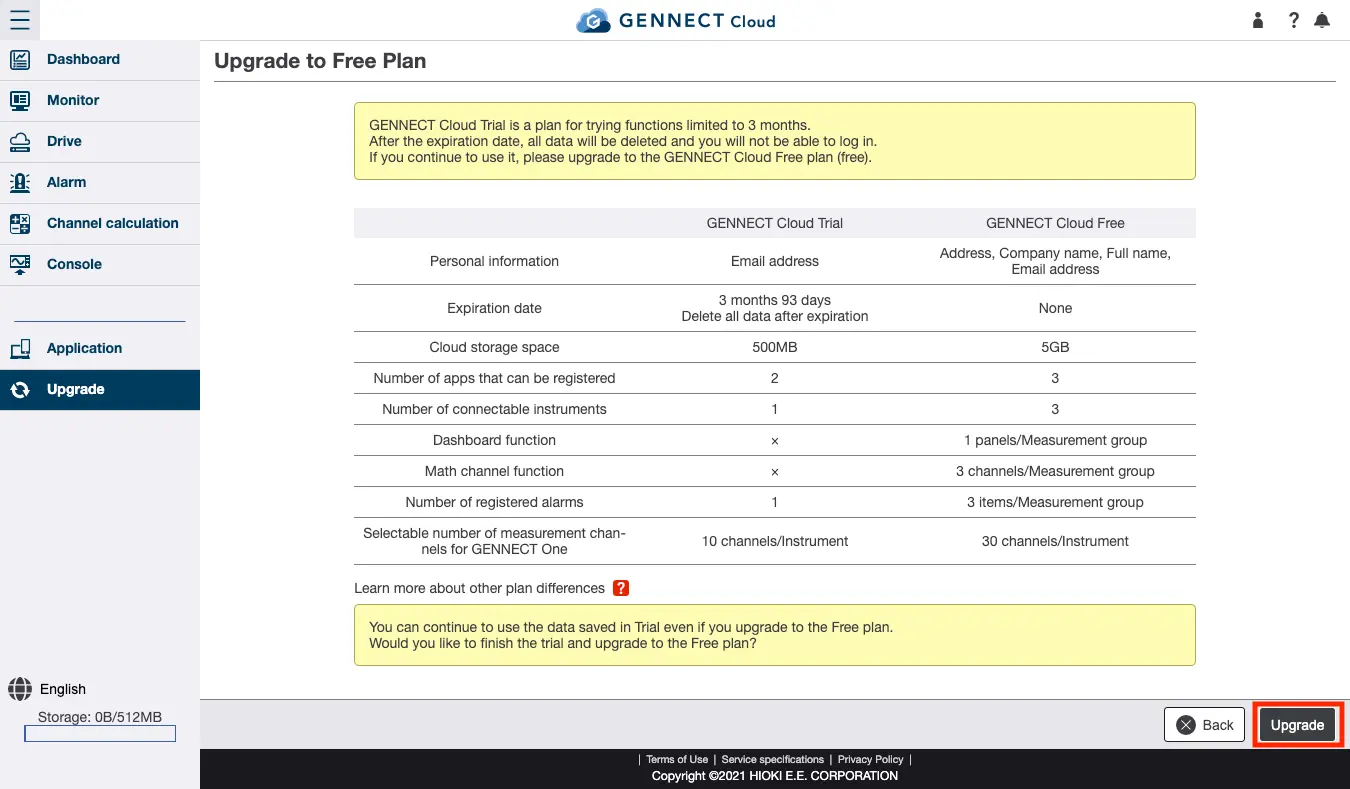
You can upgrade from a trial user account to the GENNECT Cloud Free plan.
Select [Upgrade] from the menu, review the information, and click [Upgrade].
Entering your account information
Enter the information listed below. The personal information you enter will be managed in accordance with the Privacy Policy.
Fields shown in bold are required.
Country; Company; Name; Department; Title; Phone number; Postal code; Prefecture; City, district, ward, town, or village; Address; Accountholder user ID;Language; Time zone
Set the user ID to a string consisting of no more than 50 half-byte alphanumeric characters and symbols (hyphens and underscore characters).
After reviewing the Terms of Use, Service Specifications, and Privacy Policy and ensuring that you accept their provisions, click [Update].
Reviewing account information
Review the account ID and user ID shown on the upgrade complete page.
For subsequent logins, use this account ID and user ID along with the password you used as a trial user on the [Login page] (https://cloud.gennect.net/app).