

Set the amount of additional gateway traffic
The basic communication volume of the gateway is determined by the gateway plan and the number of gateways.
If the basic communication volume is insufficient, file upload and remote control functions of GENNECT Remote will not be available.
If you set up additional gateway allowances, additional allowances will be automatically added when the basic allowance is insufficient.
The additional communications allowance is charged at the end of each month,
and payment for the amount of additional communications allowance used (in 1 GB increments) will be charged on a pay-as-you-go basis at the beginning of the following month.
A credit card is required to set up additional gateway traffic.
For details on how to register a credit card, please refer to "Purchasing or canceling a GENNECT Cloud subscription".
On the gateway management page, click [Additional mobile data Settings].
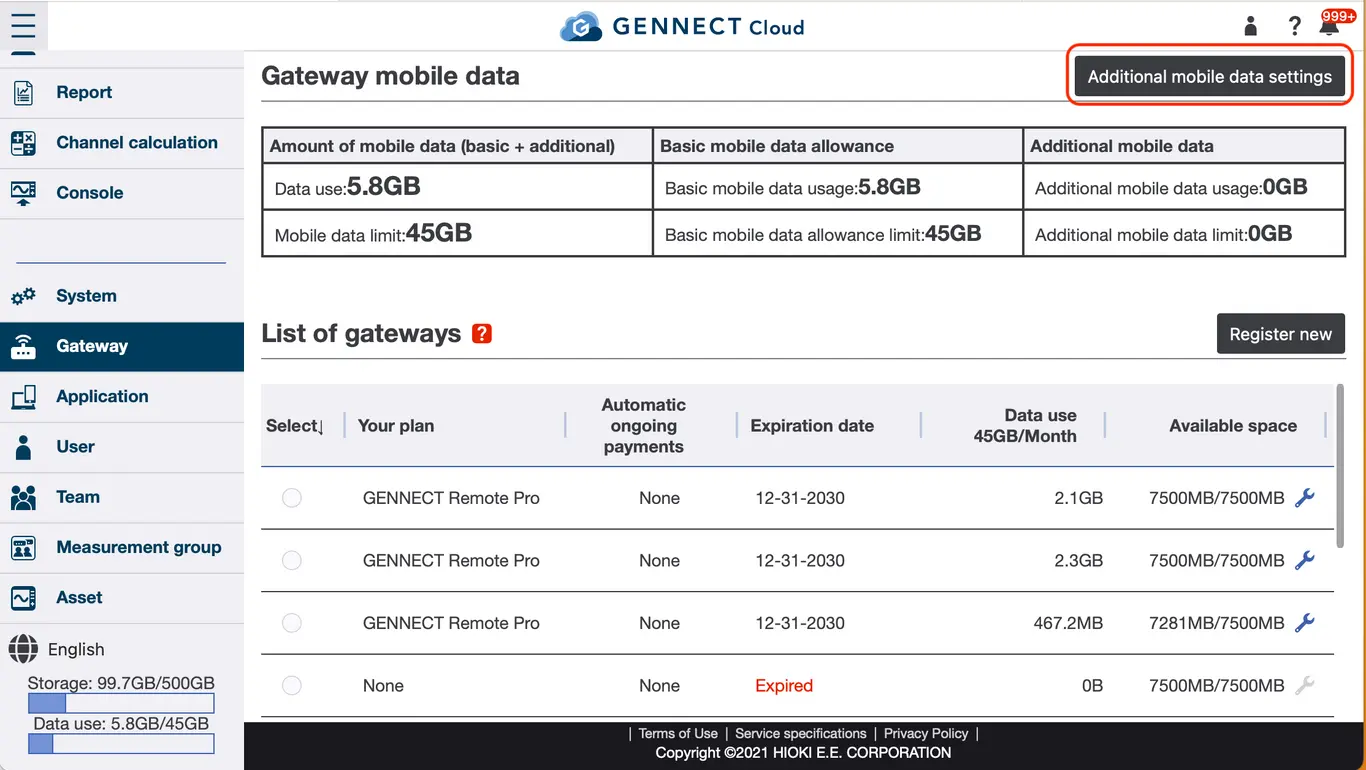
Enter the upper limit for the amount of additional communications. Confirm the contents and click [Set upper limit].
If your basic allowance is insufficient, it will be automatically added in 1GB increments until the additional allowance limit is reached.
Simply setting an additional traffic limit does not incur a fee.