

Import GENNECT polled data and external CSV files
You can import GENNECT polled data (CSV format) exported from another GENNECT Cloud account or from another measurement group.
You can also import CSV files with time-series data according to the format shown below and handle them in the same way as GENNECT polled data.
This function is available only for GENNECT Cloud Pro.
Import procedure
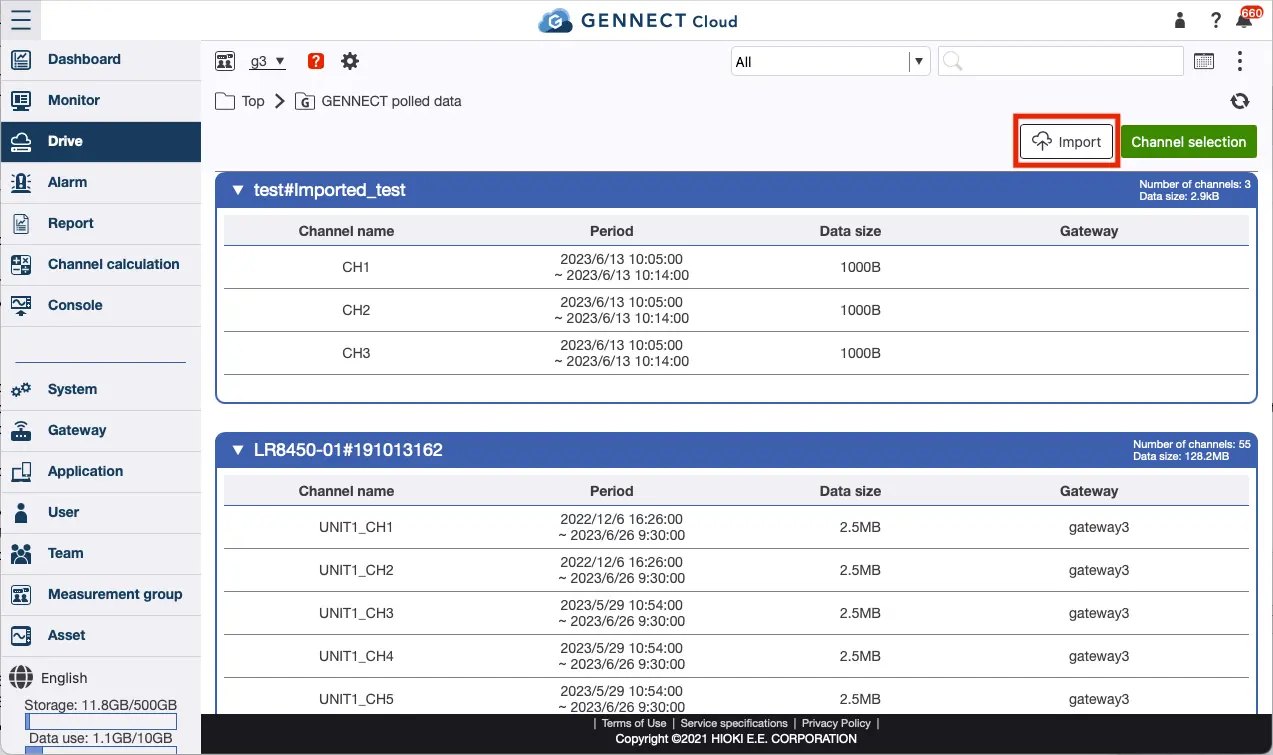
Click [GENNECT polled data] on the drive page.
Click [Import] and select the CSV file you wish to import from your terminal and upload it.
File format
Below is an example format for importing an external CSV file.
Models,LR8514,LR8514,PW3360,PW3360,PW3360
Serials,111222333,111222333,111222444,111222444
IDs,CH1_temp,CH2_humidity,U1_Ins,Psum,WP+
Units,℃,%rh,V,W,Wh
2023-05-15T09:15:00,20,50,100,2000,2000
2023-05-15T09:16:00,22,50,100,2000,4000
2023-05-15T09:17:00,23,51,100,2000,6000
2023-05-15T09:18:00,23,51,100,2000,8000
2023-05-15T09:19:00,24,51,100,2000,10000
Import specifications (external CSV file)
- Use ,(comma) as the delimiter.
- Files with up to 300,000 lines can be imported.
- Data with the same channel ID and serial cannot be entered.
- The IDs line is required. Enter channel IDs.
- The number of channel IDs that can be entered in one file is 1 to 32.
- The Models, Serials, and Units lines are optional. Enter the model name, serials, and units, respectively.
- The period of data that can be entered is from 1/1/2020 to 1 month after the time of entry.
- The date format follows ISO 8601 (without time zone notation). The time zone will follow the one set in the account.
- The minimum interval of data that can be entered is 1 minute. All seconds in the time are rounded to the nearest 00 seconds, and only the first one applies to duplicate data.
- Decimal points can be entered using .(period). ,(comma) is not allowed.
- Only single-byte alphanumeric characters, _(underscore), and -(hyphen) are allowed for IDs, Models, and Serials. The number of characters allowed in IDs, Models, and Serials is limited to 20.
- Units can contain up to 20 characters.
- Only single-byte alphanumeric characters, _(underscore), -(hyphen), +(plus), and .(period) can be used in the data section. The maximum number of characters that can be entered in the Data section is 30.