

What is the console?
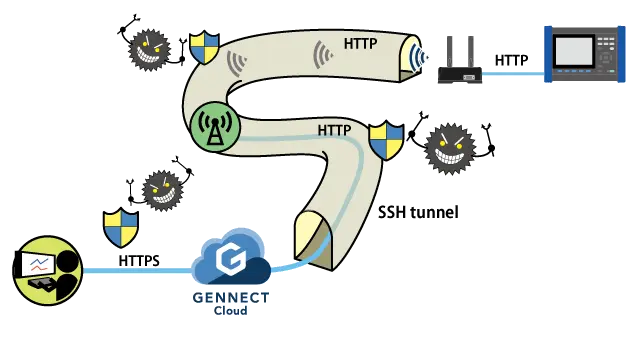
In GENNECT Cloud, you can remote-control instruments in a secure manner using the instrument’s built-in HTTP server function. The screen that lets you use this function is known as the console.
GENNECT Remote gateways (In Japan only) and instruments connected to GENNECT One in remote measurement mode can be controlled remotely.
You can create an SSH encrypted tunnel (secure HTTP tunnel) between the gateway/application and the cloud with the press of a single button. Between the cloud and your office, the HTTP protocol is automatically converted into the HTTPS protocol, ensuring that remote control is easy and secure.
Remote control uses more mobile data than normal operation. In addition, the monitor function is temporarily unavailable for instruments that are being remote controlled. The monitor function will automatically resume operation when remote control stops.
Interface description
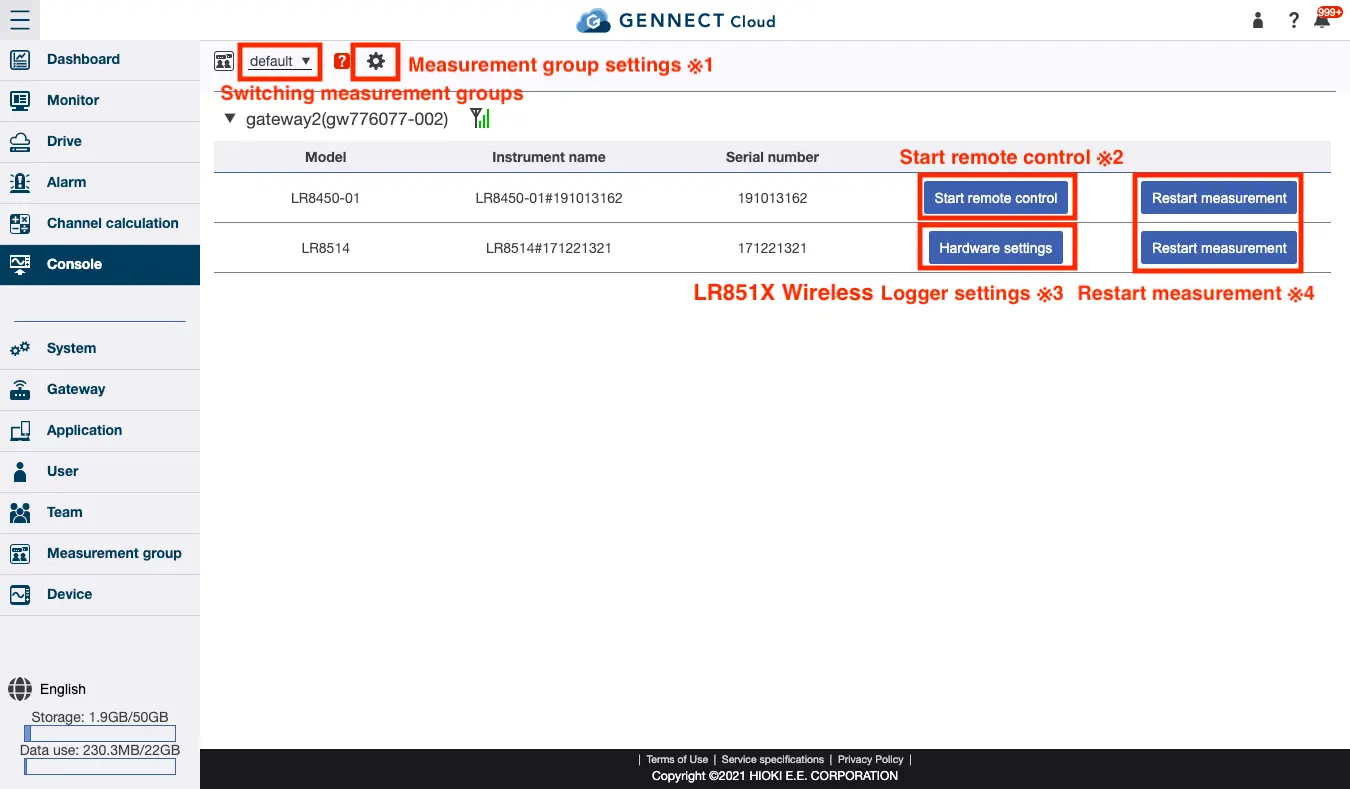
*1 Sets the measurement group. For more information, see “Setting the measurement group.”
*2 Starts remote control of an instrument connected to a gateway/application. For more information, see “Starting remote control.”
*3 Changes the settings of a LR851X Wireless Logger connected to a gateway. For more information, see “Configuring a LR851X Wireless Logger.” (Gateway-only function)
*4: Starts measurement by an instrument connected to a gateway/application. For more information, see “Starting instrument measurement.”