

Configuring channel display settings
You can set the unit and decimal point for each channel. Click the arrow icon to the right of the measured value to open the channel settings screen.
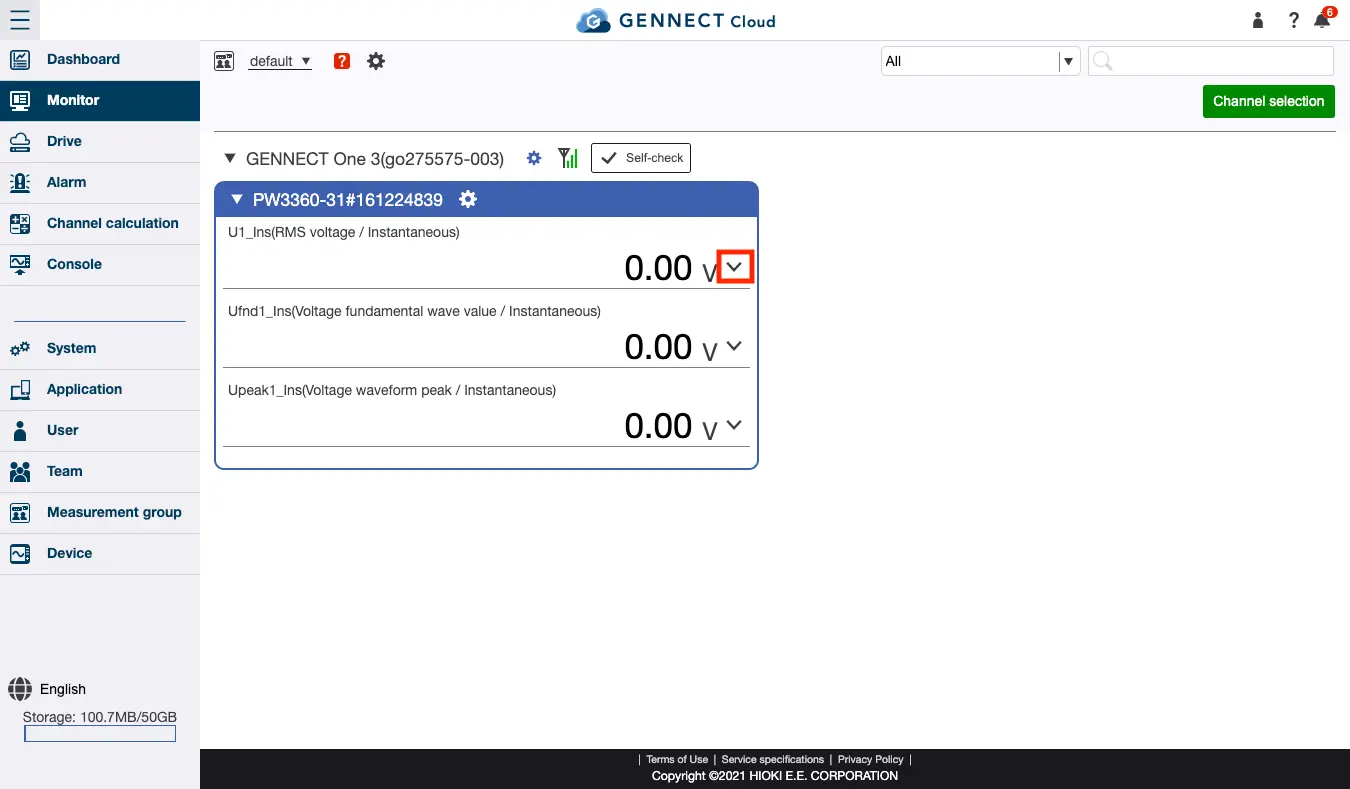
The following settings can be configured:
- Channel name setting
Allows you to edit the channel name. - Unit
- Use units from instrument:
Uses the unit displayed by the instrument. - Use user-specified units:
Uses the string you set as the unit.
- Use units from instrument:
- Unit prefix
- Automatic:
Automatically adds an SI prefix from p (pico-) to T (tera-) to the displayed measured value. - Fixed:
Displays measured values using the selected prefix, which will not change.
- Automatic:
- Number of decimal places
- Automatic:
Displays the number of decimal places displayed by the instrument as the measured value, without modification. - Fixed:
Displays measured values with a set number of decimal places.
- Automatic:
- Alarm
Allows you to check if any alarms have been set for the channel, and if any of the set alarms are occurring. For more information about alarms, see “Alarms.”
Want help or have questions?