

Check purchased licenses, extend licenses, or cancel licenses
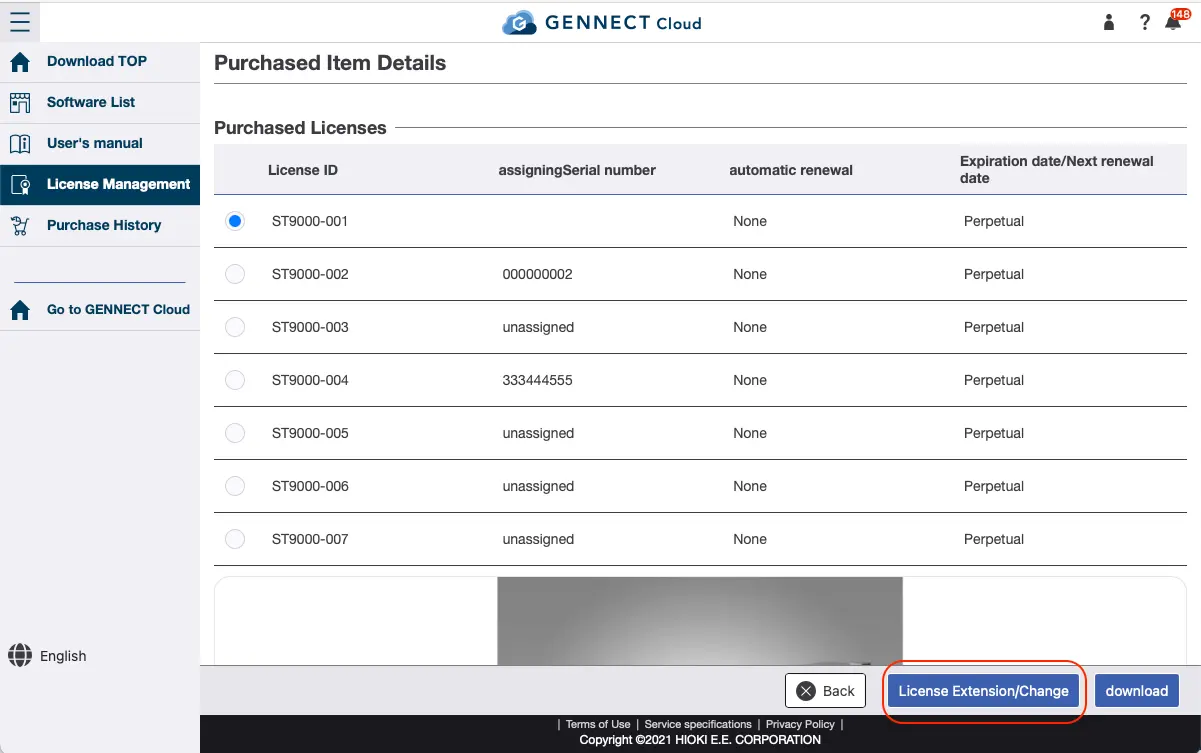
For paid software, you can check your purchased licenses from the license management screen.
To extend a license, select the license you wish to extend and click [Extend/Modify License].
Then, extend the license by entering a registration code or by making a credit card payment.
If credit card-based subscription payment is enabled, “Enabled” will be displayed for auto-renewal.
To cancel a subscription, select the license and click [Extend/Modify License].
Then follow the on-screen instructions to cancel the license.
Want help or have questions?