

Configuring Wireless Logger
Wireless Loggers are only supported by GENNECT Remote gateways.(In Japan only)
Note that this function cannot be used with GENNECT One or GENNECT Cross.
LR8512, LR8513, LR8514, LR8515, LR8520 Wireless Logger Series, and,
LR8530, LR8531, LR8532, LR8533, LR8534, LR8536 wireless unit series are available.
These are collectively referred to as "Wireless Logger".
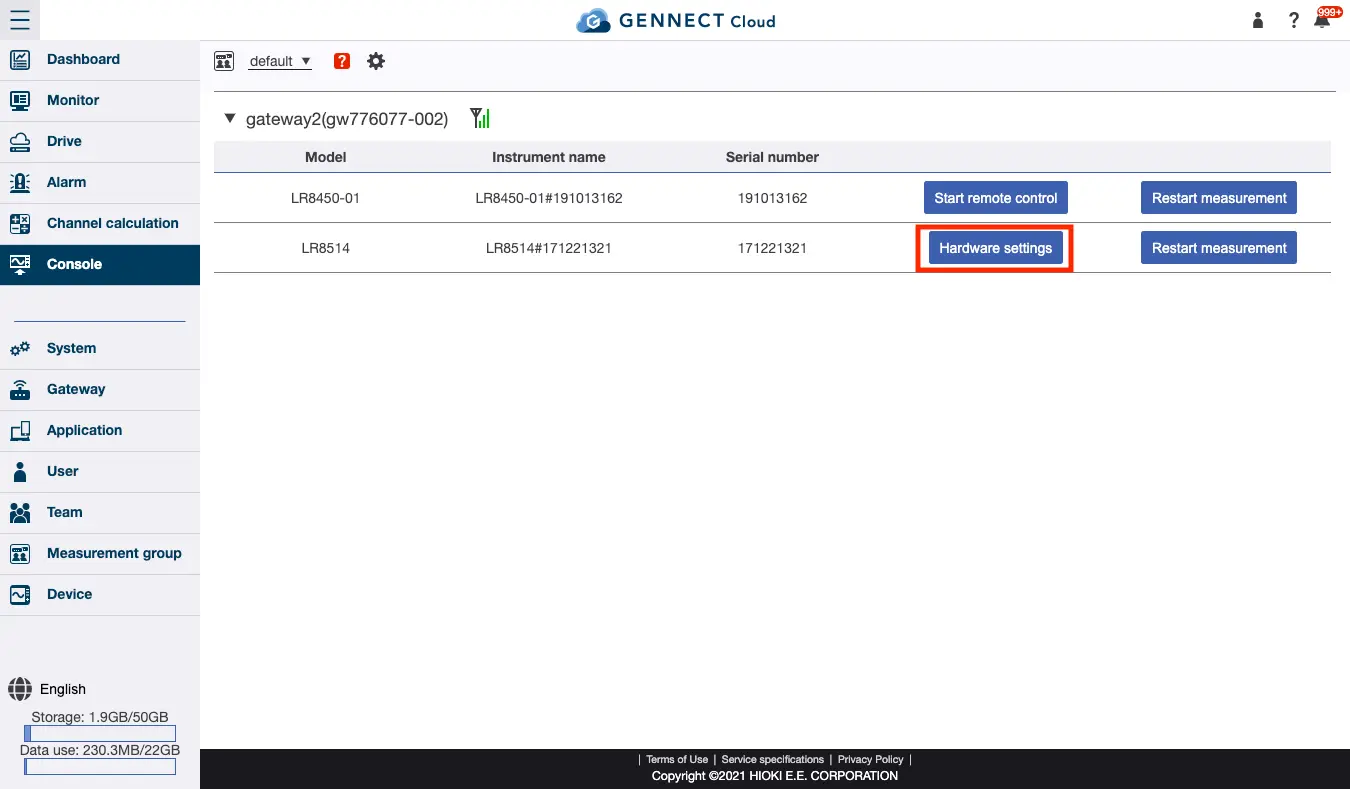
If the connected instrument is Wireless Logger, [Hardware settings] will appear on the console screen.
Click this button to open the Wirelesss Logger settings screen.
The following describes only shared settings. For model-specific settings, see your Wireless Logger’s user manual and LR8450’s user manual.
Measurement settings
- Recording interval
Sets the recording interval from 100 milliseconds to 1 hour. Affects GENNECT acquisition data that can be viewed on the monitor and instrument data files that can be acquired by the drive.- For LR8512, LR8513, LR8514, LR8515, and LR8520
Can be set from 1 second to 1 hour. - For LR8530, LR8531, LR8532, LR8533, LR8534, LR8536
Can be set in the range of 100 milliseconds to 10 seconds.
- For LR8512, LR8513, LR8514, LR8515, and LR8520
Power-saving setting(LR8512, LR8513, LR8514, LR8515, LR8520 only)
- Setting on/off
Enabling this setting extends battery life by powering off the communication module.
**The monitor and alarm functions will be unavailable while the module is powered off. ** - Communication start time
Sets the time at which to power on the communication module. - Continuous communications time
Sets how long to leave the communication module powered on.
Example: If power-saving mode is enabled, the continuous communications time is 9:00 am, and the communication continuation time is 8 hours:
Communication between the gateway and wireless loggers will be enabled daily from 9:00 am to 5:00 pm.
Data collected outside the communications window (GENNECT polled data and instrument data files) will be progressively uploaded once communications resume.
Table 1. Reference; Battery drive times*1
| Power-saving setting off, recording interval of 1 s | Power-saving setting off, recording interval of 1 min. | Power-saving setting on*2, recording interval of 1 min. | |
|---|---|---|---|
| LR8512 | About 12 days | About 13 days | About 2 months |
| LR8513*3 | About 8 days | About 13 days | About 2 months |
| LR8514 | About 11 days | About 14 days | About 2.5 months |
| LR8515 | About 7 days | About 12 days | About 2 months |
| LR8520 | About 12 days | About 14 days | About 2.5 months |
*1 Values are provided for reference purposes only. Actual battery life will be affected by factors including ambient temperature and signal strength.
The continuous battery drive times listed in the table are not guaranteed.
*2 With a continuous communications time of 1 hour.
*3 When using instantaneous value recording mode. Battery drive times will be shorter than those listed in the table when using average value recording mode or maximum value recording mode.
Scaling(LR8512, LR8513, LR8514, LR8515, LR8520 only)
- Setting on/off
Enable this setting to use the scaling function. - Unit
Sets the unit for each channel. This setting affects the GENNECT polled data that can be reviewed using the monitor and the instrument data files that can be acquired using the drive function. - Configuration method
- Set with scaling rate
Performs scaling based on a user-specified scaling ratio and offset. - Set with 2 points
Performs scaling by determining the scaling rate based on two pre-scaling and two post-scaling values entered by the user. - Power scaling
This setting simply converts the current value into a single-phase two-wire power value. Enter voltage and power factor.
- Set with scaling rate