

Starting remote control
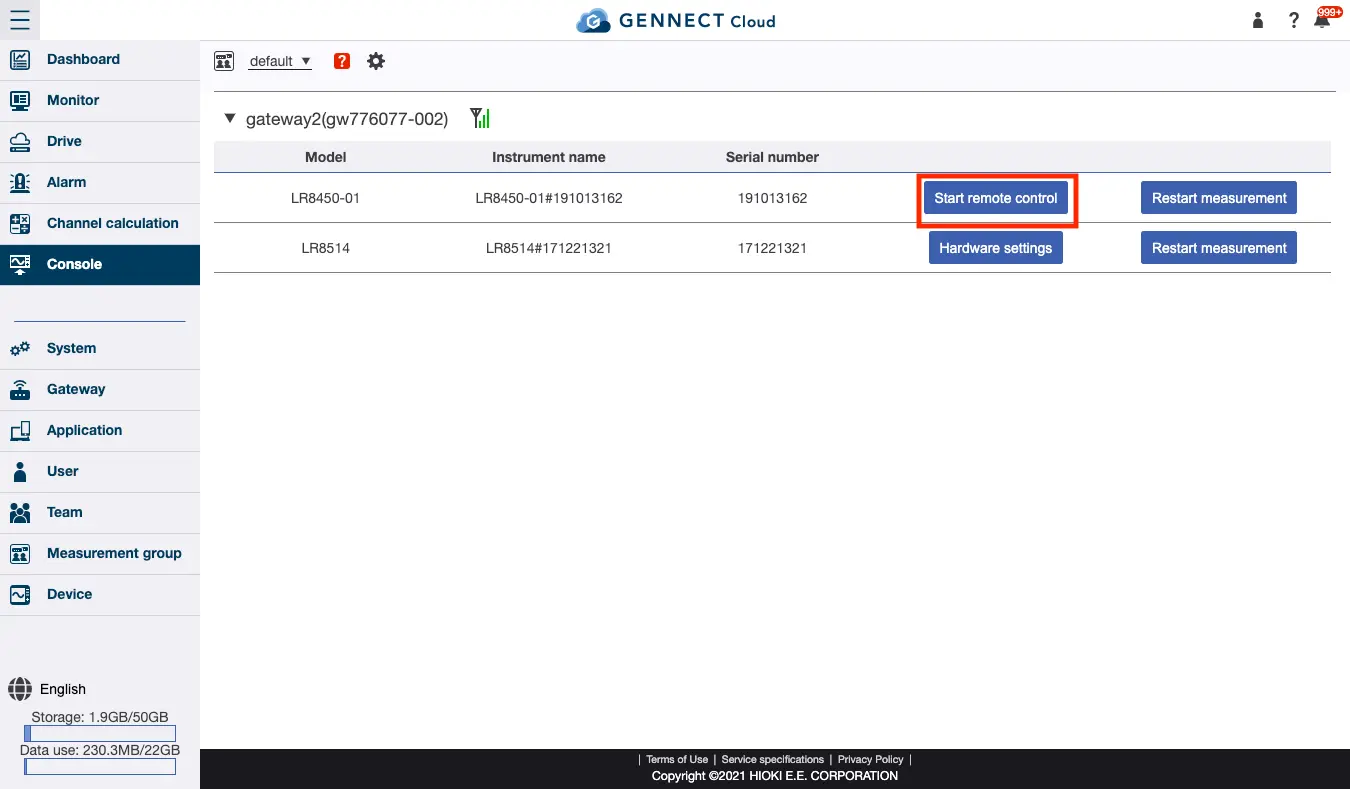
On the console screen, click [Start remote control] for the desired instrument. A secure HTTP tunnel will be created, and the instrument’s HTTP remote control screen will be displayed for about 1 minute so that you can change any settings as necessary.
Precautions
- **While remote control is active, the target instrument’s monitor function and saving of GENNECT polled data will pause. **
- How long it takes to create the secure HTTP tunnel and start remote control as well remote control responsiveness will depend on the quality of your connection and the instrument’s performance.
- Each instrument can only be remote-controlled by one user at a time. Instruments can only be remote-controlled by a user who clicks the remote control button to create a secure HTTP tunnel. If another user wishes to control the instrument remotely, end the remote control session and then start a new one.
Want help or have questions?