

Register a license card for GENNECT Remote and extend your license
By registering a license card, the number of days in the plan corresponding to the license card will be added to the license.
You can only register a license card for the plan currently in effect. If you wish to register a license card for a different plan, please change the plan before registering.
After the license expiration date, the gateway is no longer available.
Extension of expiration date with license card
On the Gateway Management page, select the gateway where you want to register the license card and click [Extension].

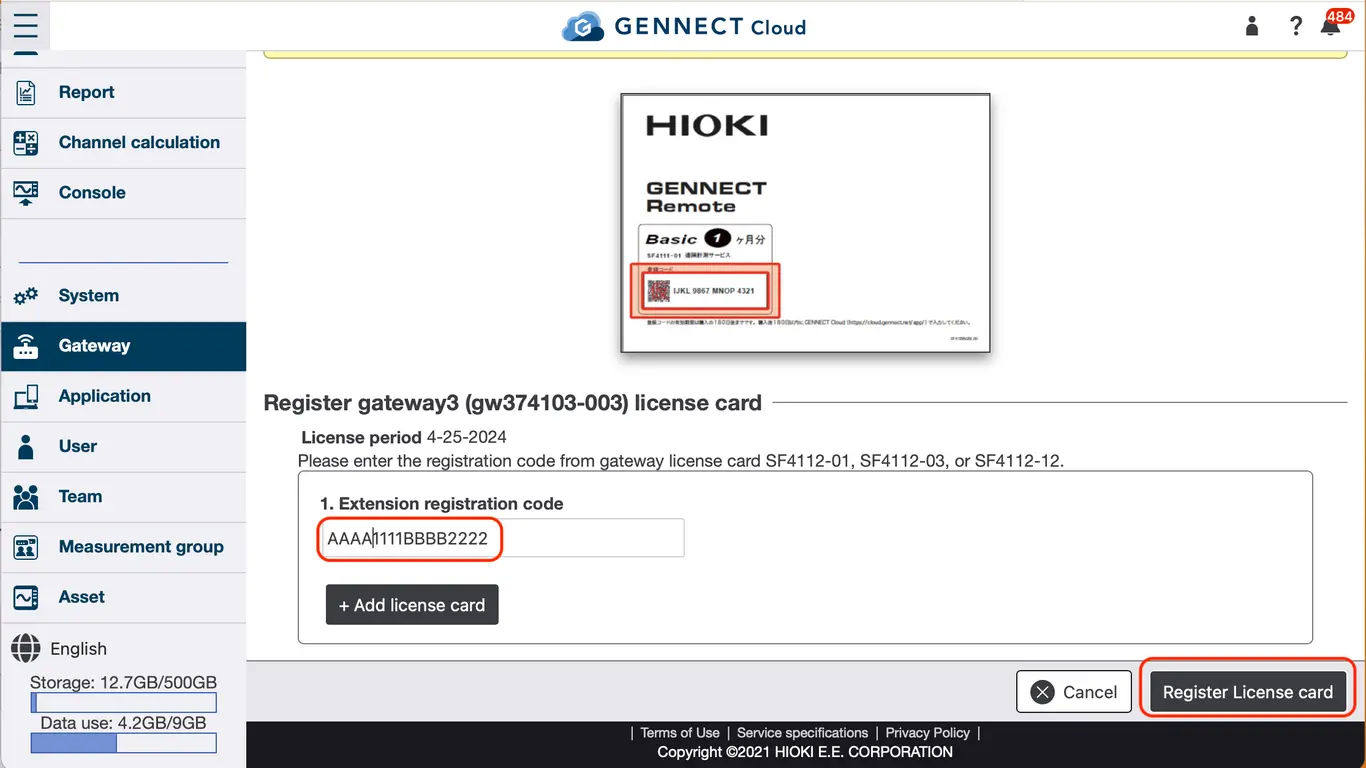
On the Extend Expiration Date page, enter the registration code from the license card, click [Register License Card], confirm the contents, and then click [Confirm].
Register additional new gateways
This procedure is used when registering new gateways to the account, such as when you want to increase the number of gateways.
Display the Gateway List page. Click [New Registration].

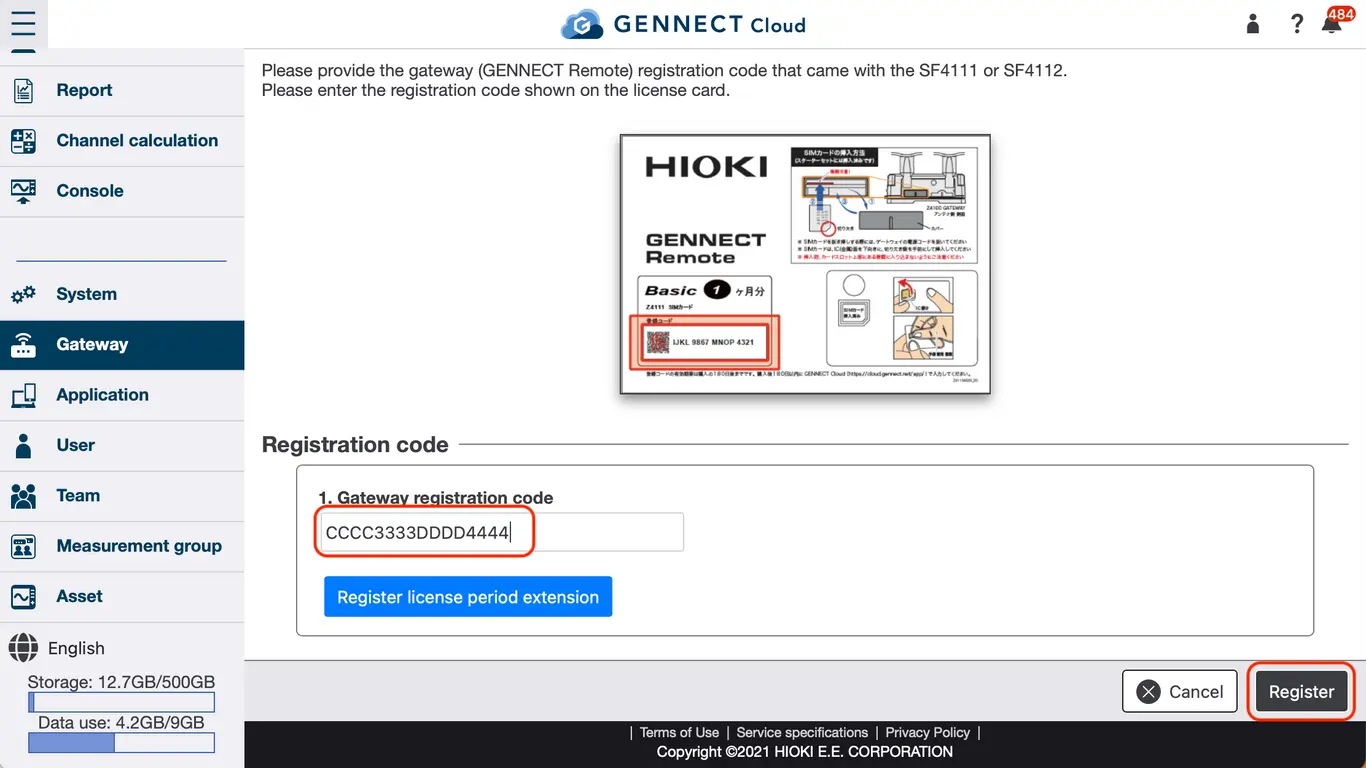
Enter the registration code on the license card, click [Register License Card], confirm the contents, then click [Confirm].
Re-contracting with License Card
If the gateway is within one month of cancellation, the gateway can be made operational again without replacing the SIM by re-signing the contract.
On the Gateway Management page, select the gateway you wish to re-sign and click [Re-sign].

On the Select a Plan page, select the plan you wish to sign up for and click [Select a payment method].
On the Select Payment Method screen, select "License Card Payment" and click [Next].
At the license reactivation, enter the registration code from the license card, click [Register License Card], confirm the contents, and then click [Confirm].
