

View registered product details and download calibration documents
From the Registered Products List page, click [Details] of the product for which you wish to view details to display the details page.
View registered product details
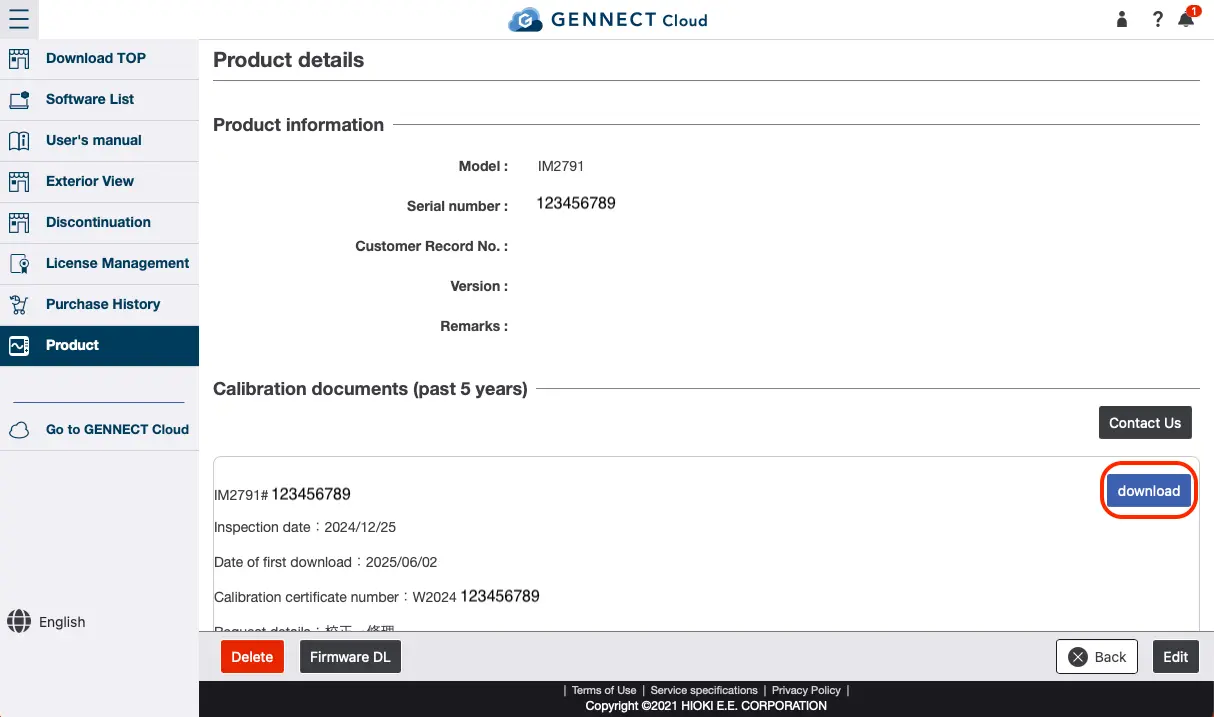
Displays the model name, serial number, control number, version, and remarks of the registered product.
Click [Delete] in the lower left corner of the page to delete a registered product. Once a product is deleted, it will not be displayed until it is registered again.
Click [Edit] in the lower right corner of the page to go to the Edit Registered Products page.
Download Calibration Documents
Calibration document download service items are displayed in descending order (by date) for the past five years.
Click [Download] of the target calibration history to download the calibration documents.
Want help or have questions?