

Edit notification recipients when creating a report
Notification can be sent via email or other means when a report is automatically generated.
Enter the Edit Notifications page
Click [Report] in the left menu.
Click [Edit notification destination] right of [Notification for report generation].
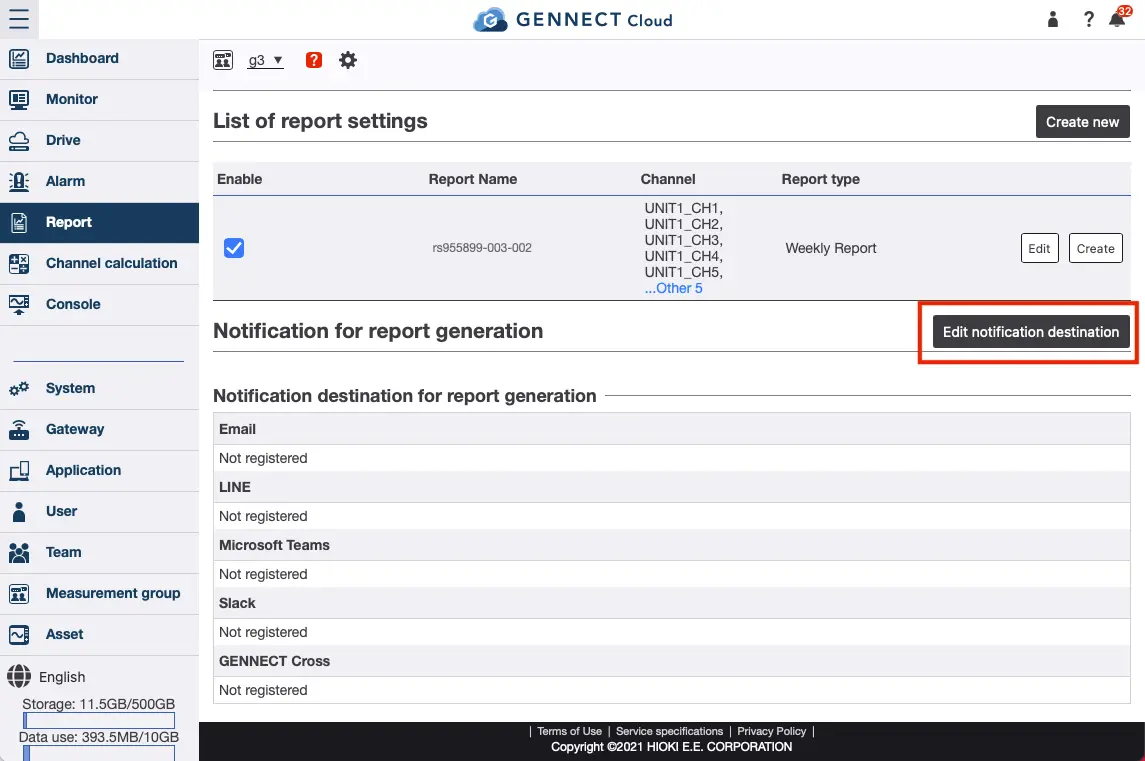
Please refer to "Registering alarm recipients" for details on how to set the notification destinations.
Want help or have questions?