

Registering a new calculation channel
Displaying the calculation channel registration screen
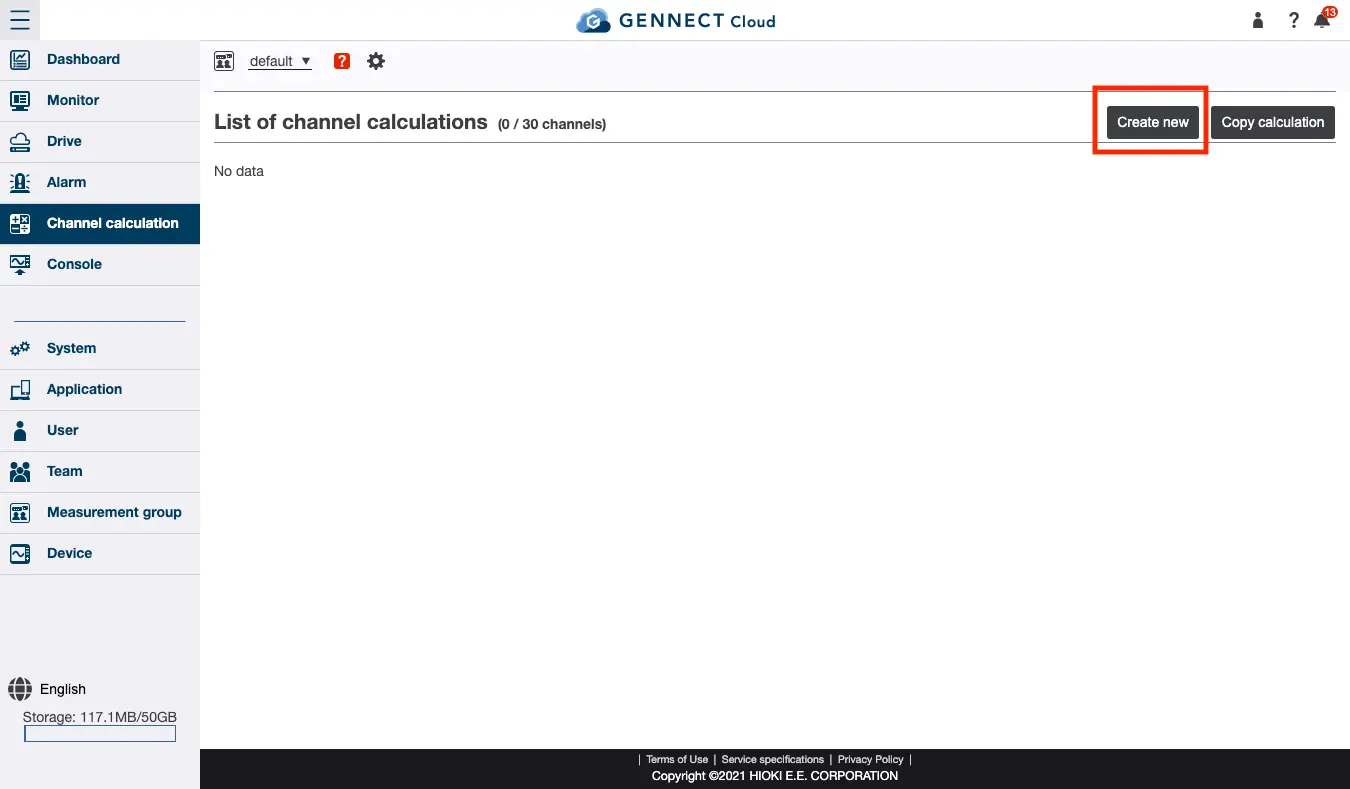
Select [Channel calculations] from the menu and click [Create new].
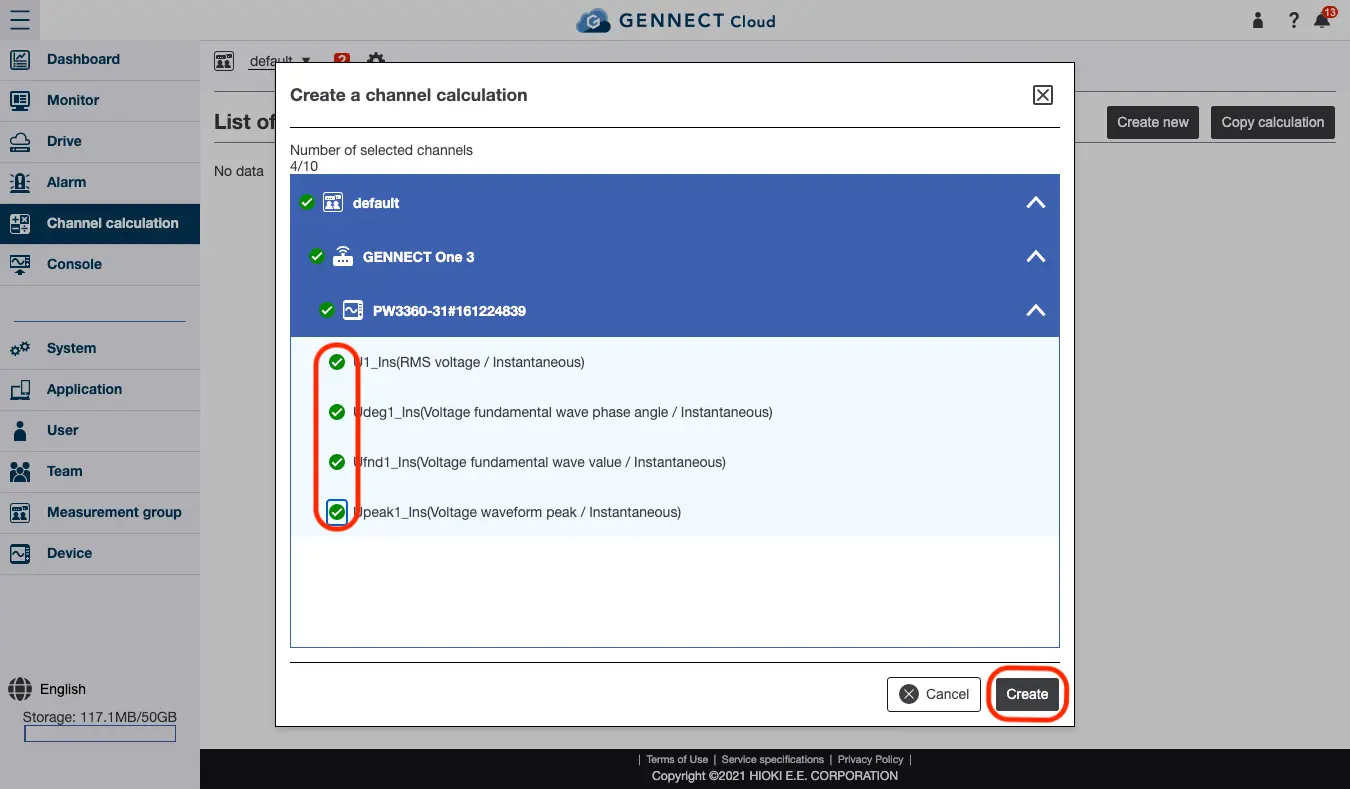
Selecting the channels to use in the calculation channel
From the displayed list, select the checkbox for the channels you wish to use in the calculation and then click [Create].
Registering a calculation channel
Enter or select the following information and click [Register]:
- Channel channel name
- Unit
- Number of decimal places
- Calculation equation
You can use numerical values, operators, functions, and channels in calculation formulas. These can be entered by clicking the respective input buttons. Click the left and right arrows to change the input position, and click × to delete the character immediately before the input position. - Channels used in calculations
You can change the channels used in the calculation. Click [Edit], click the [Edit] button for each channel, select the channel you wish to use, and click [Accept changes].
By clicking [Calculate], you can display the calculation result using the entered formula and current channel values. If the calculation formula is incorrect, an error will occur.

Creating a calculation channel by copying a calculation
You can create a calculation channel by copying a previously created calculation.
Select [Channel calculations] from the menu and click [Copy calculation].
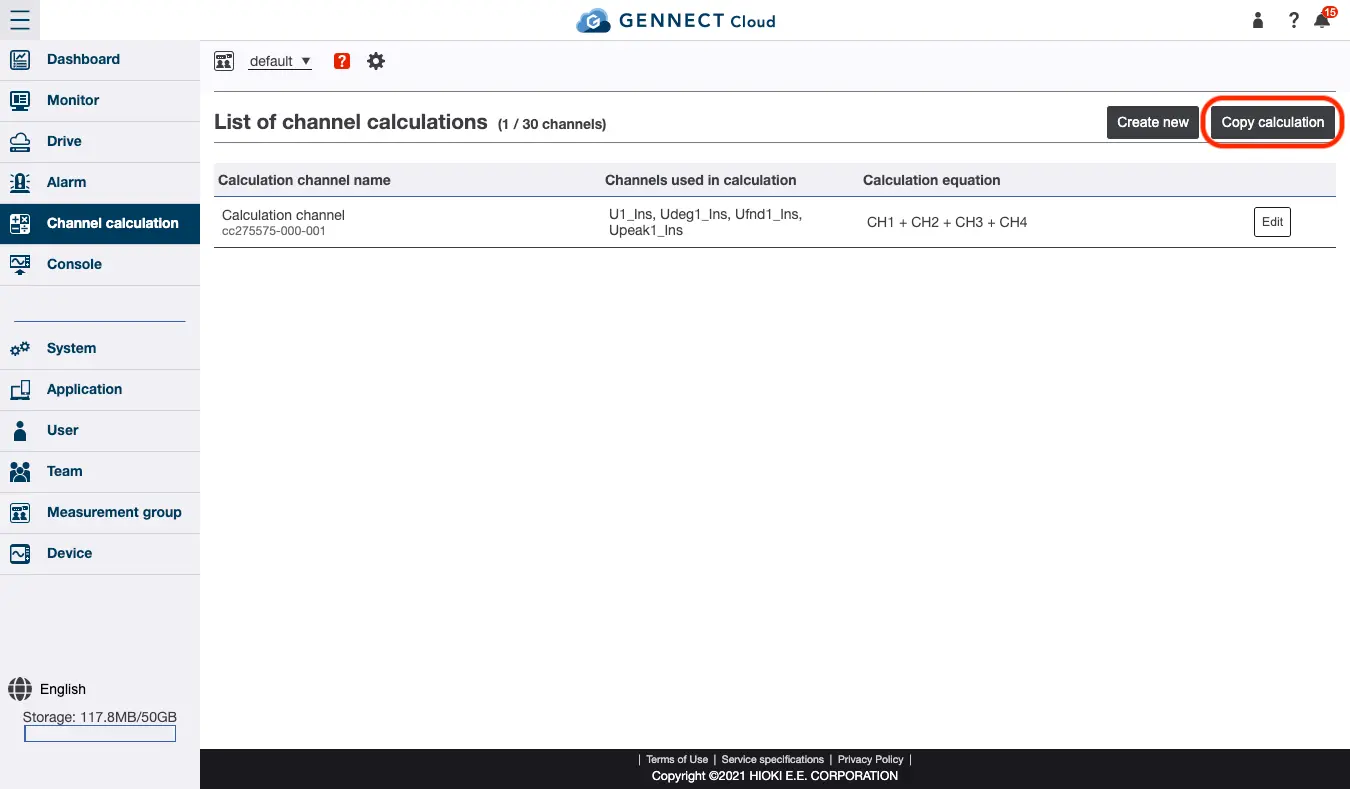
Select the calculation channel you wish to copy and click [Create]. Subsequent steps are the same as for creating a new calculation channel.

Want help or have questions?