

What is the GENNECT Download Portal?
The GENNECT Download Portal is a service that allows you to download and manage licenses for additional functions for Hioki measuring instruments, instrument firmware, applications, and user manuals.
The following items can be downloaded from the GENNECT Download Portal:
| Category | Login required? |
|---|---|
| User manuals | Not required |
| Measuring instrument firmware | Required |
| Applications | Required |
| Additional functions for measuring instruments | Required |
| outline drawing data (2D, 3D) | Required |
The GENNECT Download Portal is available here.
To download items that require a login, you’ll need a GENNECT Cloud account.
For information about how to create one, see “Create a New Account.”
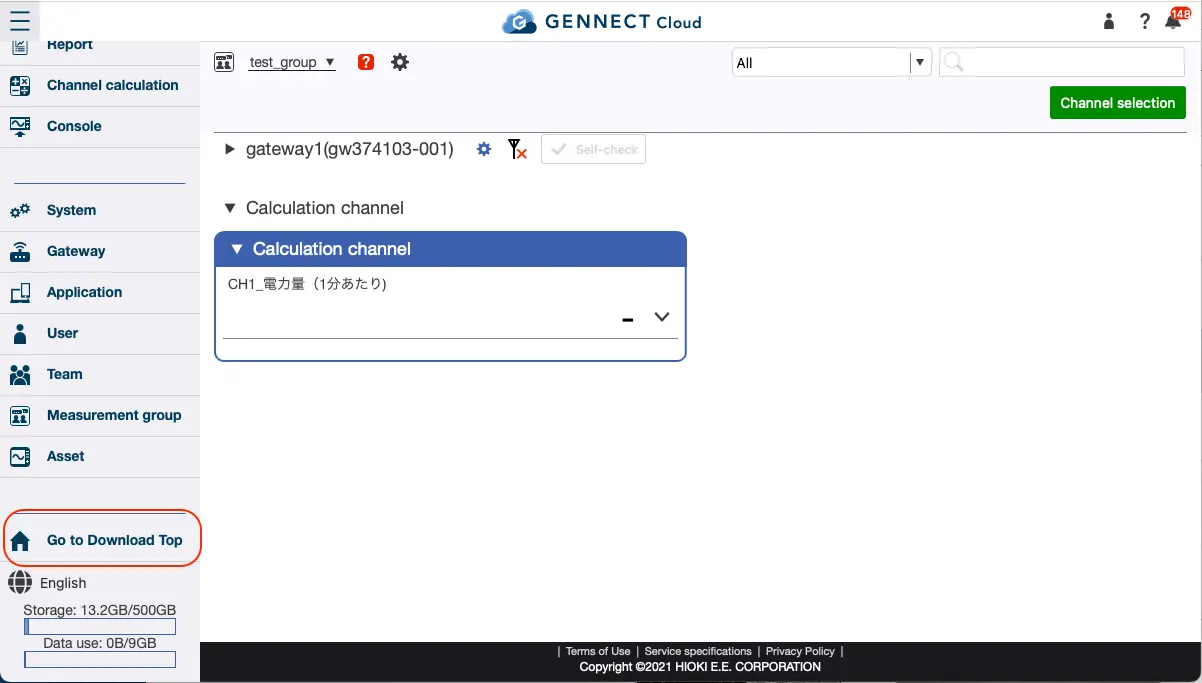
After creating and logging into your account, you can access the GENNECT Download Portal by selecting [Go to Download Top] in the image.
Some applications and additional functions for measuring instruments are paid items.
There are two ways to download paid items.
Purchase a license card from a distributor
Place an order for a license card with your preferred distributor.
You’ll receive a license card with a 16-digit registration code, and you can use the card to make the purchase.
If you already have a license card, see “Register a License Card.”
For specific purchasing instructions, please contact a Hioki sales office or a distributor.
Make a credit card payment from the GENNECT Download Portal
Payment by credit card is available for some applications and other items.
Please note that users accessing the portal from China are unable to make credit card payments.
For purchase instructions, see “[Purchase Items with a Credit Card (/en/cloud/manual/dlportal-credit).”