

Changing your GENNECT Cloud plan
The GENNECT Cloud Basic plan and the GENNECT Cloud Pro plan can be changed to a different plan.
If you change from the GENNECT Cloud Basic plan to the GENNECT Cloud Pro plan, the number of days remaining in the GENNECT Cloud Pro plan will be one-fifth the number of days remaining in your license.
If you change from the GENNECT Cloud Pro plan to the GENNECT Cloud Basic plan, the number of days remaining in the GENNECT Cloud Basic plan will be five times the number of days remaining in your license.
Please note that the maximum number of days remaining in a license is 403. If a plan change results in more than 403 remaining days, the number of remaining days will be set to 403.
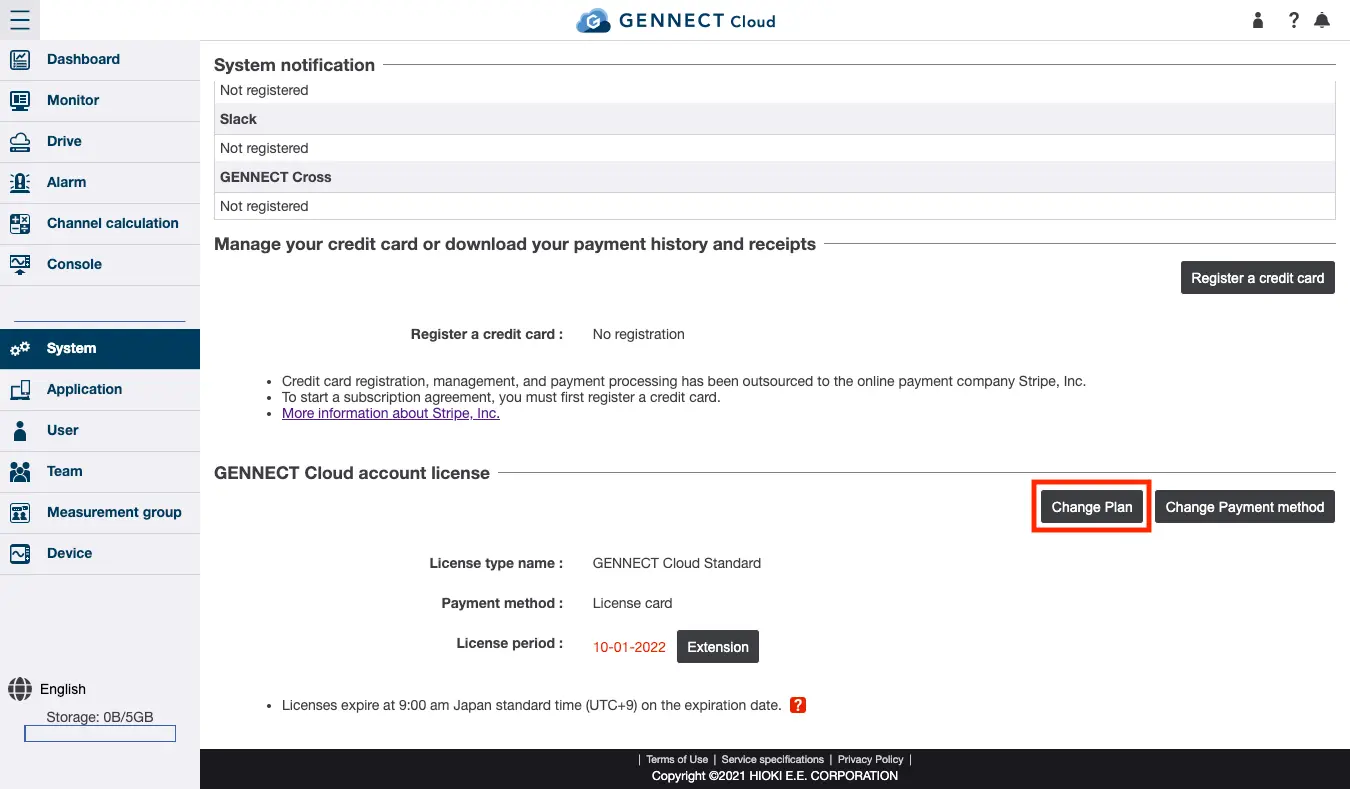
Click [Change plan] under GENNECT Cloud account license on the system administration screen.
Review the change and click [Change].
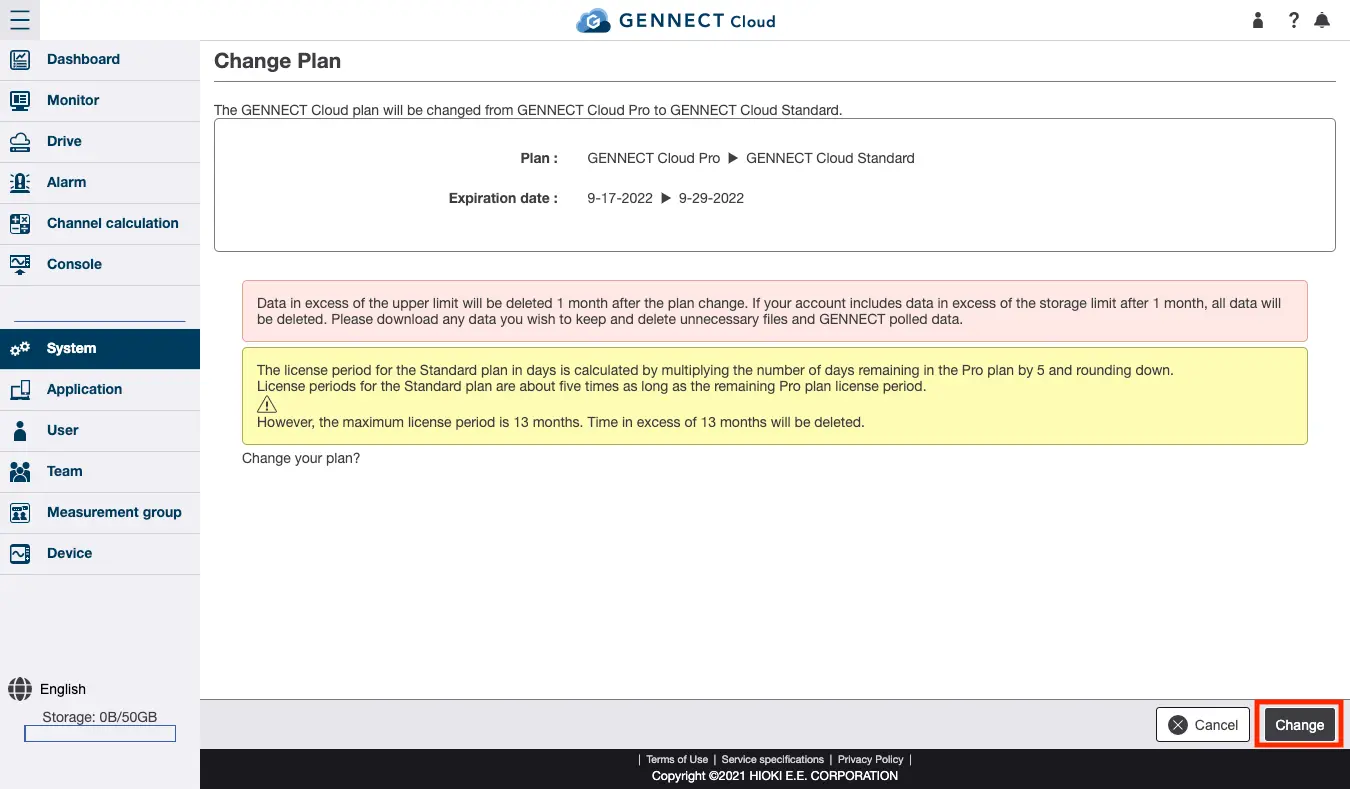
- When changing from the Pro plan to the Standard plan, your data may be deleted depending on your usage.
- You may only change plans once per month.