Registering alarm recipients
Only administrators can set alarm notification recipients.
This section describes how to register recipients for alarms using email, Slack or GENNECT Cross. The following recipients can be registered:
- An email address of the accountholder or an administrator
- An email address of a user who belongs to the measurement group for which the alarm is being registered
- A GENNECT Cross installation registered with GENNECT Cloud
- A user-specified email address or Slack account
For more information about measurement groups, see “[Administrators only] Measurement groups.”
Accessing the recipient editing screen
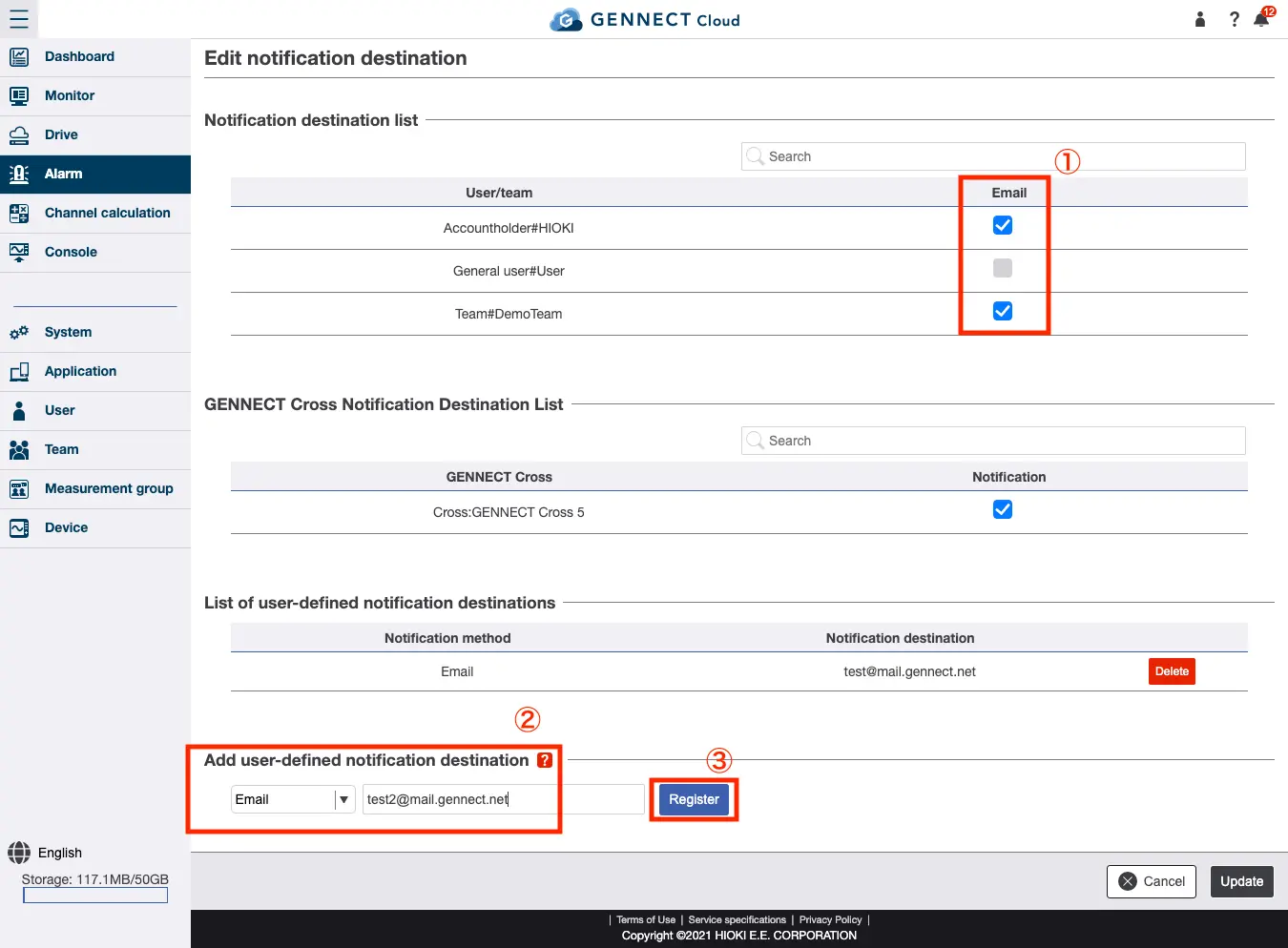
Click [Edit recipient] on the alarm screen.
Registering a recipient
Select the checkbox for the user or team to which you wish to send email notifications (labeled [1] in the image).
Select the checkbox for the GENNECT Cross installation to which you wish to send push notifications. (Labeled [2] in the image)
If you wish to specify an email address, enter the address and click [Register] (labeled [3] in the image).
For more information about recipients other than email addresses, see “Registering a Slack account as an alarm notification recipient”.
Sending test messages to recipients
You can send test messages to registered recipients.
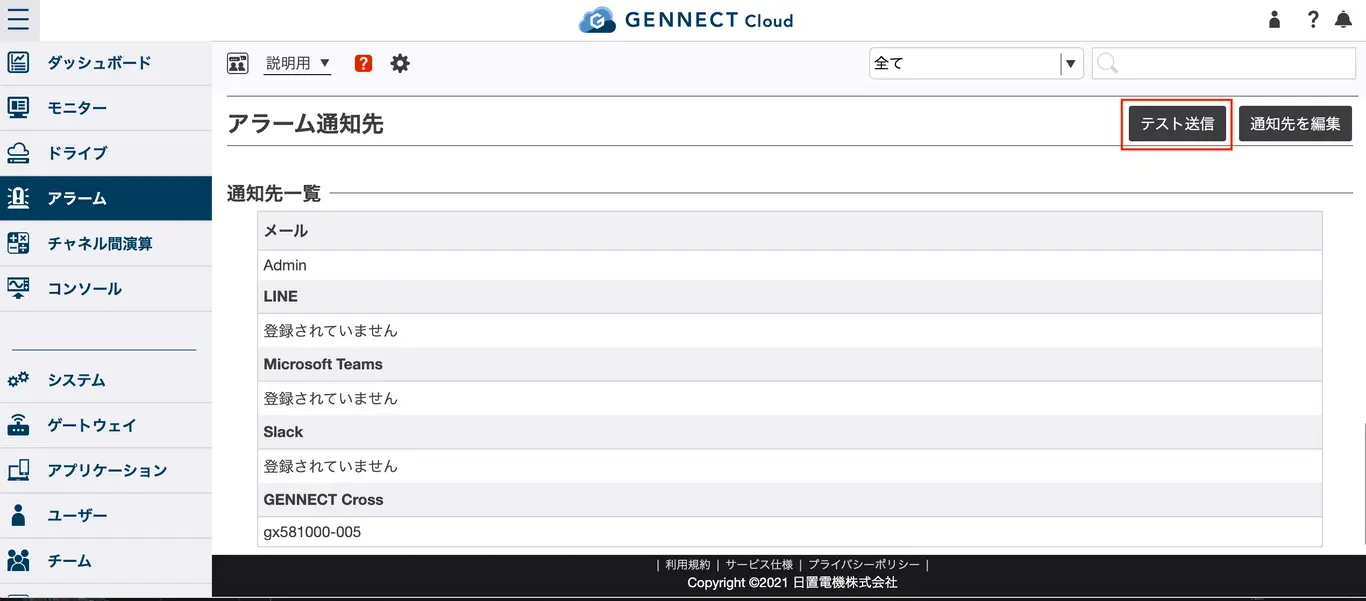
Click [Send test] on the alarm screen.
A list of addresses to which messages were sent will be displayed. Verify that the test messages arrived.