

Moving data files
You can move instrument data files stored in the data folder and organize them into folders.
Creating a folder
Click [Data folder] on the drive screen.
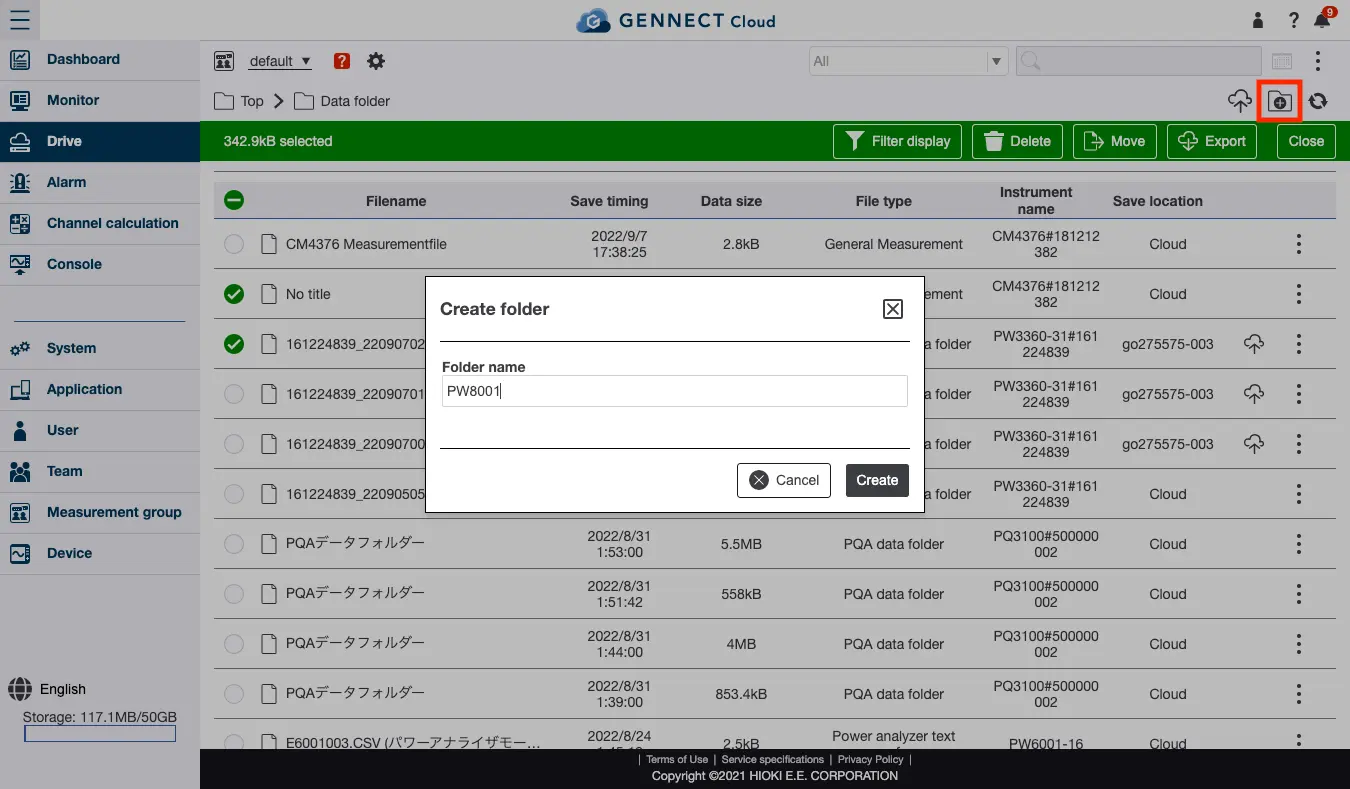
Click the folder icon displayed at the top right of the screen.
Enter a folder name and click [Create] to create the folder.
You can create up to three levels of folders, including the uppermost level (root).
Moving a data file into a folder
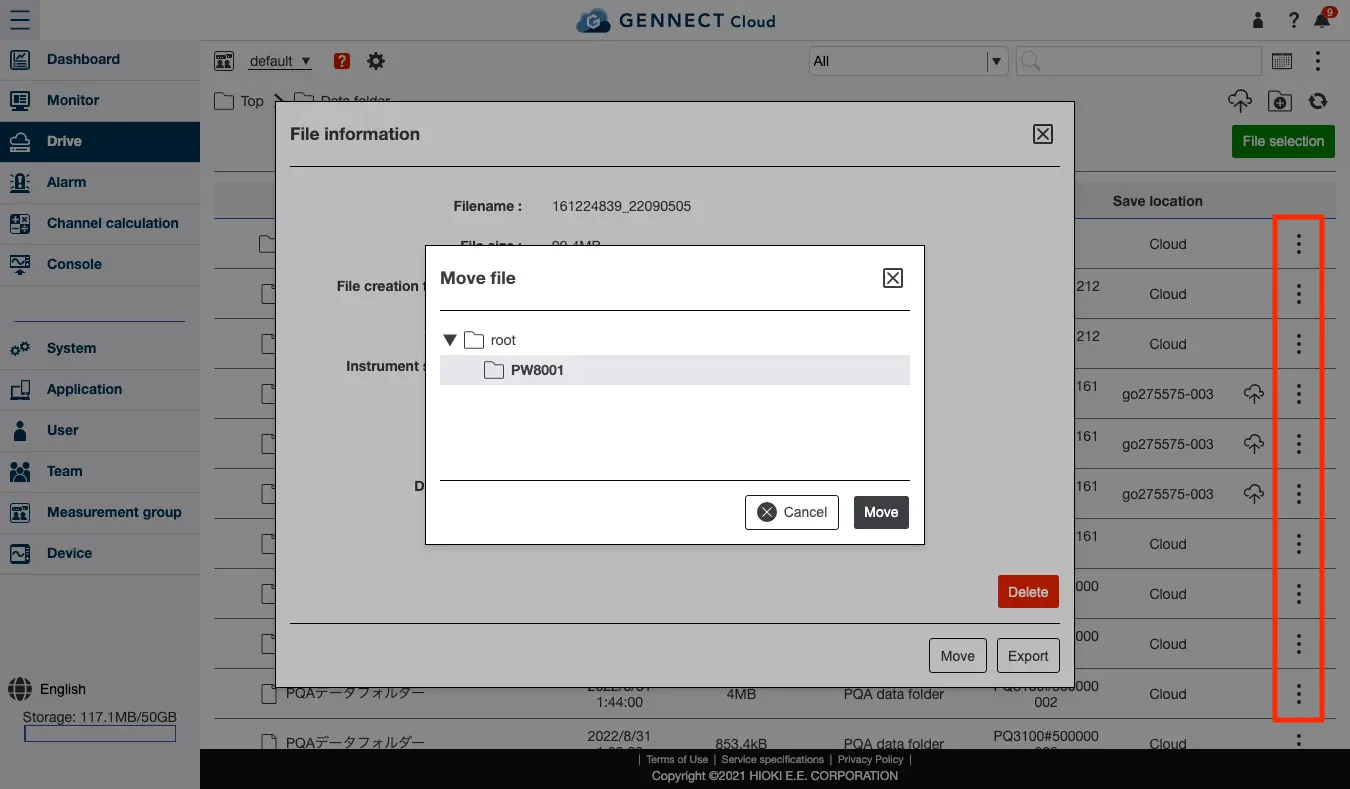
Click the icon shown in the image for the file you wish to move.
Click [Move], select the folder to which you wish to move the file, and click [Move] to move the selected file to the specified folder.
Want help or have questions?