

What is the drive function?
Measurement data from instruments connected to GENNECT Cloud is automatically saved and accumulated on a cloud drive. This measurement data can be viewed and acquired using the drive function.
Broadly speaking, the following two types of data can be reviewed and acquired using the drive function:
- GENNECT polled data
Measurement data from GENNECT polled channels set on the monitor screen and saved every minute is known as GENNECT polled data. For more information, see “Selecting channels for acquiring GENNECT polled data.” - Instrument data files
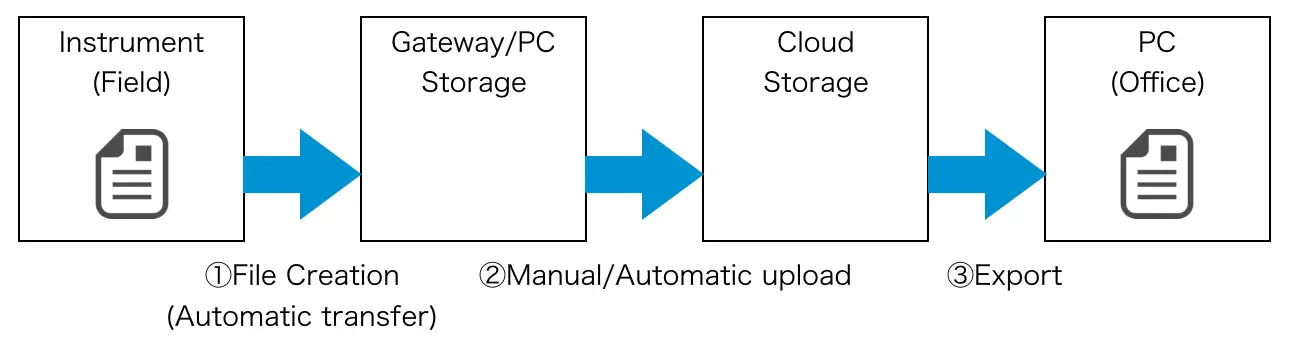
These files are generated by instruments themselves and typically saved on an SD card or other storage media mounted by the instrument. Files generated and saved by instruments (labeled [1] in the image) can be automatically or manually uploaded (labeled [2] in the image) to cloud storage via gateway/PC storage. Files uploaded to cloud storage can be acquired by exporting them using the drive function (labeled [3] in the image).
The service provides functionality for issuing notifications by email and other means at the times described in (2). For more information, see “Alarms.”
The timing at which files are saved varies by instrument. For more information, see “Instrument-specific notes when connecting to the SF4111/ SF4112.”
**In order to acquire instrument data files, if you are using GENNECT One, storage media such as an SD card or USB drive must be inserted into the instrument. If you are using GENNECT Remote (In Japan only), an SD card must be inserted into the gateway, and storage media such as an SD card or USB drive must be inserted into the instrument. **
Interface description
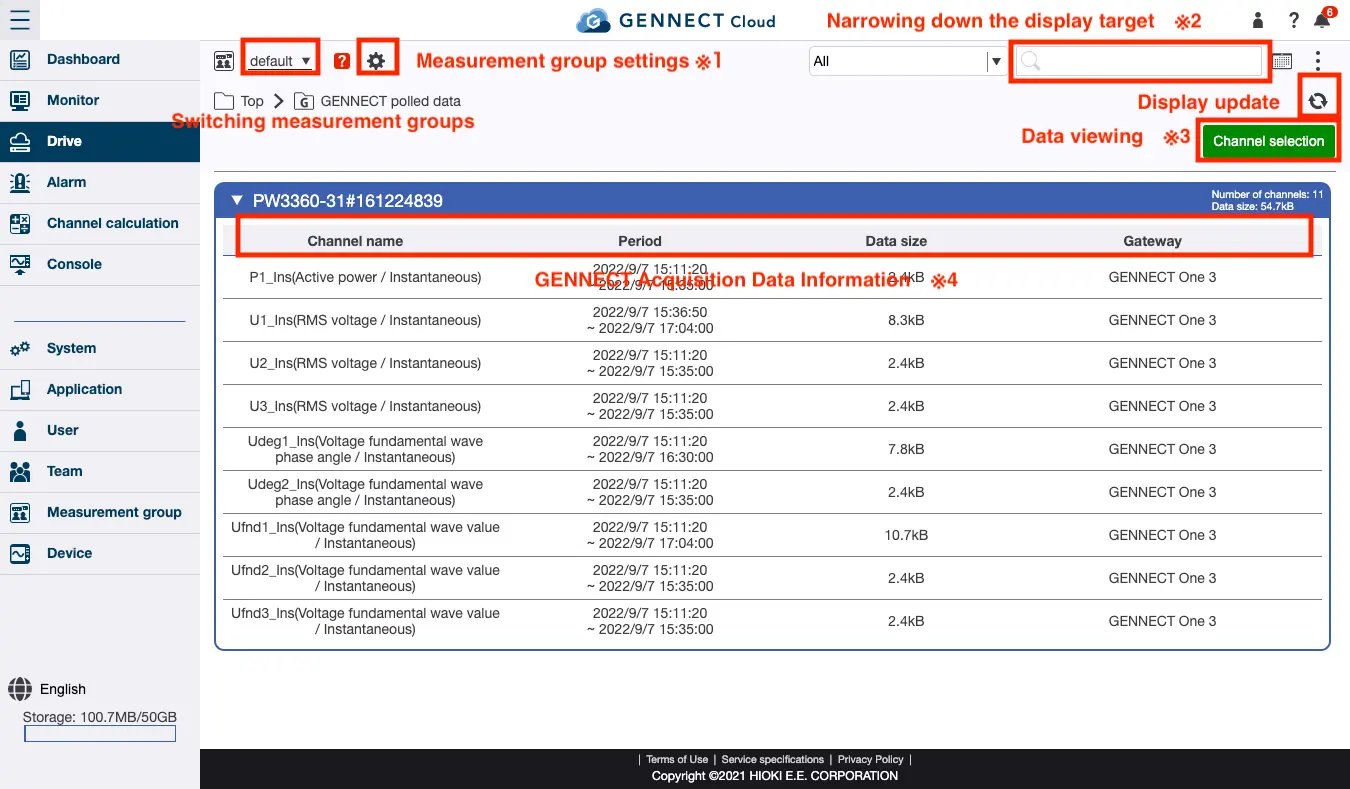
*1 Sets the measurement group. For more information, see “Setting the measurement group.”
*2 Refines the information shown on the display from the gateways, instruments, and channels shown on the screen.
For more information, see “Searching and refining information to display.”
*3 Selects channels for which to view or export GENNECT polled data.
For more information, see “Opening/exporting GENNECT polled data with the time-series viewer.”
*4 Provides information about GENNECT polled data for each instrument. The channel from which data was collected, the interval over which it was saved, the size of the saved data, and the gateway that collected it are displayed for each file.
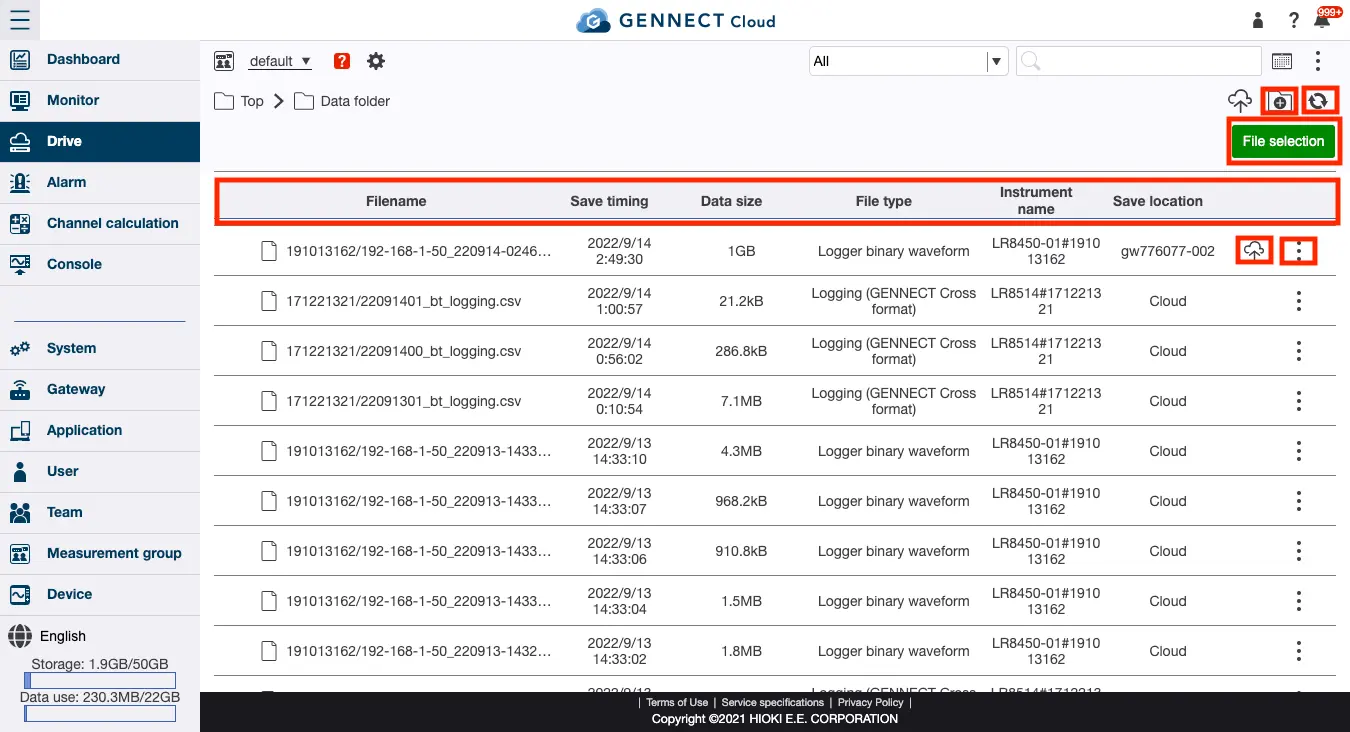
*1 Uploads files as desired from your PC, smartphone, or other device.
*2 Selects instrument data files to delete or export.
*3 Displays information about instrument data files.
The filename, time at which the file was generated, size of the saved file, file type, serial number of the instrument that generated the file, and location of the file (in the cloud or on/in a particular gateway/application) are displayed for each file.
*4 Uploads instrument data files (moves them from gateway/PC storage to cloud storage).
For more information, see “Moving instrument data files from gateway/PC storage to cloud storage.”
*5 Displays detailed information about instrument data files.